




ineseri
Friends of LSPDFR
-
Joined
Everything posted by ineseri
-
Which Operating system are you using? XP? XP isn't supported.
-
I think your processor is causing a bottleneck. Make sure your specs meets the specifications: Minimum System Requirements OS: Windows Vista - Service Pack 1 / XP - Service Pack 3 Processor: Intel Core 2 Duo 1.8Ghz, AMD Athlon X2 64 2.4Ghz Memory: 1.5GB, 16GB Free Hard Drive Space Video Card: 256MB NVIDIA 7900 / 256MB ATI X1900 Recommended System Requirements OS: Windows Vista - Service Pack 1 / XP - Service Pack 3 Processor: Intel Core 2 Quad 2.4Ghz, AMD Phenom X3 2.1Ghz Memory: 2 GB (Windows XP) 2.5 GB (Windows Vista) 18 GB Free Hard Drive Space Video Card: 512MB NVIDIA 8600 / 512MB ATI 3870
-
As I said, you are better off posting that in the correct section as I am not a hardware expert.
-
All of that? I think when I got the computer it was around..2100 USD.
-
I got it from a local electronic and tech retailer here in Sweden.
-
Custom built one :) This is the one I am using atm and it is working fine. Operating System Windows 7 Proffesional 64-bit SP1 CPU Intel Core i7 860 @ 2.80GHz Lynnfield 45nm Technology RAM 12,0GB Dual-Channel DDR3 @ 665MHz (9-9-9-24) Motherboard Gigabyte Technology Co., Ltd. P55A-UD4 (Socket 1156) Graphics SyncMaster (1920x1080@60Hz) 2047MB NVIDIA GeForce GTX 680 (ASUStek Computer Inc) Storage 931GB SAMSUNG HD103SJ ATA Device (SATA) 111GB Corsair Force 3 SSD ATA Device (SSD) 1863GB Seagate Backup+ Desk USB Device (USB (SATA))
-
You are better off posting that in the correct section, because I am no hardware expert.
-
It's no problem, that's what a community is for!
-
No problem, that's what a community is for :)
-
It will indeed be opened up sometime in the future.
-
It's currently down for maintenance, according to . Source: >
-
You can advertise in your signature and your profile. I don't see how that is difficult at all. From the guidelines: EDIT:You can advertise on youtube, for example. But you can't link it to a topic here. Did this make any sense at all? :p
-
Was it solved? :)
-
It even uses (kind of) the old dark theme!
-
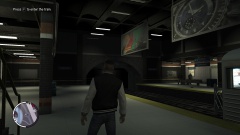
From the album: ineseris LCPDFR images
Luis taking a break from murder and stuff to check out the LC Subway overhaul -
Did you use the manual or automatic installer? Is 0.95RC2 completetly removed? Also, please install these http://www.microsoft.com/en-us/download/details.aspx?id=30679 http://www.microsoft.com/en-us/download/details.aspx?id=30653 http://www.microsoft.com/en-us/download/details.aspx?id=35 http://www.microsoft.com/en-us/download/details.aspx?id=5549 (If you haven’t updated GFWL, use this). Run the game as administrator: Go to the GTA IV folder, right click on GTAIV.exe, Properties, Compatibility and select 'Run this program as administrator', do the same exact thing to the LaunchGTAIV.exe.
-
I guess you could edit the handling.dat file to increase the maximum speed of the actual vehicle. Not sure if this would help though. http://www.gtagaming.com/forums/showthread.php?t=118800
-
OP: When you installed the mod, did you follow this guide to the letter? '?do=embed' frameborder='0' data-embedContent>>
-
Justified. If you are pulling a weapon against a police officer, you better be ready to face the consequences of your actions.
-
I am back here. Is there any update to this?
-
I'm glad you got it working! Sometimes GTA IV + scripts live its own life... Happy gaming!
-
If you experience crashes with scripts more than actual game crashes, you can open up the commandprompt in-game (with the tilde key, above tab) and type: reloadscripts This will reload all scripts, but you will have to restart LCPDFR.
-
Okay, good luck. I am off to bed, so I will get back here tomorrow.
-
It depends on if you have a 32, or 64 bit system. If you have a 32 bit system, choose x86. If you have a 64 bit, choose x64. Guide to find out: http://windows.microsoft.com/en-us/windows7/find-out-32-or-64-bit
-
All of them :)

