




ineseri
Friends of LSPDFR
-
Joined
Everything posted by ineseri
-
It's a suggestion, we'll see if either of the devs see this! :)
-
Not that I know of, no. Sorry.
-
It should work yes. However, I do not use multiple copies of the game so I am not sure. Should be easy to test though.
-
If you copy the entire GTA IV (or EFLC for that matter) folder it should work as a seperate game, yes. EDIT: Hi c13 :)
-
I think you can use the simple native trainer http://www.gta4-mods.com/script/simple-trainer-version-65-f2115 and select a model from there :)
-
Yup. U c wut i did thar :p
-
Yay for Jay :D Sounds awesome, even though I have no idea how it will work, I can still see it will be great.
-
Well, it's not my suggestion. I just added to yours :)
-
Did you install the taser manually? > Did you save while on-duty?
-
I have no problem with the pistol animation, I actually like it and it flows nicely with the rest of the animations, and for roleplaying purposes it's really useful. No cop would ever swing his gun around like Niko does when running. Setting it as a toggleable option in the LCPDFR.ini file would be the best. Then I get to keep my animation, and you can choose to remove it. EDIT: This is a suggestion since it is posted in the LCPDFR Suggestion Forum, in case I didn't make myself clear.
-
Not that I know of, no.
-
I disagree. It could be set as a toggleable option. No need to remove it completely.
-
You'll get that kind of help for free. First, if you could tell me what you have tried, or if you have tried yourself at all. It's not that hard really :)Anyway, Is it a legal copy of the game? What are your computer specifications? How to get your system specs 1. Go to Piriform and download “Speccy”. http://www.piriform.com/speccy/download/standard 2. Install and run the software 3. Go to File and select Save as Text File. 4. When posting the contents of the text file, make sure you put the text within spoiler tags.
-
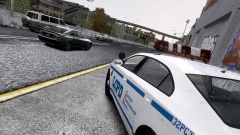 Nice job there! :D
 -
Open up your LCPDFR.ini, look under "Main", it should look something like this: Now, add to the bottom of that part PreLoadAllModels=TrueThe "Main" part should now look like this:
-
Judging from the comments on that file download, I don't think there is one, sorry.
-
I'm not sure what you mean with incorporating modded uniforms?
-
Let us know how it goes :) Edit: I guess it did work.
-
Mind telling me what you have tried? Just saying that you have tried a lot of things doesn't really help... Anyway: 1. Install the latest GTA IV patch from R*: http://support.rockstargames.com/hc/en-us/articles/200145406-Grand-Theft-Auto-IV-Patch-7-Title-Update-v-1-0-7-0-English-1-0-6-1-Russian-1-0-5-2-Japanese- 2. Then install the following redists: http://www.microsoft.com/en-us/download/details.aspx?id=30679 http://www.microsoft.com/en-us/download/details.aspx?id=30653 http://www.microsoft.com/en-us/download/details.aspx?id=35 http://www.microsoft.com/en-us/download/details.aspx?id=5549 Lastly, run the game as administrator. Go to the GTA IV folder, right click on GTAIV.exe, Properties, Compatibility and select 'Run this program as administrator', do the same exact thing to the LaunchGTAIV.exe.
-
Good! Make sure you remove 0.95RC2 before installing 1.0a http://www.lcpdfr.com/page/tutorials/index.action/_/script-data-file-modification-tutorials/how-to-uninstall-lcpdfr-r19. Also, use the manual installer, and follow this guide: '?do=embed' frameborder='0' data-embedContent>>
-
Which version of LCPDFR are you using?
-
Could I see a screenshot of your GTA IV directory to get started?
-
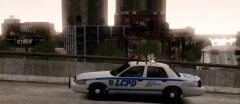 Lovely pic :)
 -
I think you should reinstall LCPDFR with the manual installation package, following the clearly presented instructions from here: '?do=embed' frameborder='0' data-embedContent>>
-
Sounds like a plan, be sure to post in the tech section if you have any questions.


