




ineseri
Friends of LSPDFR
-
Joined
Everything posted by ineseri
-
Well, R* has hidden clues in other games about upcoming games. It's not impossible.
-
Could I see a screenshot of your GTA IV directory?
-
This^There is no way to remove it, I think. Not sure which effect it uses either, but if you do find that particular file you can delete it alltogether I think.
-
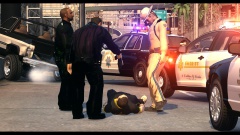 He fell over, I never touched the guy.
 -
I still don't get any of this. We're a policing community. We mod GTA. With police models (among other models). To have fun and enjoy ourselves. Or did I completely miss the point?
-
I like this idea, multiple pull-overs could be a good tool, especially when taking into consideration how LC drivers are. I swear, every time I pull someone over, there's someone else right beside me who deserves that just as much... Good idea OP!
-
1. He kind of did. He told him to come out calmly etc. 2. Already stated somewhere in the thread before, police isn't trained to aim to hurt most of the time. Leg may not work as well as you think. 3. See 1. 4. See 2. That's my opinion though.
-
You can use ALM by Sam for that ('?do=embed' frameborder='0' data-embedContent>>) and then you can use Traffic Spawner by cp702 to allow police models that normally doesn't spawn, spawn ('?do=embed' frameborder='0' data-embedContent>>).
-
Oh this must be a joke... Oh wait. No. Nope. Nonononono. Why? Why... just why? "Oh hey, let's trademark a goddamn word that is used almost every day."
-
Does it crash without using LCPDFR? Are you using 1.0a?
-
Probably a cause of modded peds. If you are using modded peds, remove them by reapplying the backups you made previous to installing the mod.
-
I'd say follow that guide, and if that doesn't work come back here.
-
I'm aware of what it is, and when it was here before :) It's a neat addition to the website, nontheless.
-
I said it before, and I'll say it again: Yay for Jay! And the entire team of course. A really neat addition to the community :)
-
I'm not sure where they spawn in the game to be honest. Maybe someone else with more insight in that can reply.
-
I'm not familiar with the mod in question, or ped modding at all really so I will leave that up to someone else. This is what I know though: From the looks of it, this replaces the male traffic officer, and not any state troopers.
-
 WOOO! :D That is if the TeamSpeak is up...
 -
Most, if not all, modders will do it for free, or someone will point you in the right direction. What model are you looking for?
-
CAR MODS! GET HIM! Seriously though, nice pics Grant :)
-
It's no problem really :) The error seems to be related to RGSC and GFWL somehow, not sure what is the cause though.
-
Yes, as I said you won't be able to use the LIVE saves if you disable GFWL. Not sure about that error though. sorry.
-
I'm using it and I am having no issues with it. It is, however, easy to check. You just switch out dsound to xlive and see if you notice a difference.
-
1. Not really no. a) GFWL may take some resources, true. But you will not be able to play online. 2. You use "xlive.dll" instead of "dsound.dll". It's available from the LCPDFR manual installer, for example. It's a ASI loader. 3. You can't play online or access any live features (achievements, live save files etc).
-
I see. Could I see a screenshot or a file listing of your GTA IV directory?
-
That is up to you. I know that the developers check most forums from time to time.


