




ineseri
Friends of LSPDFR
-
Joined
Everything posted by ineseri
-
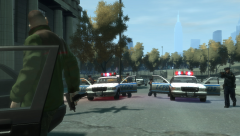 Really nice pic :) Vanilla.... :D
 -
In your GTA IV folder, do you have both DSOUND.dll and XLIVE.dll (if yes, delete one of them). Also, when installing with the manual installer, did you overwrite files when it asked you to?
-
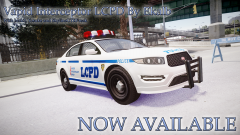 And it's non-ELS! Woooo :D
 -
I recommend you to use LCPDFR 1.0 instead, as 0.95RC2 is outdated. If you really want to use that version, run the installer as administrator.
-
God and I always ask that first... and now I didn't... Haha well done :)
-
Could be that your system isn't powerful enough. What kind of mods are you using? What are your specs?
-
I see. Try installing LCPDFR 1.0 manually by following this guide ('?do=embed' frameborder='0' data-embedContent>>)
-
So, they never appear? Have you modded those slots?
-
Could I see a screenshot of your GTA IV directory?
-
If it does get released, Super-special-awesome-mod 1.0 must be the official name for it.
-
Use the manual installation package, and follow this guide. '?do=embed' frameborder='0' data-embedContent>>. Let us know how that works.
-
I think it's possible if you use express mode.
-
Could you post a screenshot of your GTA IV folder? Also, do what Empire said. It helps immensly.
-
Do you still have LCPDFR 0.95RC2 installed? Could you post a screenshot of your GTA IV folder?
-
Let me know how it goes :)
-
It would help if you answered my questions, but sure: Go ahead :)
-
You will have to use the latest patch for LCPDFR to work http://support.rockstargames.com/hc/en-us/articles/200145406-Grand-Theft-Auto-IV-Patch-7-Title-Update-v-1-0-7-0-English-1-0-6-1-Russian-1-0-5-2-Japanese-
-
Did you use the manual or automatic installer? Also, please install these http://www.microsoft.com/en-us/download/details.aspx?id=30679 http://www.microsoft.com/en-us/download/details.aspx?id=30653 http://www.microsoft.com/en-us/download/details.aspx?id=35 http://www.microsoft.com/en-us/download/details.aspx?id=5549 (If you haven’t updated GFWL, use this). Running the game as administrator: Go to the GTA IV folder, right click on GTAIV.exe, Properties, Compatibility and select 'Run this program as administrator', do the same exact thing to the LaunchGTAIV.exe.
-
The official answer is Yes, they'll work their hardest to bring a LCPDFR type mod to GTA V.
-
You will have to actually pull over that car, if it is a drunk driver callout.
-
1. Uninstall from Steam 2. Delete any left over files 3. Install the game from Steam again.
-
You have to call in the pursuit. Also, those who give support do so in their own spare time. 2 hours is not a long time, at all.
-
Do you have a legal copy of the game?
-
Could you try using the manual installer, by following this guide? '?do=embed' frameborder='0' data-embedContent>>
-
The callouts shouldn't be affected by TrafficFlow, you can, however change them in the LCPDFR ini file.

