




ineseri
Friends of LSPDFR
-
Joined
Everything posted by ineseri
-
Have you read through the ELS User Manual? The controls and usage of ELS are explained in great detail there.
-
Good for you two. I am simply stating the facts: Downloading files off the internet is generally unsafe and they should be acquired from trusted, official sources only.
-
I wanted to check with the community as we are (most of us) avid gamers and enjoy a broad selection of games, ranging from RPGs to FPS to Puzzle-Games. There are some pretty good games out there. I think we all have some favorite game, or favorite games even. But for me, there are sometime moments in games that are unforgettable and that just stuck with me for a long time. One of my favorite games ever is Knights of the Old Republic. It was a really powerful game, with good graphics for its time and a story to match. I spent my younger days in that game, and I still replay it from time to time. I believe I have played that game to 100% completion atlteast 15 times, but one scene always stuck with me. Opening the door to the Endar Spire bridge, right at the start of the game. Seeing the battle in space, knowing that you get to explore the surface of the nearby planet any minute now. There are a lot of awesome scenes in this game, and if you haven't played it you really, really should. Let me know what your favorite moment/scene is :) EDIT: Just want to add, if you are going to post spoilers, please put them in spoiler tags no matter how old the game is.
-
Hello. Just a little tip, in the future you could post long logs into spoiler tags, like this: Then it would look like this: Spoiler tags, they save livesTM Anyway, could you post a screenshot of your GTA IV directory?
-
The OP already said that he'd reinstall to be safe. Downloading files of the internet is always risky.
-
The main reason is this: LCPDFR does not support third-party modifications.
-
I am very glad to hear that! Happy gaming now :)
-
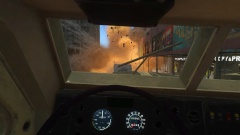 Just another day in Liberty.
 -
Let me know how that goes :) Good luck.
-
-
Hello. I recommend you to use the manual installer, found here (http://www.lcpdfr.com/files/getdownload/66380-lcpd-first-response/). Follow the attached installation guide to the letter.
-
Hello. What other mods are you using? Are you running the game as administrator? What mods are you using? List them please. Running the game as administrator: Go to the GTA IV folder, right click on GTAIV.exe, Properties, Compatibility and select 'Run this program as administrator', do the same exact thing to the LaunchGTAIV.exe. Also, could you post a screenshot of your GTA IV directory?
-
Hello. Could you post a screenshot of your GTA IV directory to get started? :)
-
Hello. Could I see a screenshot of your GTA IV directory to make sure the files are in the correct place?
-
I am very glad to hear it. Nice Vic btw :)
-
Try to install these: http://www.microsoft.com/en-us/download/details.aspx?id=30679 http://www.microsoft.com/en-us/download/details.aspx?id=30653 http://www.microsoft.com/en-us/download/details.aspx?id=35 http://www.microsoft.com/en-us/download/details.aspx?id=5549 (If you haven’t updated GFWL, use this).
-
Keep in mind that crashes are normal when using mods. Did you use the manual or automatic installer?
-
Good :) Several users have reported the same issue you have, for the moment avoid doing that. I also noticed you have the freval error. The freval error was fixed for some users by doing this: Open up your LCPDFR.ini, look under "Main", it should look something like this by default: Now, add to the bottom of that part PreloadAllModels=TrueThe "Main" part should now look like this:
-
Hello. Do you have a legal copy of the game?
-
Thanks. Alright, let's start this off with this: Please install these http://www.microsoft.com/en-us/download/details.aspx?id=30679 http://www.microsoft.com/en-us/download/details.aspx?id=30653 http://www.microsoft.com/en-us/download/details.aspx?id=35 http://www.microsoft.com/en-us/download/details.aspx?id=5549 (If you haven’t updated GFWL, use this). Please run the game as administrator too. Running the game as administrator: Go to the GTA IV folder, right click on GTAIV.exe, Properties, Compatibility and select 'Run this program as administrator', do the same exact thing to the LaunchGTAIV.exe. Lastly, The freval error was fixed for some users by doing this: Open up your LCPDFR.ini, look under "Main", it should look something like this by default: Now, add to the bottom of that part PreloadAllModels=TrueThe "Main" part should now look like this:
-
Hello. Could you post a screenshot of your GTA IV directory?
-
No problem, best of luck with that :)
-
To be safe, reinstall. To be less safe, download from the internet.
-
It has already been linked above. And as I said, download files off the internet at your own risk.
-
Hello. Are you using any other mods? I am pretty sure this isn't a LCPDFR error.

