




ineseri
Friends of LSPDFR
-
Joined
Everything posted by ineseri
-
-
Download the file called "LCPDFR 1.0a Manual Install.zip" and follow the attached guide to the letter.
-
OP, download files from the internet on your risk.
-
Hello. I recommend you to use the new version of LCPDFR, LCPDFR 1.0a, as LCPDFR 0.95RC2 is outdated. Link: http://www.lcpdfr.com/files/download/4607-lcpd-first-response/
-
No, reinstall the game.
-
Then I'd recommend you to use the backups that you made previous to installing the mods.
-
Hello. What do you mean by 'lost'? Did you overwrite them with a mod, or did you delete them? More details on how it happened.
-
Ah, that'd be it then. I usually always ask if you used the automatic or manual installer. Missed that this time ;___;
-
That'd be Apple for ya...
-
Does it work without those graphic mods?
-
I see. Are you using any ped modifications?
-
Many thanks. I noticed in your log that you have the 'freval' error. The freval error was fixed for some users by doing this: Open up your LCPDFR.ini, look under "Main", it should look something like this by default: Now, add to the bottom of that part PreloadAllModels=TrueThe "Main" part should now look like this: Also, make sure to run the game as administrator. Running the game as administrator: Go to the GTA IV folder, right click on GTAIV.exe, Properties, Compatibility and select 'Run this program as administrator', do the same exact thing to the LaunchGTAIV.exe. For good measures, please install these http://www.microsoft.com/en-us/download/details.aspx?id=30679 http://www.microsoft.com/en-us/download/details.aspx?id=30653 http://www.microsoft.com/en-us/download/details.aspx?id=35 http://www.microsoft.com/en-us/download/details.aspx?id=5549 (If you haven’t updated GFWL, use this).
-
Hello. Could you post a screenshot of your GTA IV directory?
-
Try to remove the saves anyway. The save files are located in 2 different places. X:Users%username%AppDataLocalRockstar GamesGTA IVsavegames X:Users%username%DocumentsRockstar GamesGTA IVsavegames
-
Have you saved while on duty or using mods?
-
To add to that, here's a guide for uninstalling 0.95RC2 (http://www.lcpdfr.com/page/tutorials/index.action/_/script-data-file-modification-tutorials/how-to-uninstall-lcpdfr-r19)
-
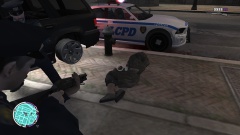 Not anymore it's not! Wait... what.
 -
It's not just a car. It's a Vapid Stanier Police Interceptor.
-
No problem :) That's what a community is for!
-
If you want the new features you should use 1.0. It's the most stable version.
-
Yup, just copy the main GTA IV folder and keep it in a safe place :)
-
No problem :) Make a copy of your entire GTA IV directory when you have completely reinstalled and applied the latest patch :)
-
That would be the best, yup :)
-
It says to make backups in almost every readme. The only way to get them back is to 1. Use the backups or 2. Reinstall the game.
-
Alright, so then it is a easy fix: Just copy over the backup you made previous to installing the mod.

