




ineseri
Friends of LSPDFR
-
Joined
Everything posted by ineseri
-
Most of this could have been found out if you had read the manual. Read it, it's a good read.
-
Indeed. You can use Ekalbs car and the vdh vanilla texture pack for example. It's what I personally use. Also: Keep in mind that there's only 2 Police Departments in GTA IV. LCPD and ASP.
-
GTA V is console only as of yet, and modding consoles is usually not a very good idea.
-
You're going to need the actual skins for that mod though, but sure that'll work. Keep in mind that there's only 2 Police Departments in GTA IV. LCPD and ASP.
-
No problem. In the future, do not save while on duty. It corruptes save files and crashes your game. You have to go to the PD station each new session.
-
1. You can change the pursuit mode. Read the manual. 2. There are no domestics in LCPDFR 1.0. It has been suggested before. 3. No comment, but it has been suggested before I think. 4. Good idea. 5. You can toggle lightmodes with "/". Again, read the manual. (I do not like ELS either, yay :D) 6. - 7. LCPDFR was made around the though that you are a beat cop. Beatcops rarely have more than 1 partner. 8. Good idea, almost like the vanilla computer. 9. There are other ambient traffic stops with LCPDFR. 10. You can code your own callouts with the API, if that is what you mean.
-
You aren't supposed to save while on duty...... You probably corrupted your save file btw.
-
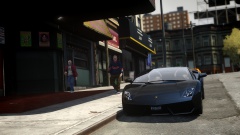 OH MY GOD SMPA60 RIP
 -
There is a cop skin for Niko, but I can't find it at the moment. The point with the mod isn't to play with Niko as a cop, you are regular beat cop with the LCPD.
-
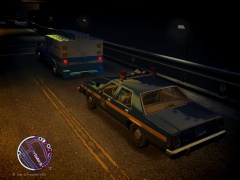 Why are they are preparing for a raid that will take place in New York... In Liberty City? lol
 -
Make sure you aren't using a crack - We don't support cracks Update GTA IV to 1.0.7.0 (the latest version of the game, or 1.1.2.0 for EFLC) - This sometimes fixes a wide variety of issues Make sure that you run the game as an administrator. Make sure that your GTA IV root folder (and every subdirectory) is not set to "read-only" Ensure that ScriptHook.dll, ScriptHookDotNet.asi and Dsound.dll OR Xlive.dll are in the GTA IV ROOT folder Ensure that there is a folder titled 'LCPDFR' in the ROOT GTA IV folder. Check that all the above files exist, if they do not, reinstall LCPDFR with the MANUAL installation. Ensure that you are using up to date versions of every LCPDFR dependency and LCPDFR itself. Install these: .Net Framework 4.5, Microsoft Visual C++ Redist 2012 You seem to be aware of this so idk why it isn't followed lol. :)
-
Not on LCPDFR, no.
-
-
It's a deerp image. lol. Do what NickeB said. Save the image, and upload it to, for example, imgur.com.
-
Because that is the only thing you ever do on your PC? The main point isn't what you do on your PC, it's the fact that someone else, other than you, can see it.
-
Yeah, I can't find this truck either. Bugger.
-
But a very nice cliché at that.
-
Signature and/or profile.
-
These: http://www.microsoft...s.aspx?id=30679 http://www.microsoft...s.aspx?id=30653 http://www.microsoft...ails.aspx?id=35 http://www.microsoft...ls.aspx?id=5549
-
Then you're obviously doing it wrong. The latest redist are needed on Windows 8.1. And keep in mind, that GTA IV is not supported on Windows 7, 8 or 8.1.
-
I see you got pulled over by the LSPD.
-
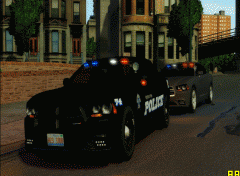 I looked all over the GTA IV map, and I can't find "Highland Park". Am I missing something here?
 -
I don't think the LCPD uses that kind of lightbar?
-
The crime statistics system is currently down for maintenance and will be up when it's done.
-
Um, why would he block out his license plate? Looks good, as always Slimory! :D


