




ineseri
Friends of LSPDFR
-
Joined
Everything posted by ineseri
-
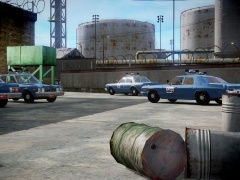 Oh gee, did they take a wrong turn into LC?
 -
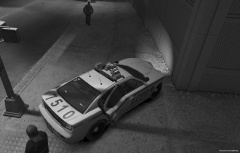 Looking good :)
 -
Did you read the readme? :)
-
Calm down. You're doing it wrong here. Read the readmes. Timesyc isn't a script.
-
So..... Click next?
-
What. When you run the game as administrator, you reinstall it?
-
As it says in the manual, you need to press 'y' to accept a callout. In the future, read that. While it might be a tedious process, it's always recommended to read the manual :)
-
Mighty fine of the LCPD to lend their station, and of LC to lend their streets to the LAPD.
-
Or run the game as administrator.
-
Enjoy your flappy doors and invincible cars lol.
-
Yes, LCPDFR will open all the bridges when you are playing as a officer. You might want to disable wanted level with a trainer to be on the safe side though.
-
Simple Native Trainer. Here's a link: (http://www.gta4-mods.com/script/simple-trainer-version-65-f2115)
-
Or just use the trainer to switch between missions etc. Anyway, hope you solve it. I did my best lol.
-
"Should". You should find that out :) Um... well if you want to play LCPDFR, yes.
-
So, then you go to the other folder provided. Follow the readme to the letter and it should work. Do you know if the save was made with the latest patch? xlive or dsound asi-loader? Or even without a asi loader?
-
Smoking is bad, I do not want it in my face all the time. Simple as that. I don't care what you smoke, I care that you smoke in public. Want to kill yourself slowly in the comfort of your own home? Go right ahead. Just don't go out and poison others and spew your propaganda about "how good it is".
-
I know that. It isn't in the user folder. Where did I say it was? It is in the Rockstar Games/GTA IV/savegames/. The save files are located in 2 different places. X:Users%username%AppDataLocalRockstar GamesGTA IVsavegames X:Users%username%DocumentsRockstar GamesGTA IVsavegames Note: The AppData-folder is usually hidden, make sure that you can see hidden files. Note 2: “X” is the drive where you have installed GTA IV, and %username% is replaced by your username
-
No, into the folder that is stated in the readme. Find your documents folder. It should be in the folder I linked.
-
Documents and settings is for XP. It's your user folder. Direct adress should be C:Users%username% Just copy and paste into run.
-
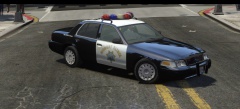 What does the badge say there?
 -
And that is a completely different game in the terms of graphics. It's great that you can play that game, but that doesn't mean you can run a much more resource-heavy game like GTA IV. Just because you can run Half Life 1, doesn't mean you can play Crysis 3.
-
Um... did you read it?
-
Didn't the download come with a readme?
-
... and then make the game crash because of the rapid fire.
-
Directly from the R* page: Supported Operating Systems: Windows Vista (plus Service Pack 1) Windows XP (plus Service Pack 3, DirectX 9, Microsoft .NET Framework 3.5) Minimum: Processor: Intel Core 2 Duo 1.8Ghz, AMD Athlon X2 64 2.4Ghz Memory: 1.5GB Free Hard Drive Space: 16GB Video Card: 256MB NVidia 7900 / 256MB ATI X1900 DirectX 9 compatible Stereo Sound Card Keyboard Mouse Recommended: Processor: Intel Core 2 Quad 2.4Ghz, AMD Phenom X3 2.1Ghz Memory: 2GB (Windows XP) 2.5GB (Windows Vista) Free Hard Drive Space: 18GB Video Card: 512MB NVIDIA 8600 / 512MB ATI 3870 DirectX 9 compatible Surround Sound Card Keyboard Mouse Other: Initial activation requires internet connection; Online play requires log-in to Games for Windows - LIVE and Rockstar Games Social Club (13+ to register); requires disc in drive to play (unlimited installations); software installations required including Sony DADC SecuROM, Adobe Flash, DirectX, and Microsoft's .NET Framework, Games for Windows - LIVE, and Internet Explorer.


