




ineseri
Friends of LSPDFR
-
Joined
Everything posted by ineseri
-
Must be some kind of event I missed. lol
-
Many thanks good sir :D Very kind of you!
-
It's pretty much up to you, what you seem fitting in the moment. There are several factors to consider, like; 1. state of car, 2. state of the driver, 3. road conditions etc. You can decide when, how and why you cite someone when using LCPDFR.
-
Yeha, and the OP said that there are no instructions. I downloaded the file to verify :) Since the OP said it was solved because he/she found the videotutorial, I think she/she already has seen it :)
-
There are no instructions in the downloaded file.
-
I think you just dump the files into your GTA IV root directory.
-
Why would you want to use a ENB if it's already lagging? You can't both have good graphics and performance on a computer like this. I do have a commandline for you: -novblank -norestrictions -percentvidmem 100 -novsync -frameLimit 0
-
I rather not get shot at, even with non-lethal rounds. I did play with my classmates several times back in the day, but that was paintball though. I learned that aiming wasn't always my strong side. Dem trees got hit pretty bad though, and maybe I was aiming for them.
-
You're saying that like it's a problem :P
-
I guess I can provide something here. Me and my friend have been taking some photos of the older trams in Gothenburg. This is my baby (I wish it was). Built by ASJ in 1965-67, this is the M28 Tram. This specifc one is M28 715 Jack. It was not at all meant that M28 should stay as long as they have (more than 50 years). As things turned out, both delivery delays and problems with the M32 series, as well as a steady increase in ridership numbers made it necessary to keep M28 around until the various problems are solved. I love these trams with a special passion that is hard to describe. They're fun to drive (pedals) and they hold together in pretty much any weather condition.
-
Yeah, why would you want that? I still don't get why that feature is even there :p
-
It's something awesome, or should I say rather revolutionary.
-
I'm with Olanov. What is that?
-
Um. New York = New York Liberty City = Liberty City. The LCPD uses Vapid Staniers and Merits, Ekalb made some nice cars (vanilla cars) which supports multiple liveries.
-
Okay. I don't know what is wrong. And this topic is all over the place, and I do not understand what you want. Run the game as administrator. Make sure you have the latest patch. Make sure it isn't a crack. Read all manuals and guides.
-
Yes, that or xlive.dll.
-
Timesyc isn't a script. Where are you trying to install it? Dsound goes into the main directory and you can get it with LCPDFR.
-
So are you now using dsound and xlive? At the same time?
-
Yes, just like I said...?
-
Um... yes. I... um... forgot about that x)
-
Ekalbs, Dler to name a few make really good vanilla car packs. I don't see why you'd need anything else
-
That's why you'd change the handling line. Welcome to the forums btw.
-
If you want, you can copy the handling lines and such to be sure it is handling like the same vehicle.
-
Flappy doors. That's not a minor door bug lol, car being repaired all the time, lag and crash fest because of the constant reloading of parts.
-
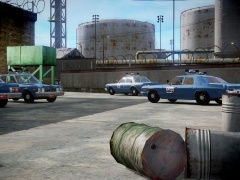 Well, they'd have to take a tour through LC to get to Alderney :/


