




ineseri
Friends of LSPDFR
-
Joined
Everything posted by ineseri
-
Hi, you don't have to as we do not have tags like that here on LCPDFR.com
-
MODERATOR NOTICE Moving to GTA IV Discussion from Gaming. Please make sure to post in the correct section in the future by reading the section descriptions :)
-
MODERATOR NOTICE Thread moved to GTA IV Development Suggestions and Requests. Please read the pinned "About This Section" thread before posting in the showroom forums: '?do=embed' frameborder='0' data-embedContent>>
-
MODERATOR NOTICE Moving to LCPDFR Discussion.
-
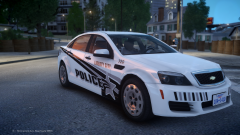 Oh god what have you done.
 -
Have you bought the game?
-
2. No it's not. 3. No, unless you're using third-party mods which isn't supported. Have you bought GTA IV?
-
As been said, please use LCPDFR 1.0 and read the manual before posting. Alt+P is working fine.
-
Please upgrade to 1.0.
-
LukeD has already said that the latest version is unstable. Also, LCPDFR is not supported with third party mods.
-
MODERATOR NOTICE Moving to GTA IV Development Suggestions & Requests. The GTA IV Discussion & Media section is not for modding support/requests. Please make sure to post in the correct section in the future.
-
Or you make backups before modding, which is the recommended way to do it. Downloading from the internet is borderline piracy.
-
MODERATOR NOTICE Please do not bump, edit your post to add more information Does it work without mods? LCPDFR isn't supported with third-party mods.
-
MODERATOR NOTICE Moving to GTA IV Development Suggestions & Requests. The LCPDFR Discussion section is only for discussions regarding the LCPDFR Modification itself. Please make sure to post in the correct section in the future.
-
MODERATOR NOTICE Moving to GTA IV Support Requests. The LCPDFR Support Request section is only for questions regarding the LCPDFR Modification itself. Please make sure to post in the correct section in the future.
-
-
You posted this 19 hours ago. Give it some time. Be patient.
-
What makes you say that?
-
I'd say Green Man Gaming. Definitely not Steam.
-
You might get a decent GPU for that price, but nothing else. To put it into perspective, my build had a final price tag of around 2000 USD a few years ago.
-
Well, the readmes are extremely straight-forward.
-
Provide more details surrounding your problem.
-
MODERATOR NOTICE Since this isn't about LCPDFR not working, I am moving this topic to GTA IV Support Requests. The LCPDFR Support Request section is only for questions regarding the LCPDFR Modification itself. Please make sure to post in the correct section in the future.
-
MODERATOR NOTICE Moving to GTA IV Support Requests. The LCPDFR Support Request section is only for questions regarding the LCPDFR Modification itself. Please make sure to post in the correct section in the future.
-
You should try to make a better PIT then :P Just force him into a pole or something. LCPD policing style.

