




ineseri
Friends of LSPDFR
-
Joined
Everything posted by ineseri
-
Texture loss and stutter can be caused by: - "Heavy" mods such as high-poly car mods, texture mods etc - Your GPU that cannot handle the game - Memory leak or a combination of the above. Deleting other games will not affect your FPS. Your FPS is determined by the above + running background programs.
-
I'm not the one to ask sadly.
-
-
Maybe this will help? http://www.gtagaming.com/forums/showthread.php?t=118800
-
Yeah me too. He made some extraordinary films and shows.
-
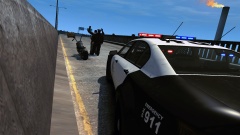 Only question is what the LSPD is doing in Alderney :)
 -
This is true. But maybe he doesn't want to buy Zmodeler for a one time task?
-
Please provide more details about your setup, mods and specs. And try to calm down before posting, it's better for all of us that way :)
-
Well, LCPDFR 0.95RC2 isn't supported any longer I think.
-
Does it work without mods? LCPDFR isn't supported with third-party mods.
-
First things first, LCPDFR isn't supported with third-party mods. Hello there -- welcome to LCPDFR.com and thanks for trying out LCPDFR. You failed to read the instructions before posting in this forum. So we'll remind you of them. Please do the following: Make sure you aren't using a crack - We don't support cracks Update GTA IV to 1.0.7.0 (the latest version of the game, or 1.1.2.0 for EFLC) - This sometimes fixes a wide variety of issues Make sure that you run the game as an administrator. Make sure that your GTA IV root folder (and every subdirectory) is not set to "read-only" Ensure that ScriptHook.dll, ScriptHookDotNet.asi and Dsound.dll OR Xlive.dll are in the GTA IV ROOT folder Ensure that there is a folder titled 'LCPDFR' in the ROOT GTA IV folder. Check that all the above files exist, if they do not, reinstall LCPDFR with the MANUAL installation. Ensure that you are using up to date versions of every LCPDFR dependency and LCPDFR itself. Install these: .Net Framework 4.5, Microsoft Visual C++ Redist 2012 If your problem has been solved after following these basic instructions, hit 'Mark Solved' next to this post. If not, please now reply to this thread, and make sure that you do the following: Give a clear, detailed description of the problem. Explain any circumstances surrounding the problem. State what solutions you have tried. Post ALL relevant logs (LCPDFR.log, Scripthook.log, ScriptHookDotNet.log, AdvancedHook.log). Include as much information as possible. Post your system specifications. Post what other mods you are using. This includes car and script mods. Please note that failure to follow these instructions may cause this thread to be closed.
-
What you said in the TS isn't really making me very happy to help you. I've already said what's wrong, take it or leave it. Please reply in this thread when you have calmed down.
-
I just told you. The problem is your ancient GPU that can't handle the game properly, and thus renders a black screen instead. Now, I am going to ask you nicely to calm down, please.
-
You just made a topic stating that you can't run it. Make up your mind. The problem is your ancient GPU.
-
And my reply to you, is that you need an upgrade. That is the fix I can give you. Your card is, really, really old. It is not built for GTA IV. GTA IV is a very demanding game. I just can't throw out a universal fix for you when the problem lies in your hardware. If you downgrade (which isn't possible in the conventional way, you will have to reinstall your game) you will not be able to use pretty much any mod.
-
But you don't apparently, since you're losing textures and the screen goes black? Minimum System Requirements OS: Windows Vista - Service Pack 1 / XP - Service Pack 3 Processor: Intel Core 2 Duo 1.8Ghz, AMD Athlon X2 64 2.4Ghz Memory: 1.5GB, 16GB Free Hard Drive Space Video Card: 256MB NVIDIA 7900 / 256MB ATI X1900 Recommended System Requirements OS: Windows Vista - Service Pack 1 / XP - Service Pack 3 Processor: Intel Core 2 Quad 2.4Ghz, AMD Phenom X3 2.1Ghz Memory: 2 GB (Windows XP) 2.5 GB (Windows Vista) 18 GB Free Hard Drive Space Video Card: 512MB NVIDIA 8600 / 512MB ATI 3870 And yes, you asked a question, and I replied.
-
Your PC really, really, really, really cannot handle GTA IV. It's a wonder it even allowed you to start it. You will need an upgrade.
-
What the title says. One of the greatest TV-Series ever produced is now available for pre-order: http://www.amazon.co.uk/gp/product/B00H9BFV98/ref=as_li_ss_tl?ie=UTF8&camp=1634&creative=19450&creativeASIN=B00H9BFV98&linkCode=as2&tag=weltotwipea-21 I've watched this show more times than I can count, and it will be a blast returning to Twin Peaks. Has anyone else seen Twin Peaks before? Excited? I know I am.
-
What are your specs? What mods are you using?
-
Hello there -- welcome to LCPDFR.com and thanks for trying out LCPDFR. You failed to read the instructions before posting in this forum. So we'll remind you of them. Please do the following: Make sure you aren't using a crack - We don't support cracks Update GTA IV to 1.0.7.0 (the latest version of the game, or 1.1.2.0 for EFLC) - This sometimes fixes a wide variety of issues Make sure that you run the game as an administrator. Make sure that your GTA IV root folder (and every subdirectory) is not set to "read-only" Ensure that ScriptHook.dll, ScriptHookDotNet.asi and Dsound.dll OR Xlive.dll are in the GTA IV ROOT folder Ensure that there is a folder titled 'LCPDFR' in the ROOT GTA IV folder. Check that all the above files exist, if they do not, reinstall LCPDFR with the MANUAL installation. Ensure that you are using up to date versions of every LCPDFR dependency and LCPDFR itself. Install these: .Net Framework 4.5, Microsoft Visual C++ Redist 2012 If your problem has been solved after following these basic instructions, hit 'Mark Solved' next to this post. If not, please now reply to this thread, and make sure that you do the following: Give a clear, detailed description of the problem. Explain any circumstances surrounding the problem. State what solutions you have tried. Post ALL relevant logs (LCPDFR.log, Scripthook.log, ScriptHookDotNet.log, AdvancedHook.log). Include as much information as possible. Post your system specifications. Post what other mods you are using. This includes car and script mods. Please note that failure to follow these instructions may cause this thread to be closed.
-
MODERATOR NOTICE Moving to LCPDFR Media.
-
MODERATOR NOTICE Thread moved to GTA IV Development Suggestions and Requests. Please read the pinned "About This Section" thread before posting in the showroom forums: '?do=embed' frameborder='0' data-embedContent>>
-
Try using Vanilla cars, your world quality will probably increase dramatically. Same with performance.
-
MODERATOR NOTICE Please do not thread bump. Have you bought GTA IV? Cracked copies sometimes have a lot of issues.
-
Hello there -- welcome to LCPDFR.com and thanks for trying out LCPDFR. You failed to read the instructions before posting in this forum. So we'll remind you of them. Please do the following: Make sure you aren't using a crack - We don't support cracks Update GTA IV to 1.0.7.0 (the latest version of the game, or 1.1.2.0 for EFLC) - This sometimes fixes a wide variety of issues Make sure that you run the game as an administrator. Make sure that your GTA IV root folder (and every subdirectory) is not set to "read-only" Ensure that ScriptHook.dll, ScriptHookDotNet.asi and Dsound.dll OR Xlive.dll are in the GTA IV ROOT folder Ensure that there is a folder titled 'LCPDFR' in the ROOT GTA IV folder. Check that all the above files exist, if they do not, reinstall LCPDFR with the MANUAL installation. Ensure that you are using up to date versions of every LCPDFR dependency and LCPDFR itself. Install these: .Net Framework 4.5, Microsoft Visual C++ Redist 2012 If your problem has been solved after following these basic instructions, hit 'Mark Solved' next to this post. If not, please now reply to this thread, and make sure that you do the following: Give a clear, detailed description of the problem. Explain any circumstances surrounding the problem. State what solutions you have tried. Post ALL relevant logs (LCPDFR.log, Scripthook.log, ScriptHookDotNet.log, AdvancedHook.log). Include as much information as possible. Post your system specifications. Post what other mods you are using. This includes car and script mods. Please note that failure to follow these instructions may cause this thread to be closed.

