




ineseri
Friends of LSPDFR
-
Joined
Everything posted by ineseri
-
I'd recommend using OpenIV: http://openiv.com/
-
If you read the topic, you might notice that it isn't a support request but rather a suggestion / tip for decreasing crashes.
-
Since the craigs list one has actual viruses on it, that he willingly installed (Norton) I would not recommend using it. Buying a used computer is a bit of a gamble. You don't know which state the parts are in. I'd recommend buildig your own pc with the help of a friend, or if someone can help you here in the community.
-
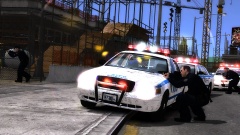 It's rare, but it happens.
 -
Indeed, please use LCPDFR 1.0c instead as LCPDFR 0.95RC2 isn't supported anymore.
-
You need to use one of them though. Hm, I can't really figure out why it's crashing. Going to go over the logs.
-
Can you post your full system specs. You can get that from running dxdiag. Also, any reason for using xlive and not Dsound?
-
Yes, start the mod with Alt+P and open the ScriptHook console. Type: forceduty
-
No. Please reply to my post, answer all of the points in the list and also post a screenshot of your GTA IV Directory.
-
I am (not for this sentence though , it's Saturday. Cut me some slack). willpv233 You are welcome for the extra 3. You've earned it!
-
OPPOfficer. I'm with Jay here, I rarely look at my keyboard when I write.
-
Not everyone has Facebook, but you can browse the facebook page freely without a Facebook account if I remember correctly. Further, not everyone has Instragram either :P
-
Not really needed in my opinion, to share images we have the LCPDFR Gallery and LCPDFR Facebook Page.
-
Read the read me. Have you done that?
-
MODERATOR NOTICE Please keep LCPDFR Support requests in the LCPDFR Support forum
-
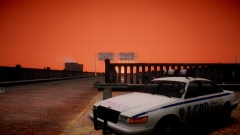 Nice car!
 -
Hello there -- welcome to LCPDFR.com and thanks for trying out LCPDFR. You failed to read the instructions before posting in this forum. So we'll remind you of them. Please do the following: Make sure you aren't using a crack - We don't support cracks Update GTA IV to 1.0.7.0 (the latest version of the game, or 1.1.2.0 for EFLC) - This sometimes fixes a wide variety of issues Make sure that you run the game as an administrator. Make sure that your GTA IV root folder (and every subdirectory) is not set to "read-only" Ensure that ScriptHook.dll, ScriptHookDotNet.asi and Dsound.dll OR Xlive.dll are in the GTA IV ROOT folder Ensure that there is a folder titled 'LCPDFR' in the ROOT GTA IV folder. Check that all the above files exist, if they do not, reinstall LCPDFR with the MANUAL installation. Ensure that you are using up to date versions of every LCPDFR dependency and LCPDFR itself. Install these: .Net Framework 4.5, Microsoft Visual C++ Redist 2012 If your problem has been solved after following these basic instructions, hit 'Mark Solved' next to this post. If not, please now reply to this thread, and make sure that you do the following: Give a clear, detailed description of the problem. Explain any circumstances surrounding the problem. State what solutions you have tried. Post ALL relevant logs (LCPDFR.log, Scripthook.log, ScriptHookDotNet.log, AdvancedHook.log). Include as much information as possible. Post your system specifications. Post what other mods you are using. This includes car and script mods. Please note that failure to follow these instructions may cause this thread to be closed.
-
Firefly. http://www.imdb.com/title/tt0303461/?ref_=fn_al_tt_1 One of the best shows I have ever seen.
-
 "Hey Jake? I gotta pull over"
 -
Well done sir! ScrimpyData
-
Sniper296 :)
-
Right, I'd say this has gone on far enough :) Nothing to see here! This topic has been closed by LCPDFR.com staff. If you feel that this topic has been closed in error, please report this post.
-
Rocking_Star101: oh god. Have to keep editing every post I make, Help us!!!Hi :) I was told I was needed.
-
Counting. Counting never changes.
-
Welcome, once again, to the team!


