




ineseri
Friends of LSPDFR
-
Joined
Everything posted by ineseri
-
Does it work without any other mods?
-
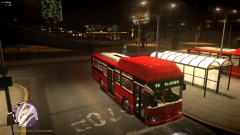 Not bad. But need more stuff from Göteborg :P
 -
MODERATOR NOTICE You've been told before not to post in the wrong section regarding modding. Moving to GTA IV Development Tutorials & Questions, just like last time, please read '?do=embed' frameborder='0' data-embedContent>> before posting in the showroom forums.
-
And then they lived happily ever after :P
-
Please do the following: Make sure you aren't using a crack - We don't support cracks Update GTA IV to 1.0.7.0 (the latest version of the game, or 1.1.2.0 for EFLC) - This sometimes fixes a wide variety of issues Make sure that you run the game as an administrator. Make sure that your GTA IV root folder (and every subdirectory) is not set to "read-only" Ensure that ScriptHook.dll, ScriptHookDotNet.asi and Dsound.dll OR Xlive.dll are in the GTA IV ROOT folder Ensure that there is a folder titled 'LCPDFR' in the ROOT GTA IV folder. Check that all the above files exist, if they do not, reinstall LCPDFR with the MANUAL installation. Ensure that you are using up to date versions of every LCPDFR dependency and LCPDFR itself. Install these: .Net Framework 4.5, Microsoft Visual C++ Redist 2012 If your problem has been solved after following these basic instructions, hit 'Mark Solved' next to this post. If not, please now reply to this thread, and make sure that you do the following: Give a clear, detailed description of the problem. Explain any circumstances surrounding the problem. State what solutions you have tried. Post ALL relevant logs (LCPDFR.log, Scripthook.log, ScriptHookDotNet.log, AdvancedHook.log). Include as much information as possible. Post your system specifications. Post what other mods you are using. This includes car and script mods. Please note that failure to follow these instructions may cause this thread to be closed.
-
Can you post the screenshot please?
-
OSHPTROPERSHORTY Not too bad.
-
It has been suggested before, and if I remember correctly it was deemed that the AI would just crash into you.
-
Post a screenshot of your GTA IV directory, so I can see you are using the correct LCPDFR files.
-
Dimography Damn, still can't do it. :DDD
-
MODERATOR NOTICE Moving to LCPDFR Suggestions. The General & Miscellaneous Discussion is a general purpose forum for all forms of miscellaneous discussion not catered for by any subject-specific forum. Please make sure to post in the correct section in the future.
-
Most recently I've been listening to a lot of Hall & Oates, more specifically: Out of Touch Private Eyes Downtown Life
-
You failed to read the instructions before posting in this forum. So we'll remind you of them. Please do the following: Make sure you aren't using a crack - We don't support cracks Update GTA IV to 1.0.7.0 (the latest version of the game, or 1.1.2.0 for EFLC) - This sometimes fixes a wide variety of issues Make sure that you run the game as an administrator. Make sure that your GTA IV root folder (and every subdirectory) is not set to "read-only" Ensure that ScriptHook.dll, ScriptHookDotNet.asi and Dsound.dll OR Xlive.dll are in the GTA IV ROOT folder Ensure that there is a folder titled 'LCPDFR' in the ROOT GTA IV folder. Check that all the above files exist, if they do not, reinstall LCPDFR with the MANUAL installation. Ensure that you are using up to date versions of every LCPDFR dependency and LCPDFR itself. Install these: .Net Framework 4.5, Microsoft Visual C++ Redist 2012 If your problem has been solved after following these basic instructions, hit 'Mark Solved' next to this post. If not, please now reply to this thread, and make sure that you do the following: Give a clear, detailed description of the problem. Explain any circumstances surrounding the problem. State what solutions you have tried. Post ALL relevant logs (LCPDFR.log, Scripthook.log, ScriptHookDotNet.log, AdvancedHook.log). Include as much information as possible. Post your system specifications. Post what other mods you are using. This includes car and script mods. Please note that failure to follow these instructions may cause this thread to be closed.
-
Have you started the LCPDFR mod?
-
Downloaded from where?
-
MODERATOR NOTICE Moving to GTA IV Development Tutorials & Questions.
-
In your screenshot it isn't installed. Is this intentional?
-
Wiggleham
-
MODERATOR NOTICE Use the edit button to add more information to your post.Your posts has been merged. What is the issue? Have you downloaded LCPDFR? XLIVE is included there.
-
Gods no. The person below me listens to Hall & Oates.
-
Nothing to see here! This topic has been closed by LCPDFR.com staff. If you feel that this topic has been closed in error, please report this post. The person below me was tricked.
-
Denseography
-
Are you launching as administrator? I.e UAC turned off?
-
Always :P
-
Hm, read this: '?do=embed' frameborder='0' data-embedContent>>

