




ineseri
Friends of LSPDFR
-
Joined
Everything posted by ineseri
-
MODERATOR NOTICE Moving to GTA IV Support Requests as this isn't relevant to the functionality of the LCPDFR Mod itself, which is what the LCPDFR Support Requests section is for.
-
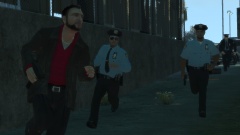 Plus, Olanov uses several mods but they're subtle. Not in your face as much as other mods are.
 -
Also, LCPDFR is not supported in any form of online multiplayer.
-
Hello there -- welcome to LCPDFR.com and thanks for trying out LCPDFR. You failed to read the instructions before posting in this forum. So we'll remind you of them. Please do the following: Make sure you aren't using a crack - We don't support cracks Update GTA IV to 1.0.7.0 (the latest version of the game, or 1.1.2.0 for EFLC) - This sometimes fixes a wide variety of issues Make sure that you run the game as an administrator. Make sure that your GTA IV root folder (and every subdirectory) is not set to "read-only" Ensure that ScriptHook.dll, ScriptHookDotNet.asi and Dsound.dll OR Xlive.dll are in the GTA IV ROOT folder Ensure that there is a folder titled 'LCPDFR' in the ROOT GTA IV folder. Check that all the above files exist, if they do not, reinstall LCPDFR with the MANUAL installation. Ensure that you are using up to date versions of every LCPDFR dependency and LCPDFR itself. Install these: .Net Framework 4.5, Microsoft Visual C++ Redist 2012 If your problem has been solved after following these basic instructions, hit 'Mark Solved' next to this post. If not, please now reply to this thread, and make sure that you do the following: Give a clear, detailed description of the problem. Explain any circumstances surrounding the problem. State what solutions you have tried. Post ALL relevant logs (LCPDFR.log, Scripthook.log, ScriptHookDotNet.log, AdvancedHook.log). Include as much information as possible. Post your system specifications. Post what other mods you are using. This includes car and script mods. Please note that failure to follow these instructions may cause this thread to be closed.
-
Did you use the search button? We have quite the extensive archive of downloads.
-
Or better yet; https://www.lcpdfr.com/files/
-
MODERATOR NOTICE Please create only one topic for your question. Further, this topic is moved to GTA IV Discussion & Media.
-
... and post it here if you don't understand it.
-
I'm not sure why you would buy GTA IV when you do not have a good PC. GTA IV is a very demanding game. To circumvent a less powerful computer, and maybe get the game up and running, create a txt file called “commandline.txt” (without quotes) in your main GTA IV installation directory and insert the following lines: renderquality 0 shadowdensity 0 texturequality 0 viewdistance 0 detailquality 0 novblank norestrictions percentvidmem 100 minspecaudio novsync renderquality 0
-
What is your computer specs? Can you also run this diag tool? http://www.systemrequirementslab.com/cyri
-
Then the model might be faulty, or your game doesn't like the model
-
What if you remove it? Same error?
-
It is not always caused by saving a modded car. Does it work without the carmod in question? SMPA60 is sometimes caused by faulty models.
-
Are you running the game as administrator?
-
It's in the LCPDFR Manual, under the section "SECTION 5.1 - APPENDIX A (LIST OF WEAPONS AND KEYS)".
-
I know that the SimpleNativeTrainer has as speedometer built in. Maybe that is what you're looking for?
-
Ok, when you are using the manual installation, are you reading the accompanying manual?
-
MODERATOR NOTICE Moving to GTA IV Support Requests as this isn't relevant to the functionality of the LCPDFR Modification, which is what the LCPDFR Support Requests section is for. Please make sure to post in the correct section in the future.
-
Use the search button and look around, someone should have your issue. Sorry that I can't help.
-
Then I am not sure what could be wrong sadly.
-
Yeah, those. I linked them in my first post.
-
Nothing else. I'm not really sure what could be wrong. You did install all redists?
-
Did you remove all contents of your GTA IV directory too after uninstallation?
-
Maybe try a clean reinstallation of the game, that's all I can think of.
-
Does it work without ELS? Other than that I am unsure on what to do.

