
Riley24
Members
-
Joined
-
Last visited
Everything posted by Riley24
-
 What lightbar is that?
 -
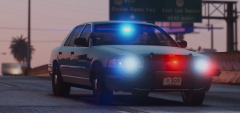 LOVE this, always wanted to see an unmarked vic like this, can fit many different department styles
 -
 Interesting, thanks for clarifying
 -
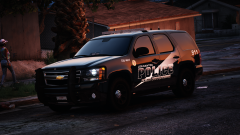
Is this based on any real agencies? I've never heard of a "crime suppression" unit before
-
-
.thumb.jpg.30de2cdd6bdce371d029c527c67ad196.jpg) My critiques are the same as they were for the charger. I'll save space in the review section and not copy paste it.
My critiques are the same as they were for the charger. I'll save space in the review section and not copy paste it.- 101 comments
- 33 reviews
-
-
.thumb.jpg.a4a34b706ab065eb1cdc7c8e75034ea3.jpg) I usually only leave reviews when I love the car, but I thought I'd take a break from giving insta-5 stars and give some more real feedback. My major criticism is the lighting setup. This feels like its supposed to be about 2 or 3 different chargers, but it was combined together using extras. This is great for customizing your own car, but a disaster if you're trying to make a fleet of AI vehicles as I think most people do. By default, the car is barely an emergency vehicle with only two flashing blue lights on the back. This makes it basically un-usable for anyone who plays the game the way I do. It would've been great if you made different versions of the car so that people could fill different slots with different variations.
I usually only leave reviews when I love the car, but I thought I'd take a break from giving insta-5 stars and give some more real feedback. My major criticism is the lighting setup. This feels like its supposed to be about 2 or 3 different chargers, but it was combined together using extras. This is great for customizing your own car, but a disaster if you're trying to make a fleet of AI vehicles as I think most people do. By default, the car is barely an emergency vehicle with only two flashing blue lights on the back. This makes it basically un-usable for anyone who plays the game the way I do. It would've been great if you made different versions of the car so that people could fill different slots with different variations.- 30 comments
- 28 reviews
-
-

- 4
-
-
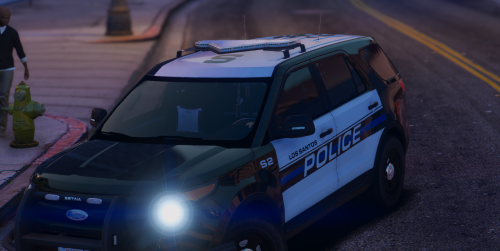
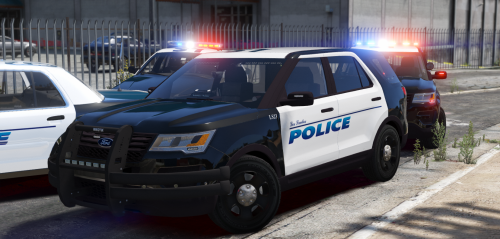 I love this skin. California and beach-themed police skins always fit so well with Los Santos. My only critique is that the "Los Santos" is a bit small. I know you were going for realism, but if it were on a real car it would be really hard to read unless you were right next to the car. It works on the real car because "Manhattan Beach" is longer so people recognize the name. Idk, just my thoughts. Also, I LOVE that you put the "LS" on the roof like how it says "MB" in real life. Its that attention to detail that makes you one of my favorite texture artists.
- 13 comments
- 4 reviews
-
-
-
-
 If you dont mind me asking, what font did you use for the "Blaine County"? I'd like to change it to Los Santos County for personal use.
- 71 comments
- 16 reviews
-
It's available on the site, dude. I think it's still featured.
-
The slicktop version was released, the marked one with the lightbar was not.
-
And I wouldn't get your hopes up about it being released.
-
-
-
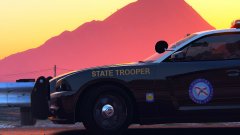 Ah, the lush deserts of Florida....
 -
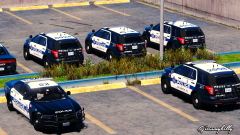 Love this skin! Pack material...
 -
Haha dont we all. Good job on the skin!
-
You made the model, or the skin?
-
Ah. Well MattJeter is currently making a current gen Caprice, I got scared for a sec that he got banned 😂
-
Who was that? MattJeter?
-
 "Default lighting" is no longer an excuse....fantastic job! I'd love to see functional spotlights added though, and a steelies option for the charger. Maybe in a future update?
- 445 comments
- 108 reviews
-
-
- 3
-

.thumb.jpg.30de2cdd6bdce371d029c527c67ad196.jpg)
.thumb.jpg.bfad1c193dd40b9d539eefd7c5187a5a.jpg)
.thumb.jpg.a4a34b706ab065eb1cdc7c8e75034ea3.jpg)