


Olanov
Members
-
Joined
-
Last visited
Everything posted by Olanov
-
Avast for the win!
-
-
To pull over a vehicle, press "Shift" button.
-
Oh, i guess i'm mistaken then, apologies. :3
-
Spartan, do not doublepost! Edit your posts in the future.
-
Alright, you'll just press the "prt sc" (print screen) button to take a picture of it. And please, don't doublepost. In the future, edit your posts.
-
Could you post a picture of your GTA IV folder just incase?
-
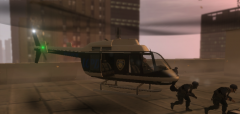 I like the helicopter!
 -
Oh, well. Enjoy the mod!
-
I believe you need to download and install this: http://www.microsoft.com/downloads/en/details.aspx?displaylang=en&FamilyID=0a391abd-25c1-4fc0-919f-b21f31ab88b7 . If it still won't work, re-install LCPDFR mod.
-
Try running the game as an admin.
-
What do you mean with your character going into a taxi..?
-
No, there is no Motor Unit Uniform for the Police Motorcycle. Enjoy the mod!
-
Oh well, keep pressing F8 then to unbusy/busy yourself. Although, just try playing without the ELS cars.
-
Press F8 and you can set "busy" mode on/off.
-
If you would have searched around, you would have noticed these have been already suggested.
-
Wow.... Really?! Make your own thread and include the diagnosic log.
-
Patch EFLC to 1, 1, 2, 0.
-
Asiloader comes with the automatic installer, and the manual. It's the "dsound.dll" or if you want, you can use "xlive". Just don't use them both at the same time.
-
I think you can post a topic about it here. But i'm not sure if you will recieve much help from people. Although, maybe devs can help you out.
-
I see you did post this in GTA Forums too. And to be honest, you should have just kept it there.
-
No, i don't have any ideas. Do you have the steam version or retail version?
-
It's the car mods.
-
That's none of our business, but try typing it in the exact same way it's in the picture. Maybe you typed it wrong.
-
If it is an ELS car mod you of course need ELS (Emergency Lighting System) mod for them to work. You can get it from here: http://www.gtaemergencyvehicles.com/downloads.php?page_id=62


