


Olanov
Members
-
Joined
-
Last visited
Everything posted by Olanov
-
Good god.... I don't never, ever want to see you making a topic with a caps lock spam.
-
I like him too. How about we'll delay the next version? Oh wait, it's not even announced. Let's delay the announcing!
-
Now that you have installed it, re-install the mod. It just might do the trick.
-
Try running the game as an admin.
-
Um, you're welcome, glad to hear the problem is solved. Enjoy!
-
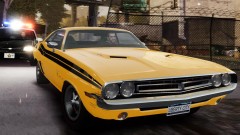 Your pictures make great wallpapers.
 -
Dear sir, these have been already suggested before. Just letting you know.
-
What i need you to do, is download this: http://www.microsoft.com/downloads/en/details.aspx?FamilyID=a7b7a05e-6de6-4d3a-a423-37bf0912db84&displaylang=en and this http://www.microsoft.com/downloads/en/details.aspx?displaylang=en&FamilyID=0a391abd-25c1-4fc0-919f-b21f31ab88b7 . Install them both. If the game still fails to work, re-install the mod. It might do the trick.
-
Did you try running the game as an admin?
-
Try running the game as an admin. And is your copy of GTA IV pirated or bought?
-
Well, how long is the delay when selecting cars? And what officers disappear exactly? Like the ones on the "suicidal person" or..?
-
Indeed it did happen. Was quite suprised when i saw the same car driving right past me.
-
Could you post a picture of your GTA IV folder?
-
Very odd indeed. And glad to hear the mod + game is working now. Enjoy!
-
Did you try to run the game as an admin?
-
Alright, uhm. Enjoy the mod!
-
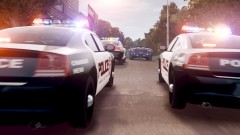 Those Chargers reminds me of Driver: San Francisco.
 -
You change clothes in the "model" menu by entering "change clothes"
-
There is no cutscene. /thread.
-
What do you mean with the random get ups?
-
Indeed.
-
Yeah. I don't think it's a coincidence since i found the cab i was chasing 'bout 12 minutes after the chase.
-
You're welcome. I'm just glad that you're back. :)
-
We would appreciate it if you would post it.
-
Welcome back, Mage25!


