


Olanov
Members
-
Joined
-
Last visited
Everything posted by Olanov
-
Yeah, um. Try running the game as an admin.
-
What LCPDFR version you are trying to run?
-
-
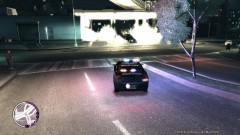 You're driving on the wrong side of the road? Also, nice explosion.
 -
I'm not sure, but i think it can be done. Go to your Grand Theft Auto IV folder and proceed to scripts folder. There you should be able to find FirstResponse.ini file. Open it and scroll down till you see "Services|Enabled". You should type in "True" after = Sign. So it would look like this: "Services|Enabled = True" Then there are Services|Username and Services|Password. You should type your username and password there. Remember to save it.
-
I think it's better if the team focuses on LCPDFR now.
-
Trainer won't affect anyhow if you'll disable the keys so stuff won't spawn etc...
-
And what partners did you spawn? If noose, they tend to be stuck always.
-
I'm off, i can't think of anything. Hopefully the devs will figure something out.
-
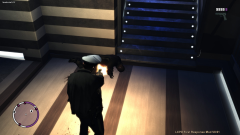 You shot Dessie? Luis is coming for you, RUN! :tongue:
 -
Install this: http://www.microsoft.com/downloads/en/details.aspx?FamilyID=a7b7a05e-6de6-4d3a-a423-37bf0912db84&displaylang=en and report back. nvm, you seem to have it.
-
Sure it does.
-
Well, excuse me i'm blind. . Run the actual game as an admin.
-
You don't seem to be having anykind of asiloader. Use either xlive or dsound.dll . They're shipped within the automatic installer.
-
Where does the game crash exactly?
-
Did it work?
-
Glad to hear that, and enjoy the mod!
-
Yeah, i'm not sure, but i think those are them. You might want to back them up first tho.
-
What folder are you talking about?
-
Delete or move your savegames away, they are located here: C:\Users\<user>\AppData\Local\Rockstar Games
-
What operating system you are running on?
-
Now that's very odd. I'll try to figure out if there is something that might fix the problem.
-
Are you saying your game saved while you were on-duty? If yes, your savegame is corrupted and you must start a new game.
-
I've really seen people having this same problems when people are using cracks. I believe it crashes because of the crack. Hope you'll get your steam account back ASAP, so it would work. Maybe we can play together the multiplayer then too. :biggrin:
-
Sorry, i'm having trouble understanding, but i'll try to help you out on this one. Download and run this tool: http://www.lcpdfr.com/cops/forum/index.php/files/file/2-g17-media-iv-diagnostics-tool-043/ and post the log it makes, here.


