




Illusionyary
Members
-
Joined
-
Last visited
Everything posted by Illusionyary
-
I really liked the feel of Vice City, so I think they should set it back in Miami. If not, just the 80's in general. That'd be really cool!
-
The craziest pursuit I've ever seen would have to be this one: http://www.youtube.com/watch?v=FOAy6EcmxTg
-
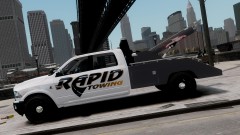 I think it has R/B lights since it's meant for a Police Towtruck?
 -
Never pay for skins. Almost every texture artist for GTA will give you really high quality skins for free. I would like to help you, but I've got a lot of textures I need to do for my own clan. But I am sure you'll find someone willing to do them for free.
-
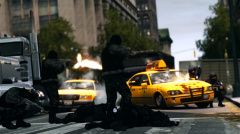 "Nobody fucks with NOoSE!"
 -
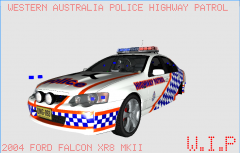 Okay now that's cool! One small thing, it needs a WA License plate :D
 -
-
Whenever we do our patrols we just tell people to download the vehicles via the TeamSpeak File Browser, I think as-long as you do that you don't need the authors permission.
-
I like the Orange Park ones, looks good on the Taurus. *I forgot I posted here so I reposted and had to edit it... lol*
-
K9 cars? One word: Bxbugs123 give him a Google Search and you'll find tons of them.
-
-
I used Bank Gothic Medium for mine, it's pretty close. You need to Skew the text a bit to get the leaning effect. http://www.font-zone.com/download.php?fid=111
-
Yeah. As I said you just need to listen to the siren and cut it when it finishes, it's hard to explain. Hopefully you get what I mean.
-
Good luck, if it doesn't work send me a PM and I'll try and figure out what's wrong. I'm not the best at tutorials :P
-
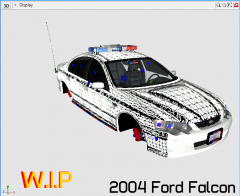 Yes! Nice work! Any chance of a WAPOL Highway Patrol version?
 -
Sorry about the music, you should still be able to hear me! http://www.youtube.com/watch?v=tTf7tG39vBo About the ending, I have no idea. I cut that out with the YouTube editing but it may take a while to process the edits. EDIT: Wow! I sound so different in that other video!
-
I'll tell you what, I will redo that tutorial right now. It was a big fail on my behalf because as you mentioned it misses out a lot of stuff. It should be up in an hour or so.
-
Suddenly a wild Niko Bellic appears!
-
Heyyy what are all these holes? These are speed holes, they make the car go faster. Ohhh yeah speeeed holes :D
-
It's looking good, I can't wait for it. Too bad about the MX7000, hopefully you will find one later on.
-
 Classic Simpsons Reference right there :)
 -
I tip my hat to the modders because they've done an amazing job with this but as Beck said it looks to similiar to Non-ELS and I personally can't stand the look of the coronas. I just think they look ugly and un-realistic. I'll certainly try this out when it's released but in the longrun I will also be sticking to ELS. Hopefully Sam's Illumination mod gets the time it needs and will release with flying colours.
-
Most likely, I have 2 copies of the complete collection. Because the first copy stopped working after about a month.
-
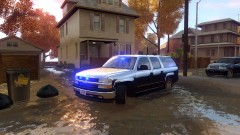 He's in Queensland. Lol But seriously, looks like the flood mod.
 -
No, as usual we PC players will have to wait 9 months for a PC release. Now comes the hard choice of what platform to buy GTA V on while we wait for PC release. PS3 or Xbox 360... probably PS3 because I don't have Live on my Xbox



