




Illusionyary
Members
-
Joined
-
Last visited
Everything posted by Illusionyary
-
-
-
I call them Rambars... because you ram things with them.
-
The third and final version of my Federal Signal Touchmaster Delta siren for Grand Theft Auto IV. https://www.youtube.com/watch?v=elN8F1haGFI What's new in version 3? *Scratch Remake *Optimized for ELS V8 and below *High Quality Tones *Working Airhorn Please leave any feedback or bug reports in the review section below, thanks!
- 30 comments
- 27 reviews
-
-

- 4
-
-
That's true but wouldn't that count as console modding? Isn't that illegal? Even if it is legal it's unfair to other players if you play online since you'll get a better frame-rate and such.
-
No matter how much hardware they cram into the next-gen consoles they will still never be as good as a PC. I'm sticking with my computer for now.
-
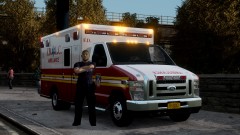 *Runs over 6 people to save one*
 -
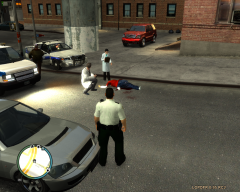 Isn't that a woman? o_o
 -
 "Sorry officer, I couldn't see your emergency lights. Make them brighter please"
 -
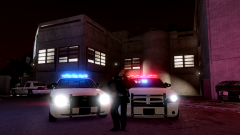 "Yes yes yes! NO NO NO! This isn't working!"
 -
Yeah, I don't think it saved the opacity when I saved it. Although when I load it into Photoshop the opacity is correct.
-
Here you go: The only trouble is that I'm not sure if it saved the opacity, so the windows might be a solid grey. If that's the case, tell me and I'll send you a link to the vehicle with the template pre-installed.
-
You could try updating the game to version 1.0.7.0 (http://www.rockstargames.com/downloads#/?collection=9) however I think you have to play the game at least once before updating but I could be wrong about that. If that doesn't work, you'll probably have to reinstall the game.
-
Damn it! I can't use this, I would of loved to give this a try. Trust me to have 32BIT software.
-
You can replace the texture files using OpenIV, replacing the textures will re-size the original texture to the new one. 1: Launch OpenIV 2: Select Grand Theft Auto IV 3: Navigate to Models/CDimages/Vehicles.img 4: Click "Edit Mode" then click "Yes" to the pop up box 5: Find the vehicles .wtd file (Ex: police1.wtd) 6: Find the texture files you want to replace (Ex: Paint_Job_1) 7: Select them then click "Replace" 8: Find the new texture and import it, check to see if the resoltion has changed 9: Click "Save" and then close OpenIV 10: Play GTA IV The new texture files should now be in HQ 2048px resolution. Hope this helps!
-
No problem. I had a look through 10 pages of script mods on GTA4Mods and I couldn't find one mod close to what you are after. I'm sure it'd be pretty easy to code into the game if you could find someone willing to do it for you.
-
If you're using ELS it will show your location under the mini-map whenever you are in a ELS enabled vehicle. I don't know of a mod that displays the names under the mini-map constantly but you could use the Google Maps Radar mod as an alternative as that shows most of the street names on the mini-map itself.
-
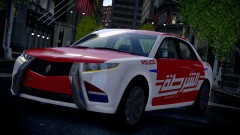 I still think the E7 is one of the ugliest cop cars ever made but it actually looks pretty cool with the Dubai Police decals.
 -
Read through this: If it doesn't fix your problem I'll give you a cookie.
-
Posting no details about it won't get you anywhere. If people actually bothered to read the countless topics or the information file included with ELS there would be far less issues such as crashing/lights not working. Also, from what I've heard ELS V7 does not work/has issues on Windows XP.
-
I change backgrounds nearly everyday but here's the two I had on the 10/5/2013 Angel Beats! :D
-
-
Not every car has secondary lights, try a different car or don't use secondary's on that car.
-
That looks like a Ford Explorer to me, not a Tahoe. No idea where you can get it though.
-
80,000+ members... wow. LCPDFR has really grown since I joined, I'm user 899... lol Congratz to the staff and mods for this awesome achievement.

