




Illusionyary
Members
-
Joined
-
Last visited
Everything posted by Illusionyary
-
MODERATOR NOTICE Nope. No you can't.
-
Oh look! That's my ride! *Jumps on kangaroo*
-
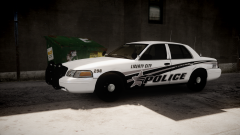 Thanks! I still think it looks better on the Caprice though. ^^
 -
From the album: Illusions
CVPI by deco Texture by SharpCommand -
Yeah, it was locked. That was a my bad, I thought it was a pirated copy of the game, however he was torrenting a mod.
-
^ "You have been banned from LCPDFR.com"
-
Make sure to do a full scan, as a quick scan may not pick up anything. On another note, it's 5AM here and I've been up all night. Time to hit the hay, hopefully somebody else can help.
-
Viruses/Malware are known to slow down a system, that could be a cause.
-
Duplicate the layers and reposition them to fit on the other side by flipping, rotating and scaling them. Just remember not to flip the text otherwise it will be backwards.
-
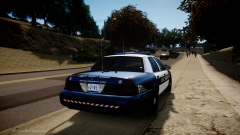
From the album: Illusions
CVPI by deco -
 Sexy screenshot is sexy.
 -
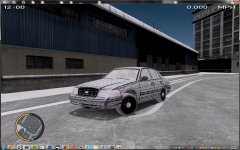 Why are the headlights so large?
 -
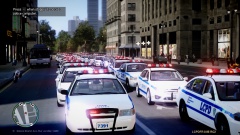 :o Ghost cars... SOMEBODY CALL GHOSTBUSTERS!
 -
It may work in IVaud, but in-game it's bugged. It's to do with the frequency, file size and length.
- 8 comments
- 2 reviews
-
-

- 1
-
-
-
I'm on summer break for the next couple of weeks, so... sorta? Then again I'm not in college, but what the hey!
-
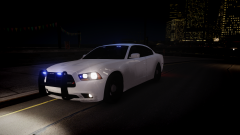
From the album: Illusions
Yummy. -
Thanks ineseri, that worked. I've never used a commandline before so it never came to mind.
-
I'm not normally one to post support requests, but I have no idea why my game is doing this so any help is appreciated. I recently upgraded my PC with a new processor, motherboard and graphics card. During the upgrade, my Windows was formatted which meant I had to reinstall my games, no biggie. Anyway, after reinstalling GTA IV I decided to run it straight off the bat. I found the in-game graphical settings to be locked, however I let it slide since I figured it was because it was an outdated copy. I then quit the game and installed the 1.0.7.0 patch, only to go in-game and find the settings still locked. Specs: Does anybody have any clue what's wrong? I've tried running as admin, disabling my second monitor and I've even reinstalled the game. I have no mods whatsoever installed, my game is completely vanilla.
-
Mongolian treats and stuff!
-
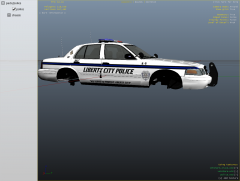 It's very basic, and the badge looks a little squashed.
 -
Since we've lost both Ford and Holden, what the hell are our police forces going to be driving? V8 Hyundai's? *shudders*
-
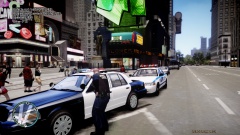 Just a tad.
 -
I was hoping to elude sniper's sights a little while longer but I guess he's related to Private Jackson.
-
... and I'm one of the guys on it.

