




Illusionyary
Members
-
Joined
-
Last visited
Everything posted by Illusionyary
-
^ Generally we do... but that video was hilarious if do say so myself.
-
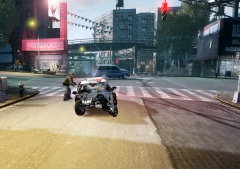 I'm sure it'll buff right out.
 -
Oh I have my connections. Yeah timezones lol... it's 12:38AM here, so technically it's Friday morning.
-
It's already Friday here so uh... Happy Thanks Giving - from the future!
-
MODERATOR NOTICE Wrong section, moving to Suggestions & Requests. What are your full laptop specs and what ENB did you try? Your description is a little vague.
-
-
MODERATOR NOTICE Wrong section. Moving to Tutorials & Questions. For the best results, use the Pen Tool. It's a little tricky at first but once you get the hang of it it becomes really easy to use.
-
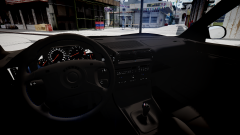 BMW? Not sure what model though.
 -
^ Agreed. It really comes to down to personal preference so that's why I've tried to stay well away from this thread. That being said, I absolutely hate the song "Blurred Lines" by Robin Thicke. It drives me up the wall whenever I hear it on the radio.
-
What do you mean by logos? Do you mean the paint schemes? The white one is commercial vehicle enforcement and the black and white is general duties.
- 12 comments
- 1 review
-
...and the point of this topic is? They were probably performing work on the power-lines while everybody was supposed to be asleep.
-
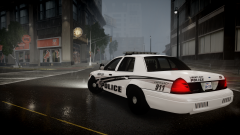
From the album: Illusions
I think this skin looks better on the Caprice but I can't just leave my beloved Crown Vic hanging. -
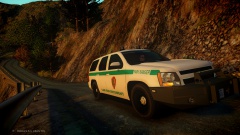 Dat rambar. Sharp approves.
 -
MODERATOR NOTICE Wrong section. Moving to Tutorials and Questions. Have you made any skins before or is just the MET skins that are giving you trouble?
-
MODERATOR NOTICE Wrong section. Moving to LCPDFR Suggestions.
-
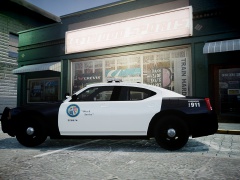 It looks fine. Although I don't like it on a charger, I think it'd look better on a Buffalo.
 -
For me a four minute video created and rendered through Adobe After Effects in 1440p MP4 format comes out at about 180mb. Compressing that through Handbrake lowers the file-size to 90mb. No drop of quality, and it's a significant drop in size.
-
As I said before, it depends on your render/export settings. I don't notice any drop of quality in my videos after rendering them through Handbrake.
-
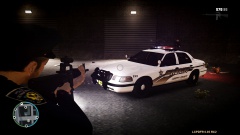 Game4Video's ENB is a pretty good all-rounder. Also, my skins <3
 -
"Every little earthquake, every little heartbreak, going unheard..." - Earthquake by Little Boots (Fytch Remix)
-
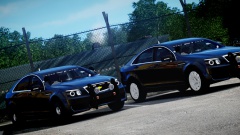 Steel rims for sure. I don't like the Caprice's hubcaps.
 -
As long as you have the correct render settings, the video quality should not be decreased. There's a few tips and tutorials out there on finding the best render settings, a quick Google search should help you out a lot.
-
Handbrake is nothing more than a compressor. You can't edit videos with it, but you can however set the aspect ratio, sound settings, ect.
-
It depends if the model you are using is set up for window decals or not, if it isn't I don't think it's possible.
-
MODERATOR NOTICE Wrong section, moving to Tutorials & Questions.


