


Creators: Due to background reprocessing of files, approvals and file security checks may be delayed. Thanks for your patience.

CG Blaze
Members
-
Joined
-
Last visited
Everything posted by CG Blaze
-
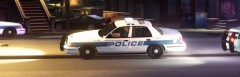
From the album: Dukes-Steinway
Units 159, 135 and 138 on the scene of a vehicle that crashed into a house early in the morning on Dukes Blvd. -
There's no perfect fix for the AI's silliness that I'm aware of. However, I've been using this script mod with decent success. You'll still get an occasional bad driver rammin' your trunk, but I've definitely noticed a pretty good overall improvement. Give this a try - http://www.gta4-mods.com/script/less-overtaking-f15306 Hope it helps! :)
-
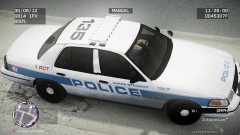 Sure - The skin is scratch built but heavily based off of these designs: Yonkers PD (Most notably) http://policecarwebsite.net/fc/ny/yonkers.html Nassau County PD (Font, front/rear markings, unit numbering system) http://policecarwebsite.net/fc/ny/nass.htm MTA Police (Side markings) http://policecarwebsite.net/fc/transit/mta.html I hope those links work. lol
 -
-
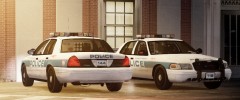
From the album: Dukes-Steinway
Units 144 and 118, both 2006 CVPI's nearing retirement, 144 is warming up for the night shift. -
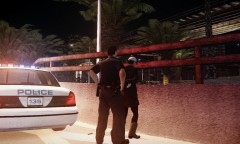
From the album: Dukes-Steinway
Call about a person with a knife wandering up an onramp. -
From the album: Dukes-Steinway
This is a skin for a fictional regional police department based on various departments in the NYC area that I've been working on lately. Thoughts? -
Hey guys, I've been looking to improve my ENB settings and was hoping someone here could help. I'm currently using (what I THINK is) P1tch's ENB settings for EFLC, which in my opnion looks great. The only problem is that the ELS lights tend to get 'washed out' in certain conditions. I've tried increasing the intensity in the visualsettings.dat file, which although sort've worked, it made the headlights and takedowns so bright that it literally blocked my view of the car. All I really want to accomplish is to make my ELS lights a little more vibrant and full of color. Hopefully someone can point me in the right direction as to what settings I could tweak to get there. I've attached a recent screenshot to give you an idea of what they look like now. I don't know much about how ENB works, so if anyone could help me out with this, that would be great. FWIW, btw, I'm using the latest EFLC patch. Thanks for reading EDIT: Pic didn't upload, round 2...
-
-
-
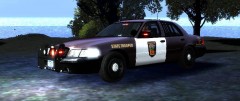 If I may make a suggestion for the sake of improving this already quality looking model, the corner light strobes should be moved just a tad over. It doesn't really look right where you have it now, because that part of the corner light is roughly a half inch thick and can't house a bulb. I circled the area where they CAN fit and where you should place the strobes in red... Keep up the good work :D
 -
-
-
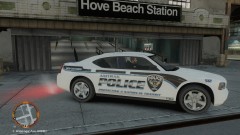 Haha cool man, I was actually gonna start making this skin myself soon. Nice, thanks for saving me the time. lol :D
 -
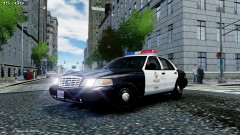 FWIW, those deep dish steelies are 98-02. 03 was when the CVPI got a suspension change, hence the 'flatfaced' steelies. Looks good though, you've been putting out consistently good products lately it seems, I trust this will be no different.
 -
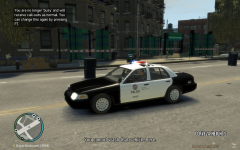 Oddly enough, I just experienced this for the first time last night. Was driving around and tried to spawn a car using SNT, then SNT locked up and kept spawning parts of the carwash all over the place, completely solid, sometimes in the middle of roadways. It said my car didn't need to be washed and eventually the game itself just crashed. I wish GTA wasn't such a poorly optimized piece of garbage. :|
 -
-
-
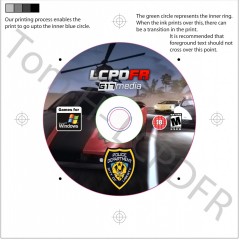 I like it. I assume this means LCPD:FR is getting a CD installer release? From a professional standpoint, I'd suggest replacing the GFWL logo with something about requiring GTA:IV/EFLC. Also, a credits/disclaimer/copyright in fine print around the rim of the disc would be helpful.
 -
Good lord. I nearly seized. Epilepsy patrol...
-
This was an old Ford concept car that never made it into production. Looks a bit half-assed to me to be honest, just a standard CVPI with new bumpers and a new front fascia. Also, Arial font for NYPD?.....eesh.
-
So... If I'm understanding this correctly, you've found a way to add, not replace, fully functional police patrols and taken it a step further by implementing police motorcycles instead of a car? If that's the case, does that mean I'd be able to add an unmarked police car and have them patrol the city with cops inside using the same method?
-
Looks brilliant! Nicely done, will be sure to give it a spin.
-
-
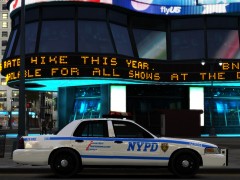 Wow. Thought that was real for a sec. Add a mob of peds in the background and it would be perfect.



