


Creators: Due to background reprocessing of files, approvals and file security checks may be delayed. Thanks for your patience.

CG Blaze
Members
-
Joined
-
Last visited
Everything posted by CG Blaze
-
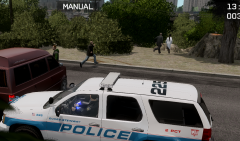 Thanks! That skin (and the model for that matter) is currently unreleased, however. It's my own personal model PD, loosely based off of the Yonkers, NY police department. I have a whole bunch of different numbers/precincts for various models (as you can see in the rest of this album), in various states of completion. At this point, I'm not sure if I want to keep it as a forever-WIP kinda thing or release a whole big pack once I'm totally satisfied with them, but we'll see...
 -
Way cool, nice to see more ambulances and definitely nice to see more use of the Econoline model. The only thing I'd like to mention is the rear wheels seem a little small to me, though I have yet to try it in game...
- 35 comments
- 11 reviews
-
-
From the album: Dukes-Steinway
...who then proceeded to chase them into the woods. -
From the album: Dukes-Steinway
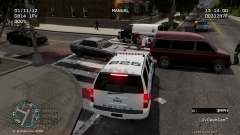
While leaving, my coroners appear to have struck another vehicle, angering the occupant of the other vehicle.... -
From the album: Dukes-Steinway
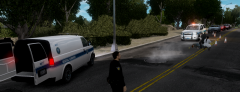
Coroners examining the pedestrian that was struck early this afternoon on Franklin St., Steinway. -
From the album: Dukes-Steinway
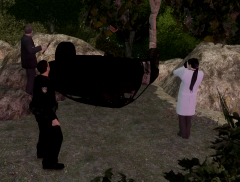
Coroners and DSPD investigating an accident in which a vehicle struck a pedestrian, presumably causing a jerk reaction that resulted in the vehicle and it's two occupants careening into several large rocks and trees alongside Franklin St., Steinway. The vehicle was totaled and all three individuals involved were pronounced dead at the scene. -
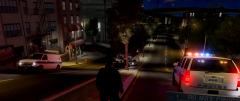
From the album: Dukes-Steinway
Coroners leaving the scene as DSPD prepares to reopen the southbound lane on Montauk Ave. -
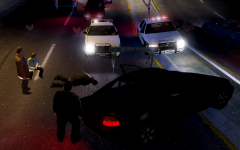
From the album: Dukes-Steinway
Coroners/DSPD investigating the scene of an early morning rollover accident that closed two lanes on Montauk Ave. -
Hope everyone on here toughed it out ok! Amazingly, I still have power, and what's more - I have cable as well. From what I've heard. 97% of Long Island is without power and judging by the fact that in the ~20 miles I traveled today I didn't see a single working traffic light, I'd say it's probably accurate. Happy to be in the 3% though, so much so that I'm throwing a post-hurricane party tonight for me and the neighbors! Breezy Point, Queens got hit HARD, anyone seen this yet? http://www.cfnews13.com/content/dam/news/images/2012/10/sandy-Breezy-point-New-York-ap-1030.jpg A 6 alarm fire took out 80+ homes there last night. It looks like a wasteland! Prayers out to the families...
-
As far as ideas/suggestions go... Any hope for a F550 ESU truck with a Freedom instead of a Vision? Or even a Liberty?
-
Although I'm not personally familiar with the functions of a lot of those flags, it would be a great resource if we could all pool our knowledge of them into one sticky thread.
-
I live a couple minutes east of Queens/NYC. Currently typing this mid storm, enjoying a nice cold beer. 56+% of my town is without power. That 56% doesn't include me, for now. But until then.... weeeeeeeeeee!
-
I remember a while back there was a Tahoe that had the 5-spoke alloys/civilian rims and Whelen Outer Edge pillars. It was pictured alongside the ATF Tahoe. Does anyone know if that ever got a release? I could've swore it did.
-
Crap, totally posted the wrong vic. My bad! I went and fixed the links, hopefully they work...
-
I'm starting to see more and more NYPD units with this bar, I believe the LVMPD is also playing around with em. There's a couple of excellent cars out there that have this lightbar and are ELS-H enabled, actually. The bar itself is called the Vision SLR, if you weren't aware, btw. http://gtapolicemods.com/downloads.php?do=file&id=1406
-
-
A low speed rollby is pretty hard on a keyboard though. I struggle to think how a keyboard could be more accurate than a trigger, especially for driving. I find using the controller gives me much smoother gameplay. To each their own I suppose, I know I'm never going back to it. lol @tzr2: Didn't know Xpadder was payware, so I didn't bother with it. Luckily though, I figured out how to map those controls with the freeware Joy2Key. Gotta say, the difference is day and night. I use L/R on the Dpad for ELS secondaries and primaries, respectively, down for traffic stops (so much better than letting go of the controller to hit shift), and right stick click-in for the arrest button when I'm aiming at a perp. So much more efficient.
-
Dude... is that emissive window trim at 1:07 or is that just a trick of the light? lol
-
The controller is actually a recent purchase of mine, I used a keyboard up until maybe a month or so ago. I prefer using the triggers for better throttle/braking control over the keyboard. You can't really 'cruise' with a keyboard, unless you do some sort of tap dance on the key. Interesting, I'm definitely gonna have to try that. I think you might've just saved me a lot of frustration!
-
I use a 360 controller myself. I will never go back to keyboard driving. The only thing that kinda sucks is having to let go to the controller to activate lights or sirens or a similar function. I've been futsing around with a program called JoyToKey, however, to see if I can trick the game into mapping the light switching/other LCPD:FR commands to buttons on the controller... I'll post my findings if they're worth anything.
-
Bah, it'll never match up to the charm of High Stakes/Hot Pursuit (the original). Still looks pretty good though.
-
-
 I hear that, man. GTA IV, pinnacle of stability as it may be [rolleyes], can be quite a test of patience...
 -
If we're gonna start throwing suggestions out there, I'd personally like to see domestic's without fighting peds. I've also been kicking the idea of a scripted vehicle search around. Something that would function similarly to the Check Ped ID function. It wouldn't have to look pretty or anything, but a simple press of a key next to a stopped vehicle with a following readout of contents (IE "Your search revealed a narcotics pipe and 50 lbs. of marijuana") and vehicle information (IE expired registration, swapped plates, no insurance, etc.) would add a lot of variety and realism to the LCPD:FR experience. Maybe the two could even be separate functions, like a plate run and a basic search (which could be refused by the ped). I dunno, just a couple ponderings. Let me know if you still need an English proofreader. :smile:


