




Will
Management Team
-
Joined
-
Last visited
Everything posted by Will
-
Your topic has been moved to GTA V Support, this is not LSPDFR related. Please post in the correct location in the future.
-
This topic has been moved to the appropriate forum. Please post in the correct location in the future.
-
This. If you need further support with the website, please post in this section: http://www.lcpdfr.com/forums/forum/875-website-problems-feedback-suggestions/ If you feel this topic has been closed in error, please report this post.
-
No, it only works if the mod is set up that way.
-
This topic has been moved to the appropriate forum. Please post in the correct location in the future.
-
This user is looking for help with a mod, not asking for other mods to use. Advertising your own mod in someone's help topic is not very helpful. Change "UseModifierKey" from false to true in "Spike Strips V Configuration.ini" and you will have to press "ModifierKey" and "DeployKey" at the same time to deploy a spike strip. You can also change the modifier key if you so wish. The key names are in that link that is in the ini file.
-
Your topic has been moved to LCPDFR Support Requests. Please post in the correct location in the future.
-
He has (you have?) another video on his (your?) channel with the full audio. All units were reported as "10-4" and they requested an ambulance for an injured suspect. https://www.youtube.com/watch?v=LH7l7dQBkRs It was around 7:50 they said that. I wouldn't expect to find an article since there wasn't an outcome that was media worthy, seems like cops just doing a good job.
-
This topic has been moved to the appropriate forum. Please post in the correct location in the future.
-
Your topic has been moved to LCPDFR Support Requests. Please post in the correct location in the future.
-
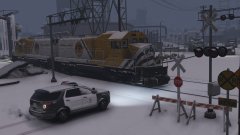 http://www.youtube.com/watch?v=_OUBeXkA9oA :D
 -
This topic has been closed by LCPDFR.com staff because it is a website, clan, or group ad. Our site isn't an advertising service - please do not use it as one. If you want to share your website, group, or clan, please keep that limited to your profile and signature. If you feel that this topic has been closed in error, please report this post.
-
This topic has been moved to the appropriate forum. Please post in the correct location in the future.
-
This topic has been moved to the appropriate forum. Please post in the correct location in the future.
-
There's no need to involve money when asking for support. It's against our Community Guidelines to offer payment for help.
-
The only thing I can say then is to do a complete reinstall. Make sure there are no remnants of LCPDFR in your game, and install it from scratch. I don't know what else the problem could be.
-
Do you have "LCPDFR Loader.net.dll" in your root folder (where GTAIV.exe is)? If so, it shouldn't be. It should only be in the scripts folder.
-
1) This is the LCPDFR support section, which is not for GTA V support requests. 2) If you read the LSPDFR download page, the first thing you would see is this: After the latest GTA V update you need to update RAGE Plugin Hook as well before attempting to play LSPDFR! This topic has been closed, as it has been previously answered on LCPDFR.com - We require all members to thoroughly investigate whatever question they might have before posting. You can find the search function here: http://www.lcpdfr.com/search/ If you feel this topic has been closed in error, please report this post.
-
Do you still get the same error in game? Can you run the diagnostic tool again after running the game without AdvancedHookInit.asi and post the log, please.
-
You need to use 7Zip or an updated version of WinRAR. This topic has been closed, as it has been previously answered on LCPDFR.com - We require all members to thoroughly investigate whatever question they might have before posting. You can find the search function here: http://www.lcpdfr.com/search/ If you feel this topic has been closed in error, please report this post.
-
Your topic has been moved to LCPDFR Support Requests. Please post in the correct location in the future. Remove MSVCR110.DLL from the game folder and install this: http://www.microsoft.com/en-us/download/details.aspx?id=30679 Be sure to pick the x86 version.
-
Your topic has been moved to LCPDFR Support Requests. Please post in the correct location in the future. Try removing AdvancedHookInit.asi. You won't be able to use the taser unless you install it manually, though.
-
lol, no. It's 250 default plus 5 per level plus 50 for linking Facebook. @Starmix If you add him then he should be able to accept it, he just can't send invites until he spends that $5.
-
This topic has been moved to the appropriate forum. Please post in the correct location in the future.
-
Your topic has been moved to GTA V Support, this is not LSPDFR related. Please post in the correct location in the future.

