


JewishBanana
Members
-
Joined
-
Last visited
Everything posted by JewishBanana
-
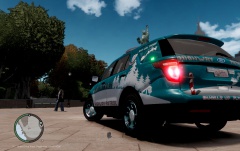 Wait, so who's nice model is this? Who made it?
 -
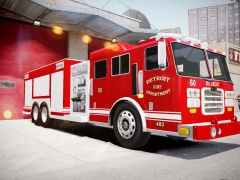
From the album: Textures put together by me.
Possible future release. -
You know, there is a french forum. You can access it here.
-
![[WIP] 2010 GMC Sierra - FDNY battalion chief V2](//s3-gallery.int-cdn.lcpdfrusercontent.com/gallery/album_547/sml_gallery_2101_547_475071.png) Really neat work, Gangrenn. I've been seeing these a lot around my county recently. Newer and older models that vary with different lighting equipment. I believe they belonged to CalFire, which is a state agency that helps protect California against fires. Come to think of it, will you be releasing a template with this? If so, I know which texture I'm going to be making for this ;)
Really neat work, Gangrenn. I've been seeing these a lot around my county recently. Newer and older models that vary with different lighting equipment. I believe they belonged to CalFire, which is a state agency that helps protect California against fires. Come to think of it, will you be releasing a template with this? If so, I know which texture I'm going to be making for this ;) -
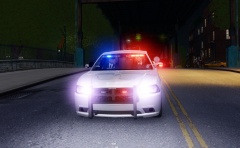 Nice uniform mod.
 -
If the model is unlocked and you want to add three lights, then sure you could. But if the model isn't unlocked or you don't own Zmodeler, then you can't simply add more lights.
-
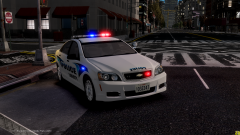 That's does not justify you spamming gallery image's with "hey I'm making a ton of Caprices and they will be released soon". Besides, there's been more than enough Caprices being worked on and released in the community, I don't know what you're talking about when you say there's been months with none. KevinDV, EVI, JokerMods, Deco, Lccop, ect. have all made Caprices in the past six months. Don't advertise your work on other's threads/images in order to get the word out for what you think is going to be the biggest project on this website.
 -
I've just noticed that it has to be the modded car he's using. There are other cars at the same distance away, refer to the pictures, and yet they are not blurred nor distorted one bit. If it were his graphic settings, the other cars at a distance would look exactly the same as the modded car does, in it's state of low detail. It's gotta just be the model itself. I'd recommend talking to the author who made it and possibly get it fixed.
-
Like Sharp stated, it isn't possible. Why you may ask? Because the capabilities for it are not present in the original GTA IV. I mean, the only thing I could of that could substitute for police tape is creating a new barrier model where it would just be a floating yellow bar that slightly ressembles tape and replacing that with a default barrier. Though, that's a long stretch and I'm sure it wouldn't be done by a modder. We just have to work with what we have, in the meantime, try using barriers to corner off crime scenes.
-
Why do you feel the need to continually boast about YOUR Caprice model like your some fucking kid on the block who got a brand new bike? Besides, your's isn't even converted yet, Lccop's is actually playable in game. Stop trying to brag like you're the first one to get a new Caprice.
-
It's nothing to do with LCPD:FR, it has to do with the model. Whoever made it set the LOD to something low, at least I think, and that's the farther you get from the model, the lesser appears. It may also have to do with your graphical settings but I'm not too sure about GTA IV's limitations regarding details from models at a distance.
-
Will you be publicly releasing this? If so, will you release a version with and without hubcaps? I'm just not a big fan of what the Caprice's hubcaps look like, and so are many others.
-
I don't know how to interlace an image with a link sorry. May I suggest asking someone like Yard1? He's got an link inside of his image, in his signature, and I know he's a really cool guy so I'm sure he'd be willing to tell you how.
-
-
"Get your LCPD:FRTM. branded merchandise today! Shirts for the low cost of only 19.99$ Prices may vary drastically."
-
-
Did you scratch make these or did you just copy and paste them? From the looks of it, it seems they've just been copied and pasted from other texture mods.
-
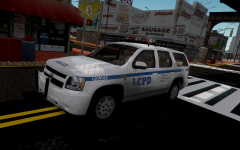 May I suggest you add a Highway Patrol decal on the rear, just like how the few NYPD Tahoes have em'. Also, are you going to add a spotlight to this one too? It would be accurate if it did have a spotlight.
 -
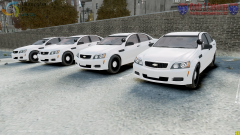 That's pretty nice, what lighting equipment were you planning to use?
 -
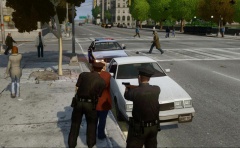 Is that an FS Arjent? If so, I'd love for you to release that! The only models I know of with Arjents all use hubcaps. I can never find a good Arjent CVPI without hubcaps, sadly. If it's not an Arjent, then I guess this little rant was for nothing, haha.
 -
I think you're just posting this to boost your post count up. There's no reason why these couldn't have just been posted in the gallery and you said nothing meaningful nor interesting about them by creating a topic.
-
Yea, glad I could help you. If you need help with using Paint.net or Photoshop, don't hesitate to ask me. I'm not a master at it, but I know how to use both programs well and I'd help you with the best of abilities.
-
-
Here's a walk-around video of a Taurus used by the LVMPD. It's over a year old but I don't think much has changed. Seems like there's not rear lights in the windshield. Like Chris said, the only lights seem to be on the front, the pushbar having four lights in total. One on each side and two on the front. I'll try and find pictures of the Explorer in question. The video was the best I could do. EDIT: Well I feel fucking stupid for not linking it. Here it is. EDIT2: Here's a picture of the front. Notice the the two small lights on the pushbar. I couldn't find any pictures of what the side of the pushbar looks like up-close.
-
No problem. Don't get me wrong, I'd like a Ford Interceptor Utility with that lightbar as well, but again, it comes down to who has access to the model and has a kind enough heart to create it for you.
![[WIP] 2010 GMC Sierra - FDNY battalion chief V2](http://s3-gallery.int-cdn.lcpdfrusercontent.com/gallery/album_547/sml_gallery_2101_547_475071.png)

