


JewishBanana
Members
-
Joined
-
Last visited
Everything posted by JewishBanana
-
What is it you trying to do on the website?
-
I'd love to help you out Sharp. If you need examples of what my in-game graphics are like, feel free to view my more recent screenshots.
-
![[WIP] Ford E-450 Ambulance](//s3-gallery.int-cdn.lcpdfrusercontent.com/gallery/album_1565/sml_gallery_65185_1565_40138.jpg) You did realize this image is about six months old, right? To be honest, I don't think Tunes will be releasing this anytime soon.
You did realize this image is about six months old, right? To be honest, I don't think Tunes will be releasing this anytime soon. -
Very bland and not creative. It needs more than just black text and the default badge.
-
Just so you know, you can update an already existing file instead of uploading a whole new one all together. Since you've already created an NYPD Explorer texture, you could have just replaced this one with the older one.
- 4 comments
- 2 reviews
-
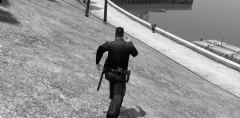 It might be Sam's new LCPD officers that he teased us about awhile ago, or it could just be something NB threw together.
 -
Just thought I should leave this here, this would be regarding the comments being removed without any insults being in play towards the user who posted a ripped model to the gallery.
-
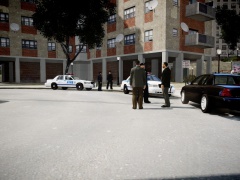 Thanks, I've been watching a lot of Law & Order SVU so I'd thought I would take some screenshots oriented around the detective work that is displayed on the show.
 -
From the album: Courtesy Professionalism Respect
"In the criminal justice system, the people are represented by two yet equally important groups: the police, who investigate crime; the district attorneys who prosecute the offenders." -
I also believe the pack that Lt.Caine just released is completely unlocked. I may be wrong, though. Just to check for sure, try downloading the files from the pack and attempt opening them up in ZModeler.
-
It's not unlocked. If it were unlocked, someone would have made another police version by now. EVI, to my knowledge, rarely ever releases something unlocked to the public, I only know of one case were he has done that. As for the original question of making a police Magnum, there's been a couple of them made by KevinDV and EVI, but they're not available anymore. You could try and ask someone who has them if they'll give them to you but I highly doubt you'll get a hold of them easily.
-
This is the German forum, I don't know why you think he shouldn't speak his own language.
-
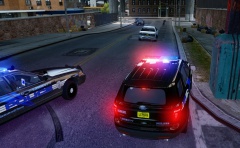 That lightbar is paired perfectly with the Explorer. Nice work, Cj.
 -
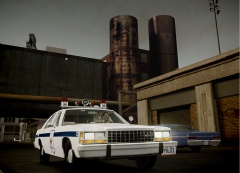 I got far too excited when I saw this appear in the updated albums. Nice job, Strike. A very serene and simple shot.
 -
![[WIP] Slicktop Explorer - FINAL](//s3-gallery.int-cdn.lcpdfrusercontent.com/gallery/album_1177/sml_gallery_9139_1177_54270.jpg) I like the one with the hubcaps because it reminds me of the NYPD's new unmarked Explorer Utilities. Here's the video of a guy who walked by one when it was parked
I like the one with the hubcaps because it reminds me of the NYPD's new unmarked Explorer Utilities. Here's the video of a guy who walked by one when it was parked -
Yea, 'tis a painstaking process to scratch model vehicle equipment and, unless you've got a lot of tutorials and people verbally helping you, it's very hard to just start by yourself. Again though, the stuff NB linked is in no way mediocre and, if you're still wanting a text advising lightbar, I would suggesting using those parts. Good luck with ZModeler and have fun playing around with those parts. I hope that they do suit your needs for the time being.
-
I believe that display board was scratch made by Aznairsoftdude along with some help from KevinDV. You won't find the exact part because Aznairsoftdude has long left the modding scene and I'm sure he will not hand out unlocked parts anytime soon. The ones that NB suggested are a good start and, unless you scratch model, are the best you're going to find on here.
-
It's been said many times, I'll reiterate it again, most modders don't require payment to make this kind of stuff. Modding is for fun and there's no need to add money to it, because where's the fun in that? Instead of doing it out the kindness of their hearts, they would just be doing it for the cash. @OP: I'm not a ped modeler, so I can't help you out, sorry.
-
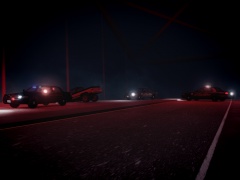
From the album: Textures put together by me.
A poor fellow falls unconscious at the wheel and collides with a bridge while driving down from Carcer to Liberty City. -
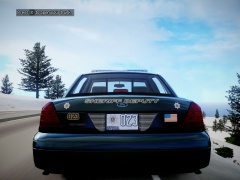
From the album: Textures put together by me.
-Changed license plate -Re-positioned rear graphics (Text, badges, ect.) -
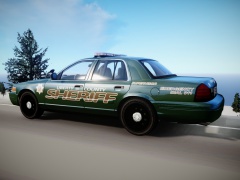
From the album: Textures put together by me.
-Added roof number -Added one supervisor livery -
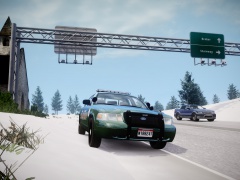 No, the texture. Henceforth the name of the album, "Textures put together by me."
 -
It's more than that. Besides, what Cj24 is doing is nowhere near complaining, he's actually providing plausible points on why the system needs to change to prevent these mini-flame wars from occurring over someone posting images of ripped vehicle models.
-
-
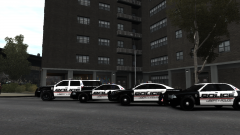 When you see someone using a model put together by Caine, there was definitely some love involved.
![[WIP] Ford E-450 Ambulance](http://s3-gallery.int-cdn.lcpdfrusercontent.com/gallery/album_1565/sml_gallery_65185_1565_40138.jpg)
![[WIP] Slicktop Explorer - FINAL](http://s3-gallery.int-cdn.lcpdfrusercontent.com/gallery/album_1177/sml_gallery_9139_1177_54270.jpg)

