



Double Doppler
Members
-
Joined
-
Last visited
Everything posted by Double Doppler
-
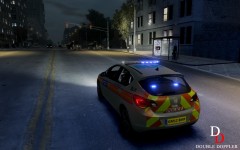
From the album: Double Doppler's WIP & Gameplay
The new Astras are in use as of Nov 2012, at one time I thought the Met wouldn't use them at all! Skins by Double Doppler. Vauxhall Astra 2012 IRV will be added to the when the update is finished. -
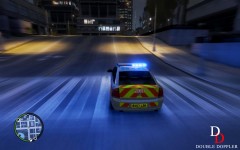
From the album: Double Doppler's WIP & Gameplay
Great classic area car from the Met, was in service from 2005-2010, RIP. I kind of miss these old area cars... Skins by Double Doppler. Vauxhall Vectra Area Car will be added to the when the update is finished. -
![enb2012 12 29 4 54 26 [1]](//s3-gallery.int-cdn.lcpdfrusercontent.com/gallery/album_1101/sml_gallery_9318_1101_769284.jpg) Really like that angle with the CCTV captured in the pic...
Really like that angle with the CCTV captured in the pic... -
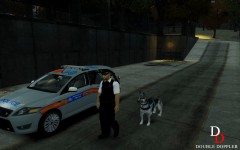
From the album: Double Doppler's WIP & Gameplay
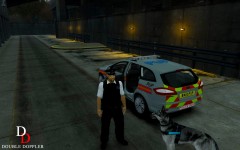
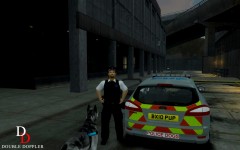
First decent Met DSU (or as Americans would call it, "K9") out there... Skins by Double Doppler. Will be added to the when the update is finished. -
From the album: Double Doppler's WIP & Gameplay
First decent Met DSU (or as Americans would call it, "K9") out there... Skins by Double Doppler. Will be added to the when the update is finished. -
From the album: Double Doppler's WIP & Gameplay
First decent Met DSU (or as Americans would call it, "K9") out there... Skins by Double Doppler. Will be added to the when the update is finished. -
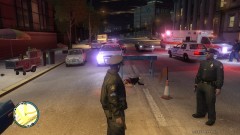 nice car setup
 -
From the album: Double Doppler's WIP & Gameplay
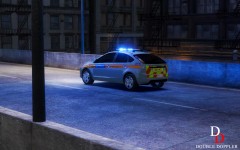
Skins by Double Doppler. Revised Ford Focus will be added to the when the update is finished. -
From the album: Double Doppler's WIP & Gameplay
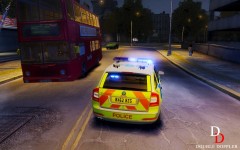
High speed response to a stolen vehicle in an ANPR-Fitted Skoda Octavia VRS. Brand new Area Cars for the Met, just in service two months ago. Skins by Double Doppler. Will be added to the when the update is finished. -
From the album: Double Doppler's WIP & Gameplay
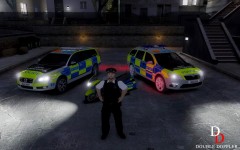
Skins by Double Doppler. Will be added to the when the update is finished. -
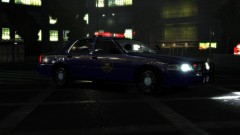 Fantastic coronas and reflections + lighting
 -
Great Idea. I think some counter terrorism aspects could be well simulated (suspicious person, package etc.) in this game aspect.
-
The dim ELS lights on the cars is a model bug. Apparently most of BPM's models have lightbars that are a bit dim - you can remedy this by boosting your "car default emmissive" value in your visualSettings.dat. I will not provide an optimized visualSettings.dat for this version because everybody more or less uses a different ENB setting, so it might not suit everybody's needs. I do recommend BPM's ENB (on GTA SC) which should work with most of his vehicles (and their lightbars) as chances are they were probably optimized for it anyway. As for the handling, it should work fine, it did on my PC and many other users so if you are reporting a fault please be more specific (which cars are you reporting?). As for the large turning radius on the Sprinters and most vans (as reported by another user) I have fixed that problem and will be implementing it into the next version of the pack which will come out soon. Cheers
-
I can sense the OP of this topic is strong in the force.
-
Lol, I never knew those homeless guys in GTA could be so entertaining... Answer to your question: Hove Beach. You will need atleast backup or an automatic weapon to comfortably patrol in that area, even then you cant let your guard down. As soon as you point a gun at someone they pull one out and all their buddies start shooting at you.
-
The ambulance drivers are the worst. They literally kill more people then they save when driving to an incident, and I hate when they ram directly into your car and smash others as well just to stop and get out. Artificial Idiots.
-
Some cars have windows templates properly mapped, while others use the default shared GTA IV windows texture, and some just use a really small transparent texture. For cars with the last two, you cannot, however if there is a windows template available for that car then yes you can.
-
Thanks. The car in the video is a 2012 Skoda Octavia area car, based on the new ones in service with the Met. It will be included in the updated version of the I finish it, along with many other new vehicles. It will be replacing the "Police Cruiser" slot. The handling and the ANPR Interceptor skin is exclusive to the Met Pack.
-
It would be great if they gradually flashed on instead of immediately like LEDs. The reason for this is probably because the method being used is emissive textures, and adding/removing them in split seconds, so really, all that is going on is a selection with an emissive texture being added and removed constantly as long as you keep the lights on. One suggestion would be like gtapolicetrucker said, have 3 or so textures each with levels of dimness, then replacing them instead of removing them getting the sequence dim, warming up, fully lighted, then an inverse pattern working towards dimming back down again. This in effect could work for halogen and gas light effects. Its not perfect but there is no dynamic incremental control of light sources AFAIK in GTA IV, so you can only create light effects using emissive textures. There's nothing like a proper set of wig wags...
-
Oh, that. The problem you are experiencing is the "dirt bug", it is because the creater of the models hasnt mapped the dirt coordinates properly on them. Being a model problem, as advised in the description of the download page, I suggest you contact the person who made the model for that bug, the specific model you are using (3 series) is made by BritishPoliceMods so only he can fix that. If you find a fixed or better version of that car, link me to it and I will see about adding it to the pack.
-
-
-
-
-

![enb2012 12 29 4 54 26 [1]](http://s3-gallery.int-cdn.lcpdfrusercontent.com/gallery/album_1101/sml_gallery_9318_1101_769284.jpg)

