



Double Doppler
Members
-
Joined
-
Last visited
Everything posted by Double Doppler
-
PR 1.0b is out now? Wow I have been out of sync...
-
 Yep ;)
 -
 You're partly right - it is a container for the MDT processor, which gets wired up to the touch-screen interface in the central console by the dashboard.
 -
 Interesting to see how the other London does things across the pond... I prefer Canadian patterns to most US ones, they look more orderly and professional.
 -
From the album: Double Doppler's WIP & Gameplay
Even the PCSOs get a new motor... COMING SOON. -
From the album: Double Doppler's WIP & Gameplay
Uh oh... GO COMPAAARRREEEEEEE!!! -
-
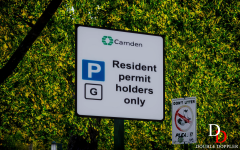
From the album: Double Doppler's WIP & Gameplay
The driver totally ignores this sign... -
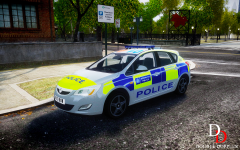
From the album: Double Doppler's WIP & Gameplay
A police car decides to park on a reserved space at an affluent area in the London Borough of Camden. -
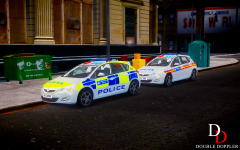
From the album: Double Doppler's WIP & Gameplay
Hove Beach Borough just received some brand new IRVs... -
You just missed the most popular (and first ever) ones out there: These ones don't just come with police car models but extras, like red busses, cabbies, NHS ambluances, helicopters, handling files... Check out my channel: http://www.youtube.com/user/TheDoubledoppler for future vehicle packs and updates to current ones... My speciality is Metropolitan Police & British Police addons, packs, vehicles, models... Enjoy
-
I think you can change this sort of thing in the configuration files (.DAT, .IDE etc.) - it's been done for the State Troopers (who get replaced with normal cops) so perhaps it is possible with vehicle spawning. However, if you are using a traffic fix, it probably won't work.
-
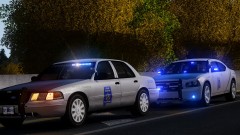 We can all guess what happens next...
 -
-
-
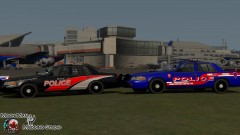 Looks like Arma - where did you get your ENB from?
 -
-
-
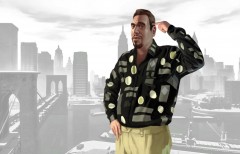 FAT BASTARD! (Thats what I always say in my mind each time I am forced to see the routine freak-show before I am plunged into my game.)
 -
-
Also, if you are going to edit my skins rather than make your own from scratch (as it sounded like by your PM) you should ask me for permission first. The window textures and base colours (like the back pattern) are taken from my skins.
- 12 comments
- 4 reviews
-
-

- 1
-
-
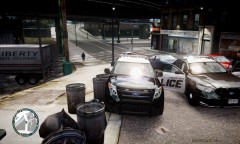 That pair look like they suit each other so much... It's been ages since I have been playing American PDs - your picture makes me really want to get back to it...
 -
Why did you use the decals that I created for the LFB truck in my pack? Could you atleast ask next time, please?
- 6 comments
- 4 reviews
-
-
- 3
-
-
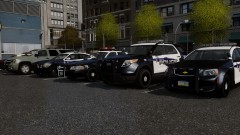 Your ENB is looking really good. The light relfects of those B&W paint surfaces very well, and doesn't interrupt with the lightbar materials either.
 -

