


KShark
Members
-
Joined
-
Last visited
Everything posted by KShark
-
It happens to me. What I do is I press home or end ( I don't know which opens Windows Live, so Shift+7 on the very right of the keyboard.) and it'll open it up. Afterwards, it immediately brings up the menu. Hope I helped :)
-
You need a better lighting set-up for the front, and it's a little messy. Other than that, there's always room for improvement and learning. Keep improving to the point where many will know you as a well known modeler! :D
- 13 comments
- 8 reviews
-
Since I am only 14, I do mow lawns at $15-$20 (front and back). I would like to start looking for a job in my area, but in Florida, you can start work at 14. I would like to go apply for the police academy and apply for Brevard sheriffs when I get out of school. I have also thought about being a chef... I don't think I can be a cop because of my asthma but its a dream :)
-
It may be because the car is named Impala and it may fix the problem if you name it to (police, police2, etc. ....)
-
Computer: HP P7-1235 Processor: AMD A8-5500 APU with Radeon HD Graphics, 3200Mhz Graphics card: AMD Radeon HD 7560D Operating system: Windows 7 Home Premium 64-bit Monitor: Samsung S23B300 This was what I could afford and this computer isn't upgraded or anything. I would love to build one since this is mostly for school. I can run GTA 4 at 15-30 FPS with mods though :D
-
You can spawn any car with SNT or by pressing ` and command console will show up. Type in a command such as "Spawn Police2".
-
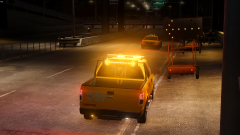 I am speechless. Its so awesome. When should we expect it to be released?
 -
-
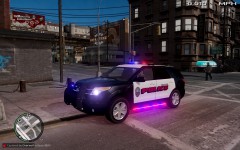 I like the runners. How about a version with them and a version without them?
 -
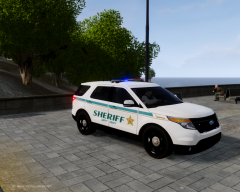 I get to see one of these everyday in real life! It looks pretty spot-on besides the lightbar! :D
 -
I have premium for PS3, but it isn't anywhere on the PSN store! (east coast) D: I got it! For ps3, check under game demos :D
-
Not yet :(
-
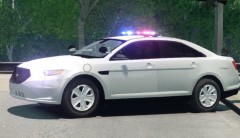 I might have to report this for being too sexy... Where did you get it?
 -
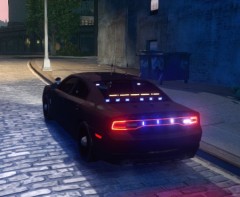 would love to see something similar for the public. Looks epic :)
 -
-
Could you take the time to make a Titusville Police Caprice with the new livery they just got using this as a reference? You could use KevinDV's 2012 Chevrolet Caprice PPV V1.1. The one with the Whelen Liberty, not the one with the Whelen Vector. :)
-
I'm not. Try using a different browser. But its Speirstheamazinghd! :D
-
You could try one of the many low-end enbs over at GTA4-Mods.com and tweak it for ELS, Neolux's ENBs if you have 1.0.4.0, or try Game4video if you have 1.0.7.0 :)
-
This could use some work. The main decal on the side with the badge has a slightly different background color and doesn't blend and the license plate is not fitted that well. Lastly, the decals should be fitted and equal on the car to look the best it can. Fix these and this could have potential to turn out really well.
- 5 comments
- 14 reviews
-
-

- 2
-
-
I would love to see more MVAs. It would be cool if there were hostage situations as well... ;)
-
I have never seen a lightbar like that... it looks pretty unique and awesome. Can't wait to see how this turns out :)
-
Reminds me of the little laser guns you get at parades with all the sound effects! Sounds great though XD
- 12 comments
- 7 reviews
-
-
- 1
-
-
The suspense of the game is killing me! I'd really want to take a "hookey" day of school just to play the game! Thanks for mentioning it has spoilers though. Not until Sept 17th... :D
-
Not bad. As Hilth0 and ThermalMist mentioned, it could use some more work. Maybe fix some of those "issues" and add a license plate and it will be on of my new favorites. :)
- 6 comments
- 13 reviews
-

