


KShark
Members
-
Joined
-
Last visited
Everything posted by KShark
-
-
Your icon is creepy, I like it lol
-
Just make backups of your files, and install one or the other. If it doesn't look good or your computer has a hard time running it, then use your backed up files.
-
neolux's ENBs or Game4video :)
-
Download isn't working. Each time I open it in WinRAR, I get this error: "The archive is either damaged or in unknown format." Can anyone help me out :(
- 20 comments
- 18 reviews
-
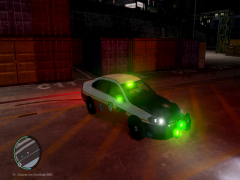 I don't think fire departments use green, If anything red and white is much more common. Other than that good work so far. :)
 -
-
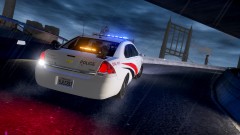 Sorry, LCPDFR is only for pc. ^
 -
![[W.I.P] LCPD ESU F-250. Update #2](//s3-gallery.int-cdn.lcpdfrusercontent.com/gallery/album_1567/sml_gallery_49005_1567_137181.png) This looks like a FDLC vehicle rather than LCPD. Try changing the red color with white or something. :)
This looks like a FDLC vehicle rather than LCPD. Try changing the red color with white or something. :) -
Have you tried spawning the model in Simple native trainer?
-

![[W.I.P] LCPD ESU F-250. Update #2](http://s3-gallery.int-cdn.lcpdfrusercontent.com/gallery/album_1567/sml_gallery_49005_1567_137181.png)