TheRealNoodle
Members
-
Joined
-
Last visited
Everything posted by TheRealNoodle
-
-
I got mine on floppy disks.... nah jk I got it on steam but as im getting a new pc soon I dont see the point on preloading it on the old one :p
-
will ineseri ever love els or car mods? yay 500 posts
-
welcome oh and as ineseri said: its just impossible, I have no idea why it would be illegal
-
-
would be cool if you could decide on what vehicles you want to get acces to the computer
-
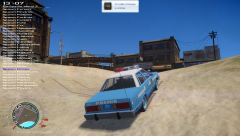 nice thx :D
 -
il have a look :)
-
do you mind telling me where you got that car? it looks awesome
-
-
-
this bike was not designed for els v8 and they changed the location code so some vehicles have this problem. theres not much you can do about it
-
ticket time is designed for 1.1 and this is a known issue with ticket time. you should contact finkone and let him know about the problem
-
-
happy birthday ya wanker
-
you need to hit alt p damn got ninja'd
-
quick thingy, if you go watch tutorial on youtube and stuff they nomally show how to import the textures into zmodeler
-
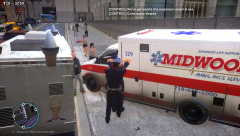 #justemsthings
 -
its not in the default gta, there is one in eflc so yea :p
-
-
-
you should be able to find them with sparkiv.
-
omg just noticed that on topic: have a good time here
-
-
what @IndianaIs MyState already said, dont go around asking for stuff, oh and no, that car isnt begging for a valor, its somethigneverybody can make with the dozen of tutorials on youtube...