




TheRealNoodle
Members
-
Joined
-
Last visited
Everything posted by TheRealNoodle
-
ikr :D
-
I just wanted to let you guys know about the new war thunder update thats right! new air tanks firing potatoes and russian supertanks. http://warthunder.com/en/news/2974-event-unrealistic-battles-en no serious you should really try the events, and its only for today so yea you know what to do :D
-
check pm
-
are you planning on releasing this pack somewhere or are you just gonne give links?
-
nice :D
-
detective :D or maybe patrol, or even dispatch idk XD
-
welcome
-
something they drove here in Belgium just needed to post this beautiful interior
-
time to but a new pc, my old laptop that can barely run gta iv will burn even on the loading screen of this game...
-
-
-
sure ill give it a go :p (just not now, in 1 week I have 2 weeks off so I can make it then)
-
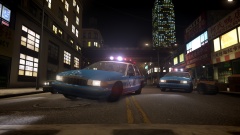 ok thats a good reason, cant disagree with that one
 -
np
-
its unlimeted BUT I would recomend only using 4 cause otherwise your game might crash
-
wait wait wait... ELS? Lund what happend? did the squid attacked?
-
yea, I dont see a reason why it wouldn't work
-
hahahahhahahaha, stupid canadians joke dont kill me michael :D
-
well I would recomend to just use lcpdfr, trainer (to spawn cars nd stuff) and some addons (like more lcpdfr callouts, can be found at the download section :D) oh and before I forget: welcome :D enjoy your stay and dont mind the raging swedish guy. and look out for the squid on the loose
-
-
just make sure before you select the lightbar that you select the L1's and L2's (just select everything thats not selected in the lightbar file) and then scale it, otherwise you will have that problem
-
-
you can use any slot, you just need to set them in the els config thingy
-
kinda late but still :D happy birthday. oh and enjoy the cake (the cake is a lie!)
-
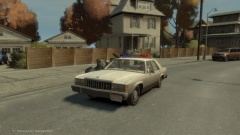 lol
lol


