


Birthofahero10
Members
-
Joined
-
Last visited
Everything posted by Birthofahero10
-
-
im a full time firefighter (professionally) and on my days off i work for my towns police department
-
It really boils down to what you want. If you wanna go low profile they have Led hideaways and strobe kits plus rear deck lights and visore led light bars which is what i went for. Plus they have a pretty good warranty system set up and should have no issues shipping to you in Canada :)
-
Even if it is a real list, its just a bunch of words. Its still gonna be bad ass whether you read it or not
-
Take a look at StrobesNmore.com. Thats where I got all of my emergency lights except for my Whelen Tir4s. They have good prices and there personally made lights are very well made and reliable. Ledoutfitters is a good one too but I prefer StrobesNmore
-
I currently own and drive a 2008 Dodge Ram 1500 Big Horn. All red interior LED light bar and red white mini phantom on the dash. Have lights for the rear just havent had a chance to install them yet. Other than that everything else is stock. Would have a picture but its dark and i dont feel like moving it into the light lol Edit: Reason I have lights is because Im a firefighter both volunteer and career. Had to put this in here after seeing all the cop wannabe stuff everywhere lol
-
I was thinkin the same thing
-
When you open SparkIV just scroll down to models and click on cdimages from the drop menu and click on componentpeds.img. Once thats open just hit import find the file of the skin and hit open, save, and rebuild.
-
Importing them or making them?
-
-
i dont know why but this gave me a massive erection.
-
im most excited about the new cruisers. That and scuba diving. Scuba diving goooood
-
Once you figure it out its real easy just follow the tutorial crawford posted and youll be like well damn *insert facepalm*
-
Somehow watching this video led me to a video of a kid spelling negus....
-
i think you have to downgrade to 1.0 otherwise its unmoddable
-
Just google it and it will come up and just download it
-
yea I did that and for some reason when i get into the car, I cant turn on any of the lights or control panel but it still says im running the script
-
Here is my question. I dont want to get rid of ELS. Im just curious and want to try this mod. Can you disable els and use evcs on the police slot but leave ELS for the rest?
-
did you by chance change the speed of the lights to go slower? When I did that it flickered like that
-
Soooo....sooooooooooooo...epic. I laughed so hard haha
-
I doubt an unlocked model is available yet. Sucks but in time my good man in time
-
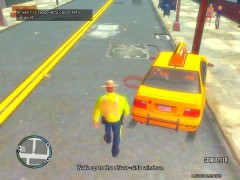 MY EYES!!! MY EYES!!!!
 -
In my case I have yet to respond tp a MVA...Everytime i get dispatched and accept the call its either code 4 or the script crashes.
- 356 comments
- 140 reviews
-
and if that dont work go to your start icon an hut run then type %appdata% and click run and when it pulls p it should have like Rockstar games or so in their and delete the saved file. If you cant find it ill go more in depth when Im on my computer
-
or simply put just export the emerglights file to desktop or wherever and use paint or something and basically just change the color of the square thats how I do it


