Birthofahero10
Members
-
Joined
-
Last visited
Everything posted by Birthofahero10
-
From the album: Liberty City News
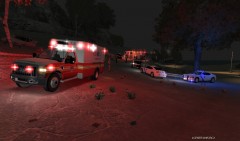
Arkansas State Police, Liberty County Sheriff dept., and Liberty City Fire Fighters work a single vehicle accident on Monday Evening. The vehicle was heading west on county road 207 when it lost control and hit a tree. The driver had to be removed from the vehicle by Liberty City Firefighters and then was quickly turned over to EMS personel. The victim went unresponsive after being loaded into the ambulance and paramedics began recusitation attempts but was unsucessful. Units remained on scene for about 1 hour before clearing the scene. -
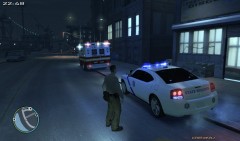 i got it from GPM but since they are down i cant give you a link but as soon as they r up ill link it to you
 -
Theres no real guarantee that with only 2 gb of ram you can get it to stop lagging and the only way to get more ram is to buy it which can get pricy. Theres a tutorial i saw awhile back maybe on here that tells you some things you can do to help your fps and make your game run a little and with your situation it may or may not work for you...give me a sec and ill try to find that page and send you a link http://gtapolicemods.com/showthread.php?8704-Bad-performance-in-GTA-IV-Easy-to-fix I hope this helps you
-
Same here I wasnt a big fan of 2142 but none the less a good game
-
Did you ever get the PPMs radio chatter to play in your police car? I have created a dummy file to see if it will work right and i cant access the radio for independence FM in a police car
-
there is no bug that I know of. The in game dispatch is just real choppy and unsatisfying im just trying to make something more realistic
-
yea thats what Im planning on doing im also gonna use files that have pauses so its more realistic instead of talking over and over again and then one audio file playing on top of another so im gonna try to get something thats not as annoying and repetetive and more realistic
-
Im in the process of creating a police scanner mod similar to the one used in ppm but for LCPDFR instead...its gonna be the same basic idea by using a radio station as the actual scanner so you wont have to hear the in game GTA 4 police chatter. Im not sure if this has already been created if so let me know and any pointers to make this good would be appreciated. so what do yall think?
-
Google is your friend
-
could be an amount of different reasons...if your using ELS V6 your game may crash apparently it makes some peoples, also cars some cars can make your game crash as well....run LCPDFR when it crashes run the G17 diagnostics tool and repost
-
alright with the screen shot you gave go to the vehicles.img and then click edit go to the vehicle you want to add the texture to and click on the .wtd fil beside it will say yes(Texture) click it and then hit edit go to the skin you want to replace and click it once so its highlighted and then hit import and find your texture it should after about 2 seconds show the skin pop up click save and close and when it goes back to the screen where you selected the .wtd file click save again then you will wind up on the screen you started on click export and replace the vehicles file that exports in your GTAIV>pc>cdimages
-
What I would suggest is begin with a fresh install and then patch to (1.0.7.0) then install LCPDFR and see where that takes you
-
Open your Sparks IV application and go to your vehicles like you would to replace it...find the car police, police2, noose whichever select the first fil it will say textures to the righ click edit import the skin save and close rebuild, save, export and wala ther ya go :) If this is to cluttered im sorry im at work right now lol
-
hell better yet click on the link in Toms signature it takes you right to it and should download fine
-
Are you following the link thats posted in the need support rad first thread? Because when you click that link it should automatically prompt you to run or save the file
-
Go ahead and LaunchGTAIV with admin privelages and then if it closes out then run the diagnostics tool and then repost the diagnostic please
-
yea i couldnt find one that worked just right but I also didnt look long enough :p thanks for the tip man Im still doin a little work on it
- 3 comments
- 1 review
-
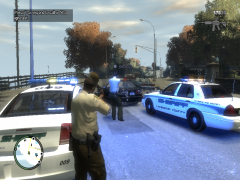 where did you get that sheriff skin for your deputy I want it lol
 -
-
-
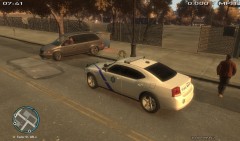
From the album: On Duty
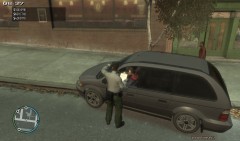
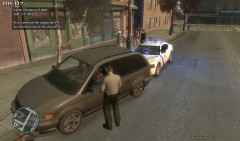
I had a vehicle backed up in the middle of the road running over a city trash can andthen he littered right in front of me...I initiated a traffic stop and Cited him for reckless driving and littering. -
-
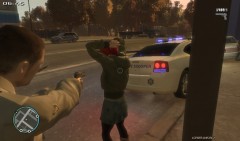
From the album: On Duty
-
From the album: On Duty
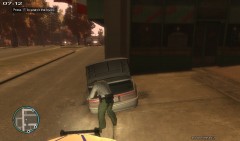
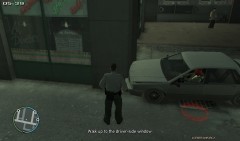
I noticed a vehicle do an illegal U turn straight into a pavilion where she almost ran into a pedestrian sweeping the side walk then the vehicle sped up only to hit a building...I pulled up behind the vehicle and ran her information only to find out that she had an active warrant for her arrest and no liscence. I did a check of her vehicle to make sure she wasnt hiding something that may be used as evidence to charge her further but came up empty. -
From the album: On Duty
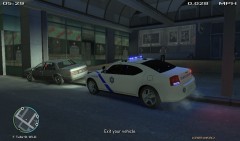
I noticed a vehicle do an illegal U turn straight into a pavilion where she almost ran into a pedestrian sweeping the side walk then the vehicle sped up only to hit a building...I pulled up behind the vehicle and ran her information only to find out that she had an active warrant for her arrest and no liscence. I did a check of her vehicle to make sure she wasnt hiding something that may be used as evidence to charge her further but came up empty.