


Gump
Members
-
Joined
-
Last visited
Everything posted by Gump
-
I saved this particular .Z3d to the desktop. Should it be in the same folder with textures used for the model?
-
So downloaded a Charger to mod. And I will save it....re-open it and this happens... It will just be these random items that will loose textures or it will be the whole car sometimes! Making the whole car white! Anyone else get this crap? Because I looked on here and there is nothing about it. Any help would be appreciated!
-
'?do=embed' frameborder='0' data-embedContent>> There is that. I personally haven't seen a KSP Charger or Caprice.
-
'?do=embed' frameborder='0' data-embedContent>>
-
Yep. Here is something that might interest you. http://www.lcpdfr.com/page/tutorials/index.action/_/vehicle-modification-tutorial/els-setup-in-zmodeler-r77
-
-
Pay for what? Adding a lightbar? Alrighty then...
-
This error means that somewhere in your hierarchy there is more than one extra_1. So go through the hierarchy and see if you can find the other extra_1 and just attach them together ;) Unless you accidentally copied it of course.
-
I found that if I double click...it says that. So try to just click it once ;)
-
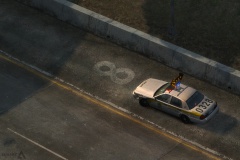 I just now got that...xD
 -
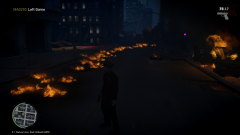 Nothing to worry about..Just Ghost Rider out for a ride.
 -
-
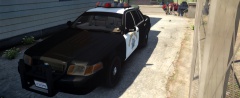
From the album: My cars
Do you mind not blocking my photo sir? -
 Thanks so much man! Thanks man! I just might have to make a pack and have that as a option on one ;) I was actually thinking about that. xD I would say, did nazi that coming, but has been used a trillion times divided by 9.
 -
The one I use is: '?do=embed' frameborder='0' data-embedContent>> It appeared grainy in my pic...Because I messed something up. xD. But It is one of the best ENB's out there.
-
-
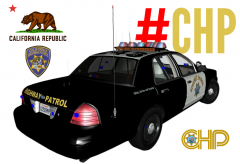
From the album: My cars in Zmod
After seeing Sgt.Kanyo release his CHP car, inspired me to do one! So...Downloaded one oh his CHP cars and started to modify it! xD Graphics done by Vertex. Thanks man! Based on ( Just won't be K-9): -
-
Texture loss could be due to the pc performance or internet. Unless you mean the car it's self. I personally have never seen that before. Make sure that the textures are in the .WTD
-
Wow, that's a lot of shit!
-
I've seen the prostitute being frisked...But I have never seen the Captain coming out and taking her back... That's funny.
-
// G17 Media // Traffic Flow Mod // GTAIV // --------------------------------------------------- // TRAFFIC FLOW CONFIGURATION SETTINGS // - V1 (April 2011) // - © Copyright 2009-2010, G17 Media // --------------------------------------------------- [Vehicle Pool] // A list of 20 vehicle models that comprise the 'vehicle pool' which Traffic Flow will // randomly select 3 vehicles from every 15 seconds to load into the game's memory. // NOTE: You can find a list of valid vehicle model names by using SparkIV to look // inside the vehicles.img file in pc/models. It probably is possible to use ped // models here too, but it could lead to whole areas becoming full of one type of ped. // SECOND NOTE: Traffic Flow doesn't actually spawn these vehicles, it only loads them // into the game's memory which affects the way that the game spawns vehicles in general // therefore vehicles which don't normally spawn on the streets such as the NOOSE cruiser // still will not spawn, even if all 20 slots are occupied by it. Instead, when you get // 4 wanted stars, you will be pursued by more NOOSE cars than you could ever imagine. Model1 = ORACLE Model2 = INFERNUS Model3 = SULTAN Model4 = BUS Model5 = BLISTA Model6 = FACTION Model7 = HUNTLEY Model8 = CAVALCADE Model9 = MOONBEAM Model10 = DILETTANTE Model11 = FEROCI Model12 = PONY Model13 = SPEEDO Model14 = SABRE Model15 = SABRE2 Model16 = PCJ Model17 = NRG900 Model18 = ADMIRAL Model19 = FAGGIO Model20 = E109 [Other] // This variable controls how frequently emergency services will be dispatched throughout the city. // The variable is represented in the code as a 1 in [variable] chance of a dispatch occuring, // which happens every 15 seconds. To increase the chance that a dispatch will happen, decrease // the variable (do not go lower than 1), and to decrease the chance that a dispatch will happen, // increase the variable (you shouldn't need to go any higher than 100). // NOTE: The default value, 8, should provide for a balanced experience. If you experience crashes // which may be related to these dispatches, increase the variable. ChanceOfRandomDispatch = 90 // This variable controls how often TrafficFlow will update the game's memory as well as how often // the script will perform the calculation to determine whether or not to create a random dispatch. // If you are experiencing issues with TrafficFlow slowing down your game, or causing other performance // related issues, set this variable higher. // NOTE: This variable is in miliseconds (e.g. 1 second = 1000 ms), to have TrafficFlow tick every // minute, set this variable to 60000. TimerInterval = 15000
-
Looks like something for the Nintendo 64.
-
-


