



Officer Here
Members
-
Joined
-
Last visited
Everything posted by Officer Here
-
I don't have VPN.
-
I am in EU(Austria)?
-
I know I know I am just curious because after clicking the download link I got into a website saying invalid SSL something.(Again)(Wayback machine can be used too)
-
Why is the Script Hook V Download Link not working. It's already not working for like 3 weeks. Does anybody know why?
-
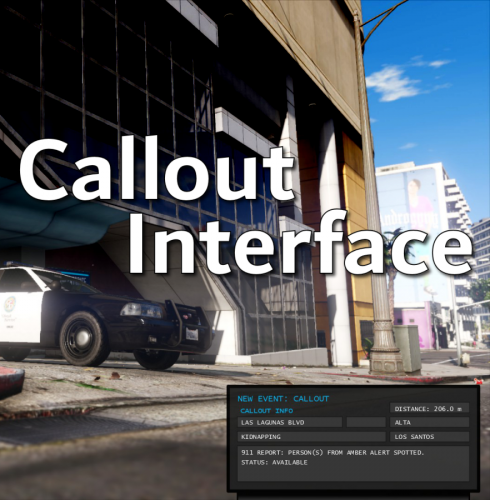 Very Helpful. It shows me the distance from the Callout, because without that, sometimes I get a Callout from Sandy Shores and I am in Downtown LS. And it has Panic Button.👍👍👍10/10
- 451 comments
- 47 reviews
-
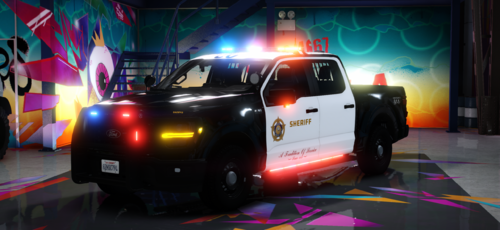 Nice great Livery with Reflective and none Reflective Livery with LASD and LSSD. Cool Emergency Lights.
 -
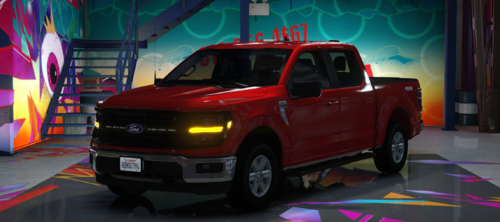 It's nice and perfect. It got great Lightning and nice Interior. There is even a Axon Dashcam thing inside the car. 10/10👍👍👍
 -
 With a normal gun(WEAPON_COMBATPISTOL)
- 84 comments
- 6 reviews
-
- rph
- lspdfr callout
- legacy
- rph
-
Tagged with:
-
I just played the updated one. The bug still isn't fixed and I forgot to say last time and this time that the hostage just stuck in that animation and wouldn't move or leave the building. So I couldn't unlock the other side(the side with bomb disarming).
- 84 comments
- 6 reviews
-
- rph
- lspdfr callout
- legacy
- rph
-
Tagged with:
-
Hey Author of Definitive Callout. Your Call-out Pack is actually very great and realistic. But did you have fixed the bug(the bug I said in June 24)? I haven't tried the updated one. But this Callout pack is great. I'll leave a Review after updating this Callout.
- 84 comments
- 6 reviews
-
- rph
- lspdfr callout
- legacy
- rph
-
Tagged with:
-
did you install the 1. SimpleHUD Installer Part ONE.oiv and 2. SimpleHUD Installer Part TWO.oiv in the Props & Textures(SimpleHUD.v.1.2.10.zip) correctly? Maybe it's caused by the In-Game Language Setting, because the game has a different language and the simplehud only supports English(I think).(If you have a different language setting in GTA5)change it to English
-
It's nice. It's Perfect. Looks cool.
-
 Compulite, StopThePed and Ultimate Backup are Incompatible with Policing Redefined . But for replacement of Compulite are Police Menu, Report+ or External Police Computer. Does anyone know why, when I requested Backup in a Pursuit, then the backup joins the Pursuit and then after 1-5 minutes they just leave the Pursuit. The backups are slow sometimes in a Pursuit. It's like i am the only one who is pursuing suspect and they are miles away from suspect(sometime). I don't use the plugin/script "Safer Chases"
- 714 comments
- 50 reviews
-
-

- 2
-
-
Can't wait to drive it. (I am sick)
-
-
Review: Best Plugin. In STP I need to disable RWS to use lidar gun. Now with PR I can use Lidar Gun by editing in the "Load out.xml" and then open trunk and grab it. Without disabling anything. Comment: The bagging and viewing evidence feature is cool. And the spike strips.
- 714 comments
- 50 reviews
-
-

- 1
-
-
Use wayback Machine(Internet Archive)
-
Yes. The solution is start a new mods folder from Yasd.
-
-
Try copy the original vehicles.awc from x64- audio- sfx- Resident.Rpf then paste it to mods- x64- audio- sfx- resident.rpf
-
Try Launch LSPDFR again. Maybe it work fine again.(Same issue, but at the second time launching LSPDFR everything works fine) If you have Compulite, Remove it.
- 714 comments
- 50 reviews
-
BRUH. It's already >three month ago this post. You welcome
-
Is there any "deploy Spike strip" button or feature? Because i think i saw in a PR menu says "Deploy Stop Sticks"or "Deploy Spike Strip/s"(maybe there isn't, I don't remember) Will there be any Roadblock Backup?
- 714 comments
- 50 reviews
-
-

