



Officer Here
Members
-
Joined
-
Last visited
Everything posted by Officer Here
-
1.Do you use DLC Car.If you use then install Latest build Custom Gameconfig. 2. Try removing entire Mods folder. 3. Try play GTA5 without RPH(the problem might be the Rage plugin hook)
-
try delete the current ELS and Simple Trainer(TrainerV) then install latest Els 1.05(use the advanced hook from the ELS 1.05.zip file) and TrainerV(Simple Trainer) and install latest script hook v.
-
i think this is not an issue. maybe the register owner lent the car to his friend(the one who is driving the car).(events from Lspdfr?) It happens to me too. but sometimes there are drivers who drives their own registered car. the car is stolen
-
download this .zip file RAGEPluginHook_1_122_pursuit_crashes_test.zip from this should fix the pursuit crash
-
if you use Ultimate Backup then you can call Code 3 Fire or EMS. If you use the vanilla LSPDFR Backup then press B(default:B) for Code 3 LSFD Firefighter or EMS Use Backup Menu
-
This should video link should ->Fix<- it Fix 5real problem. Maybe
-
Do you use DLC cars?
-
Try run ragepluginhook.exe as administrator. Go to Grand theft auto->right click on ragepluginhook.exe->select properties->compatibility->select Run this Programm as Administrator->click apply and then OK. Then run RPH then it should be working
-
do you use any graphic mod
-
VI=6
-
Did you install the speech platform from Microsoft. Maybe read the READ.txt or instructions.txt if included or read the description in the LSPDFR.com->Download->Scripts and Plugins->Grammar Police Description. Or watch Tutorials in youtube
-
LCPDFR VI, LSPDFR VI, VCPDFR VI maybe
-
Emergency Distributors LAPD pack includes Tahoe, FPIU, FPIS, 2018 Charger(with and without push bar)CVPI. And it is ELS with vehicles meta fix for each car.
-
10-99!!!
-
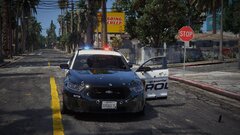
From the album: 10-99 Shots Fired
Officer Under Fire Location: Grove Street -
Crown Victoria Police Interceptor
-
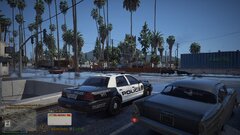
From the album: Los Santos Police Department
Random Picture -
Go to GTA5.exe then right click on the GTA5.exe and select properties then compatibility and select run this Programm with Windows 7.
-
Install radianceV or MSTB developments brighter emergency lights.
-
If you use dlc Addon cars then install custom gameconfig and heap adjuster, pack file limit adjuster. Stop using some graphic mods. Because some graphic mod don't have compatibility with other graphic mods like CoreFX don't have compatibility with other graphic mods. Maybe install first the LA Revo if you use. Maybe install first Redux graphic mod if you use
-
Do you have dxgi.dll in your GTA root folder. Because reshade doesn't work when it name is dxgi.dll rename it to d3d12.dll and the dxgi.asi (optional)
-
Use wayback machine and copy the link of the Script hook v. Or VPN
-
Try uninstall the compatibility patch, because it isn't very necessary. Don't have to install the compatibility patch Theres a lot of videos about how to fix the err sys fileload. On YouTube
-
If you use StopThePed. Then you need to disable Realistic Weapon System RWS by pressing G(default G) to open the Stop The Ped(STP) menu and disable the RWS(usually at the bottom of the menu) .Then you can use LidarGun
-
Newest SimpleHUD 1.2.10 from Venoxity has speed limit sign in the minimap and it has a menu for the simple HUD to configure the size and the x,y from the sign street time.



