



Officer Here
Members
-
Joined
-
Last visited
Everything posted by Officer Here
-
-
 Press B on the keyboard and then request a Tow Truck(Code 1/2/3 Backup) near the car that need to be towed.
- 712 comments
- 49 reviews
-
Did you remove the Vanilla LSPDFR Backup keybinds and Frisk Keybind and Traffic Stop Interaction Keybind? And did you install the Latest RagenativeUI 1.9.3 on GitHub?
- 712 comments
- 49 reviews
-
-
-
-
-
I think you can customize regions. But the LSPDFR agencies and Ambient Units i don't know.
- 712 comments
- 49 reviews
-
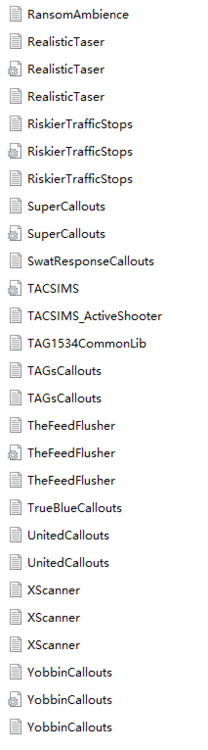
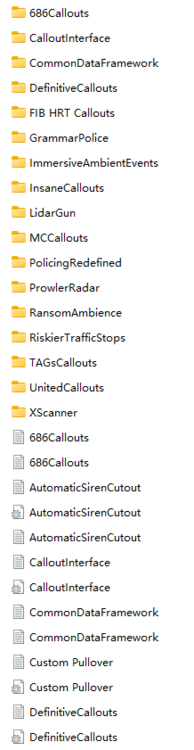
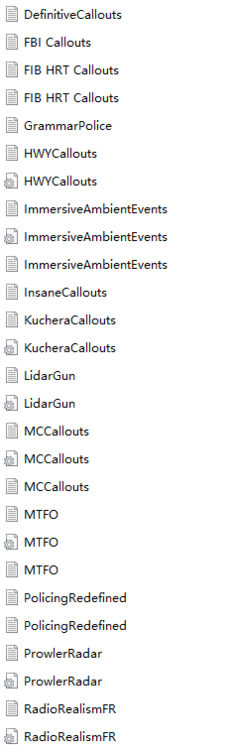
Forgot to add the line w_colbaton so PR Crashed lspdfri don't use Lennys mods loader and ragenativeui is not in the plugins folder. and i know it's a problem from plugins but don't know which one.LSPDFR doesn't let me go on duty. it says Unhandelt Exceptions and then lspdfr crashes(not crashing game just lspdfr). I can confirm it is the problem inside the Grand Theft Auto V-Plugins-LSPDFR. RagePluginHook.log
 Ok it's not the problem from PM that causede to not able to go dutyIdk if it's the problem from PM that caused me to not go on duty. I haven't tried removing it.Ok. Maybe Police menu has a bug. After i updated PM it doesn't let me go in duty in lspdfr.The one in openiv doesn't need to be removedRemove Police Menu and rename _mods to mods. And then play lspdfr and start a pursuit and see if Pursuits still crashes LSPDFRDoes LSPDFR still crash when you are in pursuit?Can't you make a screenshot using "*"? Or press F12 for Screenshot. If you want your mouse not locked. Them press alt+esc Does lspdfr still crash when pursuit?You should change to windowed mode by change the setting in GTAV inside Does LSPDFR crash when going pursuit?How is the windowed mode not workingMake a screenshotTry rename mods folder to _mods







