
Officer Here
Members
-
Joined
-
Last visited
Everything posted by Officer Here
-
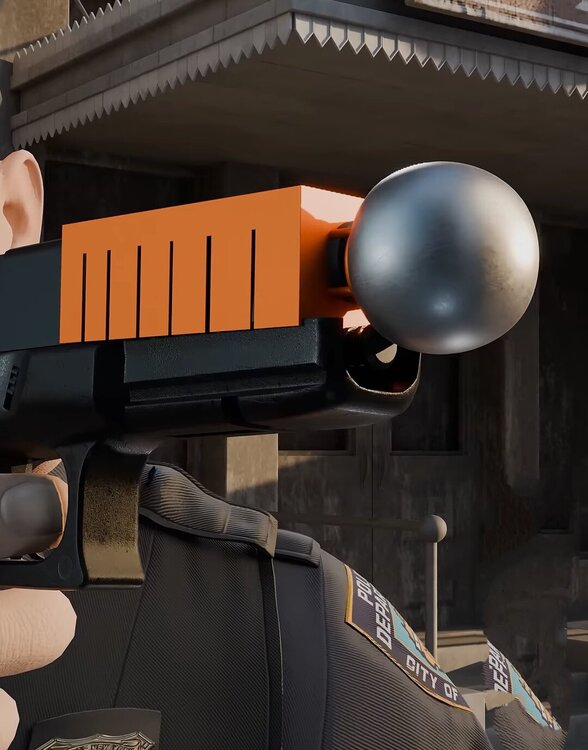
This orange thing at the gun with a ball
-
What should i do then. Was soll ich machen.
-
I tried and it worked. The problem was the 2025f150pr then i deleted it in the dlclist and in the dlcpacks but then in the game i use trainerv and i can't see any other addon dlc car packs anymore. I can't spawn any of the DLC cars. I have heap adjuster, Packfile limit Adjuster and the latest gameconfig and latest gta5 legacy game version 3586. Should i verify all game file using steam?
-
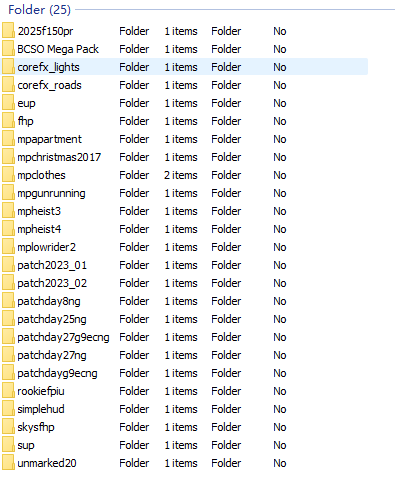
i was going to play gta5 and then after i got in and press story mode it crashed at the loading screen. I renamed Mods folder to _mods then it worked fine so the problem is the mods folder. I have these mods in the mods folder dlcpack its caused of dlcpacks
-
Maybe the game memory or PC can't handle too much peds and cars in one place so it crashed. Maybe decrease the Population Density and Population Variety. And maybe don't use the 5Real Real LA gameconfig Traffic.
-
Maybe delete the eup menu and install it again not Eup law and order just the plugin.
-
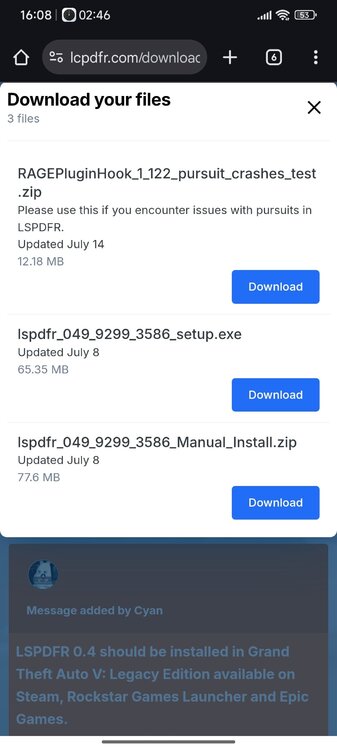
install the RAGEPluginHook Pursuit crashes test.zip(the top one)
-
Does it crash without RPH too? Download latest Script Hook V and Ragenative UI. Do you have Addon car packs?
-
What addon car do you use? Does the addon car work fine(ai npc will move to the side when code 3 lightning on)in gta5 main game without RPH plugins(Rich Police Enhancement or Automatic Siren Cutout) or RPH
-
You have modding lspdfr for a long time. Did you have very strong graphic mods like QuantV or NVE installed. Cause if the graphic mod or the graphic setting in game is too strong it might cause the game to crash. Or very large mods like 5real or LA REVO.
-
Do you have EUPFR Basic Configuration/Ultimate Edition?or Backup Configuration?
-
Does anyone in know if there's a plugin that looks like that?
-
Go to Mods-update- update.rpf-common-data then scroll down and double click dlclist.xml. inside at the top you can see search. Right click and type eup. See if there is <Item>dlcpacks:/eup/</Item>.
-
Did you extract the zip folder?
-
Don't know how to replace these online police car but i do have a video link tutorial ->This<-
-
Can you look inside the Dlclist using OpenIV see if the file name "eup" is inside. using the "search". Maybe you have installed eup menu/law and order incorrectly and cause problems. Check if the EUP Menu.dll is in the Plugins file and not in the LSPDFR file or other. Maybe law and order file is outdated. Do you use LML(lennys mod loader) to install eup.?
-
Maybe some callouts/scripts/plugins are outdated and needs to be updated and some mods and Ragenative UI(important file)needs to be updated.
-
How many mods are in your mods folder/Dlcpack?
-
How is it messed up?
-
How does it crash like the game exit to the windows or the RPH will pop up a message says EUP Menu.dll error or something?
-
Install Heap Adjuster, Packfile Limit Adjuster and the latest Gameconfig.xml file from gta5mod website(green one) and Latest Script Hook V file for the ELS.
-
-
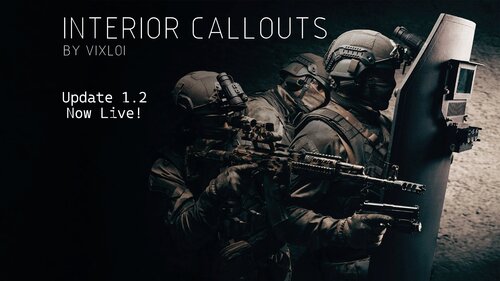 At the barricaded suspect callout. I don't see or found openqble doors at the coroner? What might be the Problem?
- 75 comments
- 5 reviews
-
Do you use any other Pursuit callouts or normal callouts with high speed chase or something. Or you just use the vanilla lspdfr pursuit callout
-
What do you mean machines? Use This SHVDN Nightly And maybe you need LemonUI from gta5mod website.