
Officer Here
Members
-
Joined
-
Last visited
Everything posted by Officer Here
-
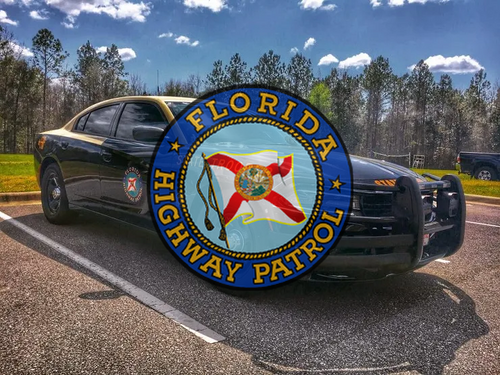 That siren 🤌🤌🤌, Mamma Mia, so good
 -
-
 the marked one was on of my favourite
 -
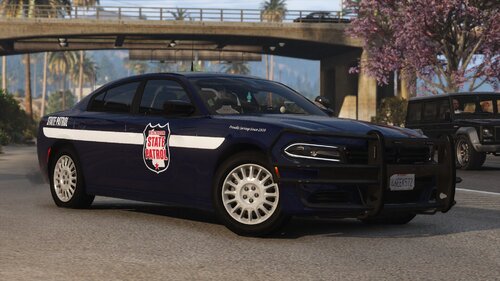 WSP Cars looks so cool, very detail, the handling was very smooth/good/amazing
 -
-
-
-
-
-
-
 FINALLY UPDATED Looks like many things got fixed and added and got compatible.🙏🙏👍👍👍
- 733 comments
- 55 reviews
-
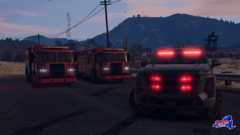 Holy LSPDFR, that are some beatiful Firetruks
 -
-
Thanks.
-
I have a ReShade Preset that you can use it in a video. It's called Here's Realistic ReShade. It works very well on Ready Or Not game. Don't know if its good on GTAV too.
-
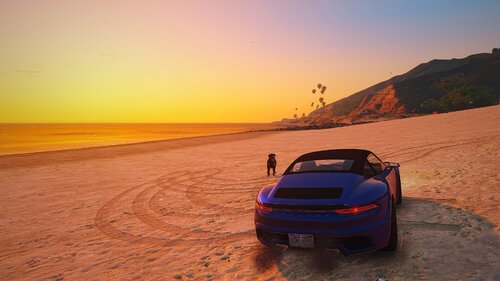 A mod that makes Grand Theft Auto V GTAV/5 graphic more realistic and immersive. Changes lightning, darkness, sharpness, how the light reflects and brightness in GTA5. It works great with VisualV (should work good with other graphic mods too). Installation instructions Install ReShade from reshade.me Run ReShade_Setup.exe Select GTAV.exe Choose DirectX 10/11/12 Click Uncheck All → Check All → Next Extract this mod into: ...\Steam\steamapps\common\Grand Theft Auto V Launch the game Press Home → skip tutorial → select "Here’s Reshade.ini" !!!PLEASE READ THE "READ ME.txt" FILE INSIDE THE ZIP FILE!!! This also works on Ready Or Not (SWAT Game, not the film)
 -
What content do you make/do?
-
I have released my ReShade on Nexus mods for Ready or Not but haven't test it on GTA
-
Will you make this public?
-
It's great but too dark is not good either Will you make this public or not
-
-
-
-
-
-
 No way, bro came back to GTA V Modding. Thx for updating this Amazing great legendary Mod 👍👍👍🙏🙏🙏🙏🙏
- 446 comments
- 17 reviews
-
-

- 2
-