
Bear82
Members
-
Joined
-
Last visited
Everything posted by Bear82
-
 ReportsPlus DEUTSCHE Übersetzung Hallo zusammen, ich habe hier eine kleine Zusammenstellung des ReportsPlus - Report Manager von Guess1m ins Deutsche übersetzt, soweit die Texte zugänglich sind. Es kann also sein, dass das ein oder andere noch neu dazu kommt, oder sich ändern wird. Übersetzt: + Menüoberfläche sowie die Einstellungen + customization.json (enthält div. LA Agenturen, Abteilungen, Fahrzeugtypen usw.) + Tickets (Gebühren) + Verhaftung (Anklage) + Nummernschild (Kalifornien) + Hintergrundbild (Kalifornien LA) Enthalten: GTA V - Server = GTA Hauptverzeichnis ReportsPlusApplication = Externer Laptop Installation: 1) Sicherungskopie erstellen 2) Die ZIP-Ordner aus „ReportsPlusApplication“ 1 zu 1 in euren „ReportsPlus“ Ordner kopieren (bei mir ist es ein externer Laptop) 3) *Optional Nummernschild (Kalifornien) für Display im Game: Den ZIP-Ordner aus GTA V – Server mit Namen „plugins“ 1 zu 1 in euer GTA Hauptverzeichnis kopieren *Optional für ALPR-Anzeige - Nummernschild California: Dieses ist im Ordner „images“ als „LicensePlate_California.png“ hinterlegt. ALPR --> Einstellungen --> Hacken bei „Use Default Image“ entfernen --> Browse --> Pfad von eurem Ordner z.B. ReportsPlusApplication / images / LicensePlate_California --> Save Optional - Hintergrundbild: Dieses ist im Ordner „images“ als „Hintergrund RP.png“ hinterlegt und hat eine Auflösung von 2400x1200. +Weiteres Hintergrundbild: „RP Hintergrund Win in 1600x900. png“. Setting --> Desktop Einstellung --> Desktop Bildauswahl „Bilddatei auswählen“ – Desktop-Hintergrund verwenden (STATUS grün) NOTWENDIG IST = ReportsPlus - Report Manager {NEW Court System, Ped/Veh Lookup} von Guess1m LINK: https://www.lcpdfr.com/downloads/gta5mods/scripts/46968-reportsplus-report-manager-new-court-system-pedveh-lookup/ Falls ein Bedarf an Änderungen / Anpassungen besteht, bitte mit mir absprechen! Viel Spaß und seid vorsichtig da Draußen!!! Falls ein Bedarf an Änderungen / Anpassungen besteht, bitte mit mir absprechen Für falsche Anwendung / Handhabung bin ich nicht verantwortlich. Alle Projekte von mir: https://www.lcpdfr.com/downloads/gta5mods/misc/54428-pdcomp-deutsche-%C3%BCbersetzung-und-california-textures/ https://www.lcpdfr.com/downloads/gta5mods/datafile/52602-policing-redefined-%C3%BCbersetzung-denglisch-suchergebnisse/ https://www.lcpdfr.com/downloads/gta5mods/misc/52603-compulite-%C3%BCbersetzung-deutsch-geb%C3%BChren-straftaten/ https://www.lcpdfr.com/downloads/gta5mods/datafile/50183-vehshare-license-plate-background-for-vehicles/ https://www.lcpdfr.com/downloads/gta5mods/misc/50339-stop-the-ped-deutsch-gegenst%C3%A4nde-search-items/ https://www.lcpdfr.com/downloads/gta5mods/datafile/50289-corpse-to-bag-deutsche-%C3%BCbersetzung/
 -
-
 First of all, thank you very much, the file and the setting are really great! I have now tested everything at different times of day and in different places. I have simply found too many problems, so I will stick with my old settings for now - it may also be because I have "NaturalVision Evo" installed. In any case, the upper edge of the screen is pixelated, the vehicle computer and the instruments are very bright and in the tunnel it is somehow blurry / milky. Just a quick bit of feedback 😉
 -
Oh great, thank you so much. I'll test it this afternoon or evening and then give you feedback.
-
Oh, that would be wonderful, otherwise I would only have changed it myself if it was too much work. If someone could tell me what the individual lines are called - because I've already tried to find them, but unfortunately without success 🙂
-
Hi, thank you for creating and sharing! Can the brightness of the indicators and headlights (especially on sunny days) be increased in the "visualsetting.dat"?
-
 Hello OfficerMorrison, thanks for the info about your little break 😉 I still hope that if the next big Christmas update messes everything up, you'll take a quick look at it 🙂 Happy Christmas days
- 356 comments
- 25 reviews
-
-

- 1
-
-
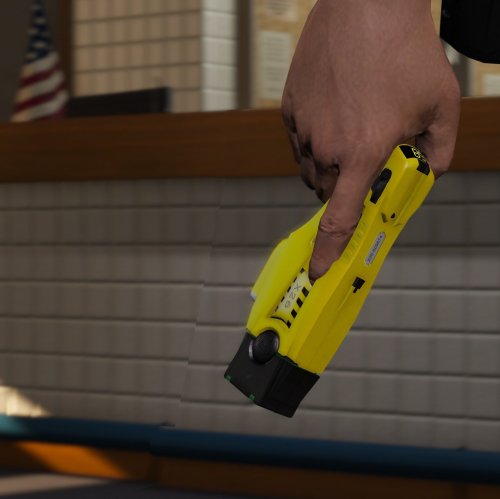 Grand Theft Auto V\mods\update\update.rpf\x64\data\cdimages\scaleform_generic.rpf\hud.ytd +Grand Theft Auto V\mods\update\update.rpf\x64\data\cdimages\scaleform_generic.rpf\mp_big_message_freemode.ytd
- 5 comments
- 4 reviews
-
-

- 1
-
-
Hello everyone, maybe someone has a solution for this. I can't determine everywhere where the yellow circle for the prisoner should appear. The police station, the entrance and the garage with spawn point work everywhere, also some points for the prison - just not in some places, what could be the reason for this? I've already found a lot here about this and tried a few things myself, but unfortunately without success - whether with "f" or without "f". So here are two examples of how I tested it: <Station> <Name>California Highway Patrol CHP</Name> <Agency>sahp</Agency> <ScriptName>hwyPol</ScriptName> <Position>2581.09, 463.99, 108.61</Position> <Heading>172</Heading> <DropOffPosition>2561.89, 506.266, 108.20</DropOffPosition> <GaragePosition>2553.592, 445.2565, 108.22; 133</GaragePosition> <GarageSpawnPosition>2568.364, 477.7029, 108.29; 179</GarageSpawnPosition> </Station> or with "f". Thank you very much!!!!
-
.thumb.png.656f907bc2febc81911b0b821cb502c8.png) Really well implemented, I wasn't expecting such a great update, that's a huge step forward. The implementation with the traffic stop is also great. I also saw that in the new "ReportsPlus.ini" file this is stored "[Keybinds] GiveTicket = U", can I now pass a ticket using the stored key? Since this hasn't worked for me yet, or is it more likely due to STP.
Really well implemented, I wasn't expecting such a great update, that's a huge step forward. The implementation with the traffic stop is also great. I also saw that in the new "ReportsPlus.ini" file this is stored "[Keybinds] GiveTicket = U", can I now pass a ticket using the stored key? Since this hasn't worked for me yet, or is it more likely due to STP.- 351 comments
- 45 reviews
-
-
- 1
-
-
Thank you very very much for continuing to develop. I'll test it right away and replace the JAR files and ReportsPlus.dll.
- 351 comments
- 45 reviews
-
.thumb.png.b9e18d9931090871b064059f2c315cf8.png) No, everything is fine, nice to hear that the project is still running. And no stress 😉 Thanks for the feedback
No, everything is fine, nice to hear that the project is still running. And no stress 😉 Thanks for the feedback- 703 comments
- 24 reviews
-
Yes, that's the same for me. Although I leave work in the red circle, LSPFR is still running, so I'm still on duty there. But with LSPFR (if I've understood correctly) I can't leave work, because otherwise "LSPDFR Expanded" will be deactivated and my purchases etc. won't work. For example, you could copy the contents of the existing charactersXY.sav into the new one. The most important things are stored there, for example with "PlayerMoney", "PlayerVehicles" or "XP". Is the mod still being worked on? I would be very happy about it, as it is an enrichment for the game!
- 703 comments
- 24 reviews
-
-
cancelHallo zusammen, ich versuche immer mehr in der First Person zu spielen, habe aber bislang keine Info gefunden oder gar die passende Einstellung dazu, dass ich nicht gleich in der First Person los laufe (in der Außenansicht geht's ja). Ich weiß, die Geschwindigkeit nach den ersten Schritten kann ich verlangsamen, aber bis dahin habe ich evtl. bereits ein paar Leute umgehauen 🙂 Gibt es überhaupt dafür eine Einstellung oder vielleicht ein Script was dies ermöglicht?Das ist lustig, habe die Tage noch daran gedacht, aber glücklicherweise schon lange nicht mehr erlebt. Aber da ich immer so viel gleichzeitig ausprobiere, kann ich leider nicht mehr sagen woran es lag. Ich meine weil eine Taste doppelt belegt war bzw. verwendet wurde.
 Hello everyone, I have the same problem and don't use RDE. The windshields in the immediate area are constantly breaking - which I wouldn't mind as it is another reason to fill out a ticket, but this happens too often and also on my and other police vehicles. If that can be corrected, then that is a TOP expansion.
- 30 comments
- 1 review
-
-
- 2
-
 Perfekt, nur falls du mehr in Zukunft ändern solltest, als nur die Callouts, wäre es super eine kleine Info in die Beschreibung mit dazu zupacken 😉 Danke dir!
- 261 comments
- 25 reviews
Hört sich wieder klasse an, was du da gezaubert hast!!! Falls du viel in der .ini (ausser der Abschnitt [Callouts]) ändern musst, schreibst du dies hier gesondert, da ich alle meine Steuerungen angepasst habe? Und wie immer, DANKE für deine tolle Arbeit!- 261 comments
- 25 reviews
 Hello everyone, a great extension - compliments! I just want to expand the number plates now, because otherwise I always stop or check the one with "46EEK572". Can I just add several separated by a comma? Like 46EEK572, 57KEK872, 62BBN548 etc.?
- 195 comments
- 23 reviews
Ja super danke dir, habe ich jetzt auch installiert. Ich wollte nur wenn möglich auf noch mehr mods verzichten 😃 Ja ELS wird verwendet, habe auch mal testweise die Tastaturbelegung geändert (GTA Hupe), aber es bleibt leider alles beim Alten. Ich war mir jetzt halt nur nicht sicher ob die Zuweisung von GTA kommt oder vom LSPDFR Mod bzw Einstellungen. Wobei hupen funktioniert - auch die Vanilla Hupe.Ah sorry, ich nehme aber hilfe auch gerne in deutsch entgegen 🙂 Also überholen und hinterher fahren funktioniert, wenn das die Frage war. Nur eine neue Stelle zuweisen, im dem ich hinter dem Fahrzeug bleibe oder das Megafon nutze halt nicht. Und wenn ich das richtig sehe, muss es ja über die GTA Tastensteuerung der Hupe funktionieren, oder?Hello everyone, I have a question about the traffic stop - it's more about using the megaphone and assigning a new stopping point. I also see the button in the top left of the info box and I've changed it in the GTA game (horn), but apart from my vehicle honking nothing happens. Should I use a different assignment here (i.e. not the GTA horn) or is STP or ELS blocking it? Many thanks in advance!
.thumb.png.656f907bc2febc81911b0b821cb502c8.png)
.thumb.png.b9e18d9931090871b064059f2c315cf8.png)