
IceGuy221
Members
-
Joined
-
Last visited
Everything posted by IceGuy221
-
 Getting a long error from this plugin, don't know what it is but it was pointed out to me from someone that knows how to read the logs. RagePluginHook.log
 -
-
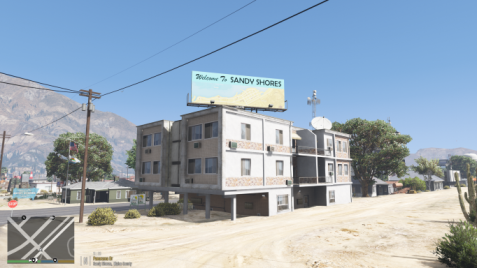 I know it's discontinued, but does it still work? Does it conflict with NVE? Although some think it's too much, I would love for this to be maintained, at the very least through open source. That way versions with more/less can be made to other players liking if they know how to do it. I enjoyed this upgrade, as it made sandy shores feel more like a township than an old village full of hillbillies
- 47 comments
- 10 reviews
-
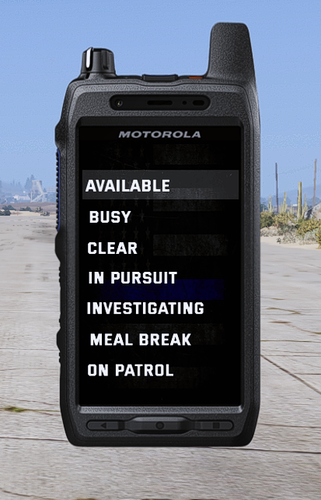 traffic stop status does not appear in radio with this texture, forcing us to use the interaction menu. just a small issue, nothing crazy. also for me I had to move the radio position on screen to get the text to show up in the radio
- 4 comments
- 1 review
-
-
-
 els.asi errors still occur even with latest advancedhookv package, this mod is outdated
- 2,681 comments
- 235 reviews
-
-

- 1
-
-
I've been using an add-on pack that I like a lot, but recently it hasn't been working right for me. When I try to spawn the vehicle in through the command console or even trainerv, the game will take a moment to try and spawn it, and then tell me that it did spawn when it never did. My dlclist.xml is correct, and this is the only pack that has not been working lately. It seemed like I was the only one having the issue from the packs comment section, so I asked a friend who plays lspdfr to try the pack, and he reported the same issue to me. I can't find out whats keeping it from spawning, can anyone help?
-
 Vehicles wont spawn, tried a fix that worked for another pack, but this pack just says the vehicle spawned when it didn't. I can't figure out whats wrong
- 175 comments
- 18 reviews
-
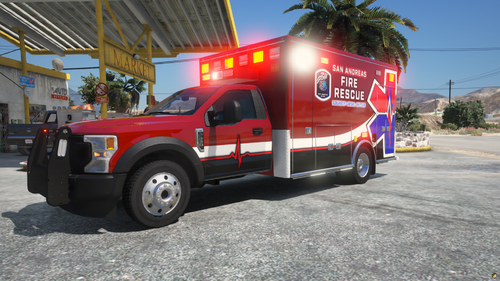 would love an els version if possible
 -
-
 mod still works fine for me, haven't ran into any issues personally. but i would say an update would be nice for stability puposes
- 262 comments
- 34 reviews
-
-

- 1
-
-
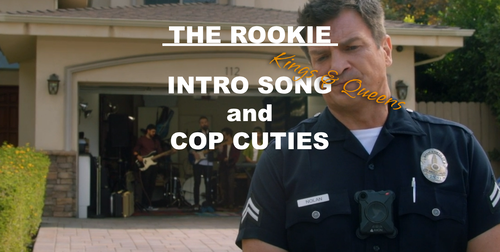 for those who keep asking, yes this works with NVE, i use both of them together! this will of zero effect on NVE, and the music will start after the NVE video plays during the loadup
 -
 The creator of this configuration pack is not the same creator as EUP 9.9 the masks were added in by its original creator Alex Ashfold. They should not spawn in on peds naturally, so it shouldn't be an issue. If it it, try making sure that disablecovid19items is set to true in you lspdfr.ini
- 365 comments
- 17 reviews
-
ok thank, i'll double check again and make sure it's not conflicting with anything else
- 175 comments
- 18 reviews
-
Hello, i've been using this mod a lot since it came out, but lately my game won't spawn any vehicles from the pack. i've tried reinstalling, and double-checking the dlclist.xml, but they just won't spawn. using trainer v the names pop up, and it says it spawned when it actually didnt. hopefully theres some advice or possibly a fix
- 175 comments
- 18 reviews
-
Hello, this is a common thing, usually when ragepluginhook fails to properly hook into the game as it loads up, typically the best solution is timing when to launch RPH. However, it could be because a mod/script wasn't installed proper, and is causing a conflict within the games startup script; or if you just installed multiple mods at once, this can cause the game to crash on startup several times before it launches with RPH properly. Other issues could mean that you game files are corrupted if its the game itself and not RPH or any other mod causing the crash. The most important thing is finding out what exactly is causing the crash, or is at least in some way related to it. Without knowing it, fixing the issue is much harder to do. Disclaimer: All of my help and/or suggestions are not always a solution. Nothing is a solution unless it actually solves your issue. You are the sole owner of your game and it's files. I do not hold any responsibility to what you do with your game, or within its files EVER
-
I have tried using this pack in the past, but the youtube videos are that great at teaching, at least not for me as a hands on person. I have non-els packs made by Trooper Corentin that I want to make into an Addon pack for myself and hopefully convert them to ELS as well, but turning it into an addon pack has been the bane of my existance. If you have any tips, they would be greatly appreciated
-
First of all, sorry if this is the wrong topic to put this question. And also sorry for rough topic name, not a lot of character space. There was a time where I accidentally did something when modding LSPDFR where all of my add-on vehicle mods appeared in the Rage Command Console (F4) with their file/actual vic name. But I can't remember how I did that. It was super beneficial for me, and completely removed the need to use simple trainer. I was hoping that someone else in the modding community knew how to go in and do this, or if there was a mod that would do this for me. It's really time-breaking to figure out what hash is for what vehicle, and it would be nice if I could get the names to appear again. Simple Trainer isn't something I like having in my game, and it honestly just takes up extra keybinds when you only have it to spawn in vics. Thank you for any help lended to me in advance.
-
make it an add-on pack
-
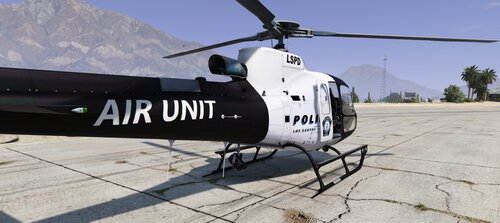 Can you please make an SAHP version of it, or a BCSO/LSCSO, would love to incorporate it
- 4 comments
- 1 review
-
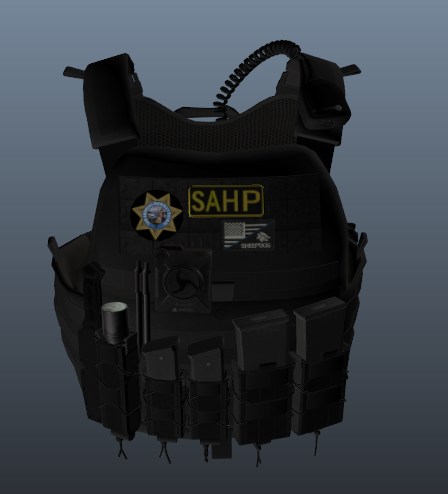 Hello Everyone! I've located a fix for a lot of the issues that I, and the rest of you seem to be having. Not only were the instructions on this install process horrible, but they were also entirely incorrect. Here's the current install path that worked for me: 1st things first, make sure you have Hanako's "vest 4 | setup 2" installed correctly. If you don't have the exact vest installed already, make sure you have Hanako's vest and ear piece open in WinRAR. The in the WinRAR, follow the path: Files/vest4/setup2 // You should now see the folder "mp_m_freemode_01_mp_heist3". be ready to drag & drop this folder Now, go to the following path in OpenIV: mods\update\x64\dlcpacks\eup\dlc.rpf\x64\eup_componentpeds.rpf - You can drag & drop the folder from WinRAR into this area now. Now, open the mp_m_freemode_01_mp_heist3 in Open IV, and you should see the following files: - task_000_u.ydd - task_diff_000_a_uni.ytd //right click on "task_diff_000_a_uni.ytd" and click edit, and then go to which ever CHP/SAHP vest variant you want from this mods WinRAR, and rename it to match the texture that is already in ytd. Now drag and drop your new texture into the ytd file, and click "Ok" if/when the prompt shows up. Now click Save - Double click your ydd file and insure that the texture appears as it should. Your results should be the same as mine were, a re-textured vest that doesn't look all messed up. Hopefully This Helps Those In Need! Disclaimer: This post has been made with and ONLY with the intention of helping other users who are having trouble installing the textures within the creators file(s). There is ZERO guarantee that this process will work for everyone, as each persons case is different. Remember to backup your files before installing ANY mods EVER! Neither I, nor anyone else is responsible for your game/files but yourself, as you are the sole owner of your games and/or files.
- 38 comments
- 3 reviews
-
You need to go into your config file, and change the bind manually. There should be instructions that come when you download the mod. so 1.05 is a dud then? cause this hasn't worked with the "newer" version
- 2,681 comments
- 235 reviews
-
-
- 1
-
-
-