


PhillBellic
Members
-
Joined
-
Last visited
Everything posted by PhillBellic
-
2spooky4me. :o Moving on, Congrats and stuff for being featured in this Topic. d=Don't you just love this Moderator Love Fest that's going on?! :D Anyway, this was quite an interesting read. p.s., fix the Topic Title. Who is this "Kallusrourke" person? ;)
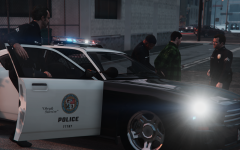 Were you inspired by my other Postings?
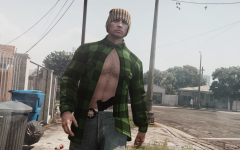 "Ice to see you!" "Let's break the Ice!" :D
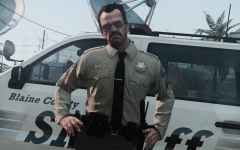 Sounds good to me. :)
I meant a completely redone Uniform.
The plot thickens... p.s., I'd like to see him in the SAHP Uniform next. :)
Thank you for the answers, guys. :)
Did you clean his face up?Looks okay. Perhaps you could use this as the basis of a Flag.These are pretty awesome! Please make some Blaine County ones next. :)JNR, Jazz Nation Radio 108.5. One of my favourite Radio Stations in all of GTA!I'd imagine that's what the DEV Version would be.It would have been a perfect time for them to introduce some additional Vehicles into the long, long, long, neglected 'Emergency' Class. Every other Class had had numerous additions. Some more than others. :/ Yay for more Super/Sports Cars!!!! /sOne of the disadvantages of having a 'Soft' Copy...Best Song on The Vibe 98.8FM, amirite?Also, try looking in here as well; ~:\Rockstar Games\Grand Theft Auto V\mods\x64w.rpf\dlcpacks\mpbeach\dlc.rpf\x64\levels\gta5\vehicles\mpbeachvehicles.rpf\ In my case, historically I've also had to edit the 'vehshare.rpf' in the above for my custom License Plates to be properly applied. ~ being the Drive you've installed GTA V into.Fun Fact: A short Excerpt of this Song appears in Halo SPV3.1's Mission '343 Guilty Spark. :)A GTA LCS (Rise FM) Classic!That Suspension Bridge looks pretty good (first Image).Something called 'Smugglers Run'.CP702, I really wished that Bike was Templated following the one from IV sometime ago. Also, hello everyone. :)Say whaa? For reals?Straight Outta Piriform Speccy! Operating System Windows 7 Professional 64-bit SP1 CPU Intel Core i7 3820 @ 3.60GHz Sandy Bridge-E 32nm Technology RAM 16.0GB DDR3 @ 666MHz (9-9-11-24) Motherboard Gigabyte Technology Co. Ltd. X79-UD3 (SOCKET 0) Graphics LG E2441 (1920x1080@60Hz) 2048MB ATI AMD Radeon HD 7800 Series (Gigabyte) Storage 111GB ATA INTEL SSDSC2CT12 SCSI Disk Device (SSD) 1863GB ATA ST2000DM001-1ER1 SCSI Disk Device (SATA) 1863GB Seagate ST2000DM 001-1ER164 SCSI Disk Device (SATA) 4657GB Seagate Backup+ Desk USB Device (USB (SATA)) Optical Drives TSSTcorp CDDVDW SH-222BB SCSI CdRom Device TSSTcorp CDDVDW SH-222BB SCSI CdRom Device Audio Realtek High Definition Audio ------------------------------------------------------------------------------------------------------------- Case Tai-Chi Thermaltake VB5000SNA Keyboard Logitech G510s Mouse Logitech G555s Headphones Sennheiser HD449 Gamepad Xbox 360 Controller
Sounds good to me. :)
I meant a completely redone Uniform.
The plot thickens... p.s., I'd like to see him in the SAHP Uniform next. :)
Thank you for the answers, guys. :)
Did you clean his face up?Looks okay. Perhaps you could use this as the basis of a Flag.These are pretty awesome! Please make some Blaine County ones next. :)JNR, Jazz Nation Radio 108.5. One of my favourite Radio Stations in all of GTA!I'd imagine that's what the DEV Version would be.It would have been a perfect time for them to introduce some additional Vehicles into the long, long, long, neglected 'Emergency' Class. Every other Class had had numerous additions. Some more than others. :/ Yay for more Super/Sports Cars!!!! /sOne of the disadvantages of having a 'Soft' Copy...Best Song on The Vibe 98.8FM, amirite?Also, try looking in here as well; ~:\Rockstar Games\Grand Theft Auto V\mods\x64w.rpf\dlcpacks\mpbeach\dlc.rpf\x64\levels\gta5\vehicles\mpbeachvehicles.rpf\ In my case, historically I've also had to edit the 'vehshare.rpf' in the above for my custom License Plates to be properly applied. ~ being the Drive you've installed GTA V into.Fun Fact: A short Excerpt of this Song appears in Halo SPV3.1's Mission '343 Guilty Spark. :)A GTA LCS (Rise FM) Classic!That Suspension Bridge looks pretty good (first Image).Something called 'Smugglers Run'.CP702, I really wished that Bike was Templated following the one from IV sometime ago. Also, hello everyone. :)Say whaa? For reals?Straight Outta Piriform Speccy! Operating System Windows 7 Professional 64-bit SP1 CPU Intel Core i7 3820 @ 3.60GHz Sandy Bridge-E 32nm Technology RAM 16.0GB DDR3 @ 666MHz (9-9-11-24) Motherboard Gigabyte Technology Co. Ltd. X79-UD3 (SOCKET 0) Graphics LG E2441 (1920x1080@60Hz) 2048MB ATI AMD Radeon HD 7800 Series (Gigabyte) Storage 111GB ATA INTEL SSDSC2CT12 SCSI Disk Device (SSD) 1863GB ATA ST2000DM001-1ER1 SCSI Disk Device (SATA) 1863GB Seagate ST2000DM 001-1ER164 SCSI Disk Device (SATA) 4657GB Seagate Backup+ Desk USB Device (USB (SATA)) Optical Drives TSSTcorp CDDVDW SH-222BB SCSI CdRom Device TSSTcorp CDDVDW SH-222BB SCSI CdRom Device Audio Realtek High Definition Audio ------------------------------------------------------------------------------------------------------------- Case Tai-Chi Thermaltake VB5000SNA Keyboard Logitech G510s Mouse Logitech G555s Headphones Sennheiser HD449 Gamepad Xbox 360 Controller


