K4te
Members
-
Joined
-
Last visited
Everything posted by K4te
-
Afaik you need to use NVE files that are compatible with LSPDFR - never had NVE so I won't help what a file are needed - u can try find here solved threats with NVE
-
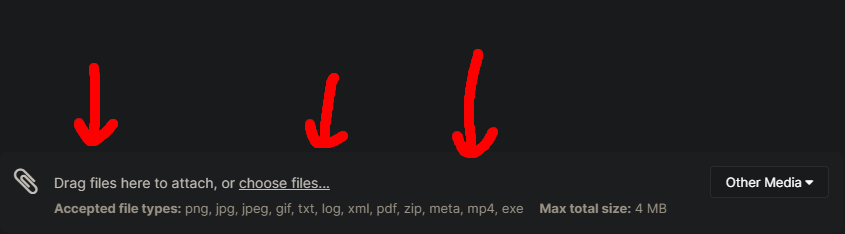
Just drag whole file at bottom of reply window
-
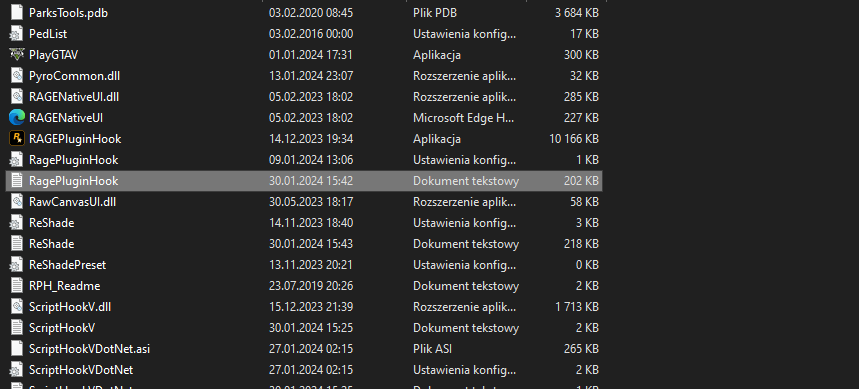
Post here your RagePluginHook log file
-
Rename mods to _mods - if after that game gonna launch it means that you installed some mods wrong and it cause problem
-
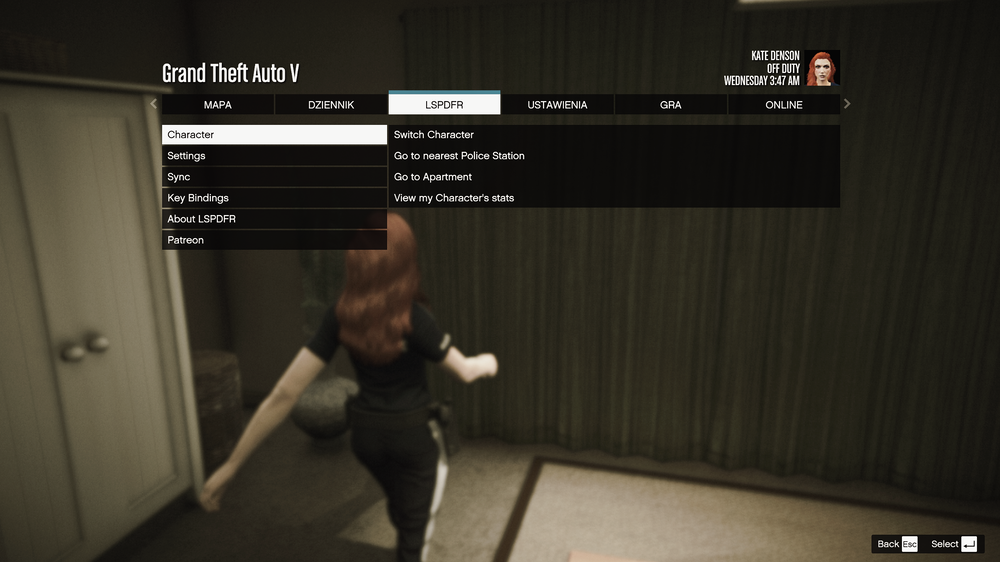
Have you tried load lspdfr in console? Maybe you just don't have check "load on start-up" in RagePluginHook settings After it loads you should have LSPDFR section in menu pause (for u it won't be at 3rd place)
-
Remove ScriptHookVDotNet files - they cause problem and for now its hard to run lspdfr with it. If you have scripts installed sadly most of them (or even all of them) won't work without it. You can try use this version of SHVDN - tbh I tried it now and seems working fine
-
Rename mods folder to _mods - it's gonna disable whole mods folder and lets see if problem is gone. If this gonna solve problem then smh from old cars files still remains there or just created mess that will be hard to find and fix and easier way will be delete whole mods folder, create new and start with mods from 0 (or maybe just try to delete specific folder in mods where you were modding cars - idk this is for example patchday4 or another)
-
Any mods? Send here screenshot of your gta 5 folder
-
Same gpu here and no problems with fps.. it can be caused by a lot of installed plugins/mods - send here screenshot of your root gta5 folder, gta5\plugins folder, gta5\plugins\lspdfr folder and RagePluginHook log file. Also question - how many mods you have installed?
-
Omg you have totally wrong installed plugins xDD at gta5\plugins leave only: EUP folder LSPDFR folder EUPMenu.dll LSPD First Response.dll LSPD First Response.pdb files not on the list above - delete and install it correct (everything is in readme file in each plugin) idk why you have ymt and meta file in plugins.. it should be installed somewhere in openIV mods folders xD - also everything in readme files
-
1. Check game files verification 2. LSPDFR installed by setup or manuał? 3. Send here screenshot of your gta5 folder
-
Everything what you have is outdated: game, lspdfr, ragepluginhook. Also idk what is this TeraBoxDownload but if this is illegal copy of GTA then sry but can't help
-
1. Delete that what remains from LSPDFR+ (installed or uninstalled incorrect + its outdated) and check if smh changed 2. Can you sens screenshot of your plugins folder? 3. If you deleted remains LSPDFR+ files and problem still remains try rename mods folder to _mods - if after this problem disappear solution is simple.. Delete current mods folder, create new one and start with mods again without this 1 huge mess
-
Base gta5 works fine?
-
Welp.. from this log only what I can see is that SuperCallouts needs to be updated, but also there still is Riskier Traffic Stops so are you sure that you removed it?
-
New log file pls
-
Wait.. isn't it more related to some of your plugins instead mods? Send here your RagePluginHook log
-
You just have to install mods correctly. There is plenty of possibilities how to do it and most of it you have included in .txt files and don't install few mods at this same time. Take your time and add it one by one with tests. It's not competition how fast u gonna install it so like I typed above - take your time, do it slowly, read readme files if they are included or others .txt files that for sure can help you.
-
plugins are in plugins folder, we are working in mods folder
-
Sry I didn't saw that you have edit your previous posts when I was reponding.. You can try copy just this 3 files from original path and replace them in mods but after you typed about this: now I'm really confused what have you done xD
-
Delete folder where you have messed (gta5\mods\update\x64\dlcpacks) then copy original folder (gta5\update\x64\dlcpacks) paste it in place where modified on was and u can start try mod it again
-
Everything is in folders - choose that u want LAPD or LSPD version and replace all 3 original files with this one from .rar If you want add it as add-on then you have better explained it in videos that links to them you can find in .txt files
-
I don't wanna be rude - but I doubt its done correct
-
Emm.. you just play game and complete first few story missions xD
-
Files are ok: You have a lot of .txt files in this vechicle .rar - I suggest to look at them, especially that inside you have link to videos how to install it correct instead wall of text