K4te
Members
-
Joined
-
Last visited
Everything posted by K4te
-
Smh in your mods folder cause problem
-
Everything should work with newest RageNativeUI - pls attach here your RagePluginHook log file (.txt or .log file in your main gta5 folder)
-
Temp remove all ScriptHookVDotNet files and check if game start. If this won't help - temp rename mods folder to _mods
-
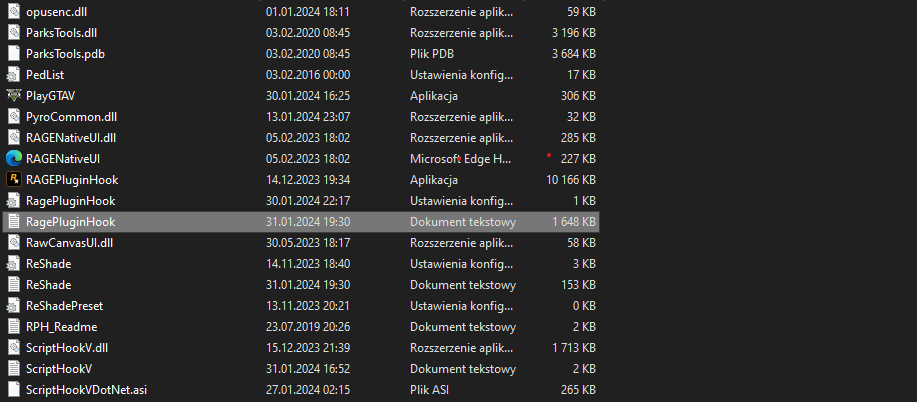
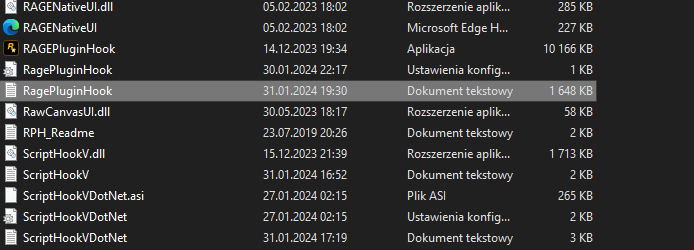
Send here screenshots of your gta5 folder and attach RagePluginHook log file (.txt or .log file in main gta 5 folder)
-
I think so: gta5\lspdfr\data\stations.xml - u just need to know coords
-
1. Delete: Callout Manager - it's outdated and can cause issue (you can use instead Callout Interface) 2. About Nice Callouts and Yet Another Partner Mod - they seem outdated too so if removing Callout Manager won't solve problem I would sugest to check if this 2 plugins don't cause problem too. 3. Reinstall your EUPMenu:
-
Prob you are between mission (Caida Libre - if I'm correct*) that start this script and another mission (Derailed*) that stops it.
-
This replaced textures/models display well at openIV? Where you try add/replace - custom eup folder or smh like patchday(number)ng...? Can you send here link to videos that you were following?
-
Welp.. if you use pirate version then only way how we can help is one tip: buy legal gta5 😊
-
Yeah sadly better radiance in some places does that... I have similar issue but with my front lights and prob only way to fix it is try to find in visualsettings.dat (path:\Grand Theft Auto V\mods\update\update.rpf\common\data) line of code that corresponds with your car interrior
-
Add your whole gta5 folder at antivirus as exeption Rename mods folder to _mods and try launch game Next time pls attach RagePluginHook log file (.txt or .log file in gta5 root folder)
-
Rename mods to _mods and try launch game - if this gonna work it means smh still is in your mods folder that have conflict with game
-
I would try temp remove: Dynamic Callouts FIB HRT Callouts Protection Squad All 3 plugins had last update before The Chop Shop DLC (12.12.2023) and prob 1 or more of them can cause crash - I suggest first remove all of them and check if game stop crash. If it help then add them 1 by 1 with test, check which one cause crash and just don't use this one.
-
Idk why in pause its says that you play your character when you are as Franklin and you are in middle of mission so - try use option to switch character (first option in lspdfr tab), select your char and it should spawn you in this char apartment and should work fine. If this fails try with another save.
-
If you deleted it from mods folder you can just go to original path of this file -> copy it at desktop -> return to place where you deleted it in mods folder and drag it there from desktop. If you deleted it from original path then just verify your game files and should be ok
-
Maybe your character just have bugged animation of sleeping/sitting and you just need to click RMB, if this is smh else you can also try teleport your character to nearest police station (menu pause -> lspdfr tab -> teleport...). You can send screenshot here so maybe I will be able to help better
-
Tbh for me there is no plugin that should cause trouble and there is no that many plugins to drop fps but: first of all I would check if only basic lspdfr cause similar issue (drag everything from plugins folder to another one created for example at desktop - leave only lspdfr.pdb and lspdfr.dll) - I doubt it will help to solve problem but it won't hurt to check; update: Gameconfig.xml, HeapAdjuster, Packfile Limit Adjuster; at OpenInteriors.ini check that you have disabled things that are not recommended; prob second stupid idea but I would check if with disabled mods game works better (maybe there is smh that start working when you start duty - game adds more ped with smh what drop fps, spawn more modded cars or change AI behavior); prob third stupid idea: same as above but with scripts; Let me know if smh have worked (or not worked and then we will try to find another solution)
-
Sadly I won't help much with first phase of your post - if it crash game there are 2 options: it's not installed properly as it should be there is just conflict and nothing can change that About 2nd phase: You can check this thread - still a lot of plugins to test but you can already find few posts with stable plugins
-
You just need to drag and drop this .log file at reply window or use "choose files", select file and wait few sec to upload it. If this don't work (idk why cuz log files are accepted type of files) you can try open this log file at notepad (right click on log file -> open as notepad), save it on desktop as .txt and then upload it here or just when you open it in notepad copy everything (ctrl+a -> ctrl+c) and post it as reply (ctrl+v at reply window)
-
RagePluginHook.log is that file I need - tbh first time I see it as .log file instead .txt but its fine. Pls upload it here
-
New log
-
update RageNativeUI if its not done yet verify game files https://www.gta5-mods.com/tools/heapadjuster https://www.gta5-mods.com/tools/packfile-limit-adjuste
-
Attach here screenshots of your gta5 folder
-
Attach here your RagePluginHook log file
-
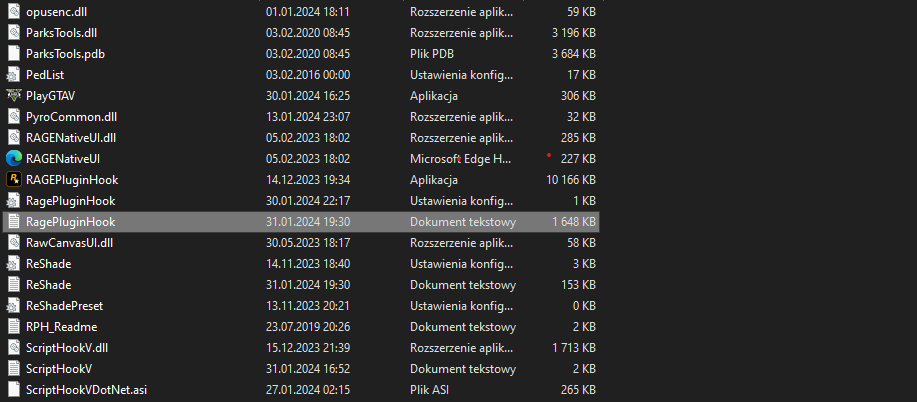
Attach here your RagePluginHook log file cuz this screenshot won't tell us much