




K4te
Members
-
Joined
-
Last visited
Everything posted by K4te
-
Temporally remove: custom pullover lore callouts regular callouts if everything gonna work fine after that then start add this plugins 1 by 1 to check which one cause problem
-
Try update gameconfig, heapadjuster, packfile Also I see in your scripthook log file that you have ScriptHookVDotNet - try to use this version Second also: I hope you have installed newest RNUI (1.9.2)
-
-
-
yup, you can try temporally move folders with it for example to desktop and check if it helps - if yes then you have your solution
-
Update gameconfig, heapadjuster, packfile If this won't help then you have 2 options: find in your mods folder mod that cause problem and remove it if it's not possible to find it - delete whole mods folder and start with it from 0 - but this time add them 1 by 1 and test to avoid similar situations
-
Attach RagePluginHook log file (.txt or .log file in your MAIN gta5 FOLDER)
-
Remove your current ScriptHookVDotNet files and try this version
-
Yes cuz this is smh what we wanna achieve by that - temp disable your mods to see if your game still crash after that
-
Well.. it's normal cuz custom clothes/cars/weapons etc are disabled - its just a simple method to check if crash is caused by mods. From log: reinstall NAudio - it's installed wrong and plugin even won't launch (99% there is readme file and inside is everything typed how to install it correctly) you have installed 2 simillar plugins - Seatbelt and SeatbeltV also SeatbeltV need to be reinstalled correctly vechicles not installed correctly: and last:
-
Temp remove it and check if it helps
-
What you mean? It was still crashing game or what?
-
Temp rename mods folder to _mods - it will disable your mods to check if this cause issue
-
Temp rename mods folder to _mods - it will disable your mods to check if this cause issue
-
Drag and drop log file at bottom of reply window or use option "choose files" to upload it
-
+1 for what @Lennyy mentioned but also: callout manager (<- perm remove) - it's outdated + you already have Callout Interface chaos callouts (temp remove) hypers callouts (temp remove)
-
Temporally rename mods folder to _mods - it will disable your mods to see if this is problem Also:
-
Menyoo shouldn't cause such a problem but you can temp remove it too What mostly caught my attention are enb files and folder - first time I see it so maybe they are causing problem?
-
Tbh Idk - maybe there is smh in UB.ini or STP.ini
-
Everything is in your main gta5 folder
-
Ok so it's wrong place where you have add this cars cuz original ones are in another folder (idk which one cuz I add my vechicles as add-on) so remove that ones and try to find proper direction to replace them.
-
Installed mods cause issue. Try download gameconfig, heapadjuster, packfile. If this won't help then you have 2 options: find mod that cause problem and delete it (if it was file replace then you need to replace it again with original files) if step above is not possible then you have to delete whole mods folder, create new one and start with mods again but this time add them 1 by 1
-
If this is smh what you can easly revert then Imo it won't hurt to try. I never had NVE so sadly it's not so easy to help
-
Drag and drop (or use option: choose files) at bottom of reply window this file:
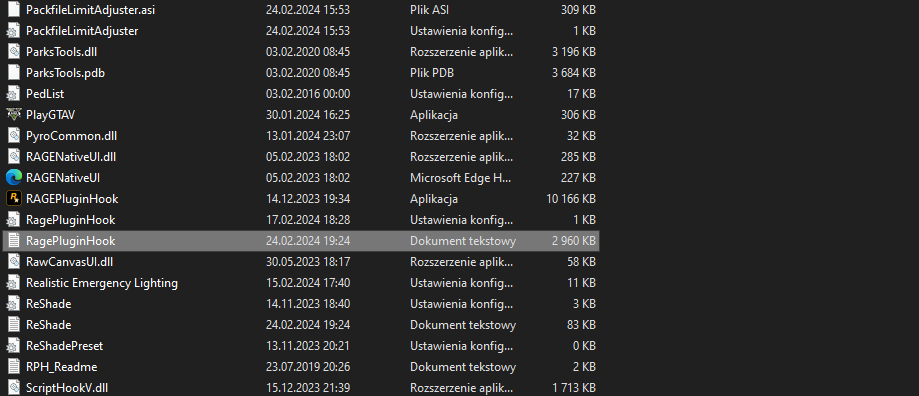
-
Attach RagePluginHook log file (.txt or .log file in your MAIN gta5 FOLDER)



