




K4te
Members
-
Joined
-
Last visited
Everything posted by K4te
-
Plugins even don't start load... For me it looks like wrong implemented car or another modification - rename your mods folder to _mods
-
As @unitedOrange66 said - update RageNativeUI if its not done yet cuz this included in STP/UB/CompuLite and in most plugins are just outdated. Did you install custom eup like EUPFR or similar mods where you needed to overwrite .xml files in lspdfr/data folder?
-
From your current plugins I would suggest remove FortZancudoCallouts. Update your RageNativeUI if it's not done yet. (https://github.com/alexguirre/RAGENativeUI/releases)
-
You have ragenativeui installed - ok... but better question: is it the newest one or you just used this one from CompuLite/STP/UB zip?
-
Prob as always plugins conflict. Post here your rph log file
-
Instead or fresh install you can just verify your files (if you are talking about compoletly game reinstall) but I would also ask for rph log file cuz maybe you have missed smh and problem is caused by another thing
-
No problem, glad I could help. Have fun!
-
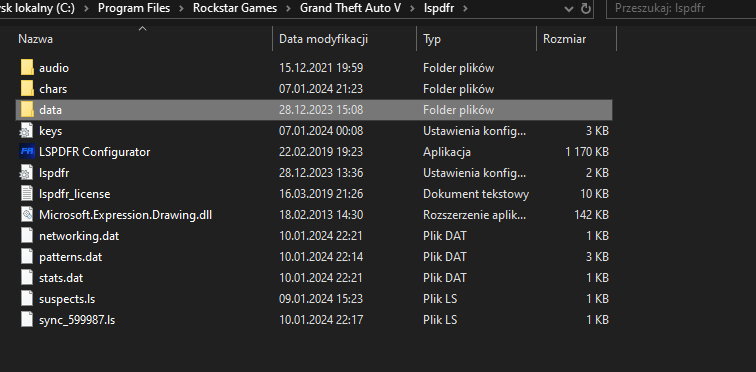
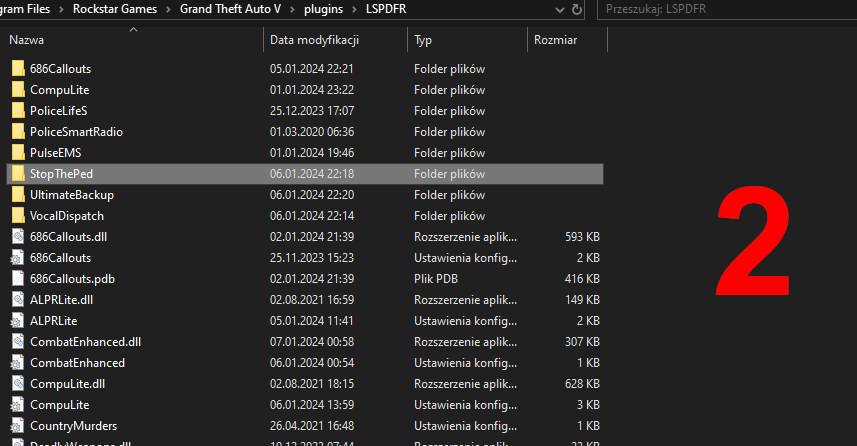
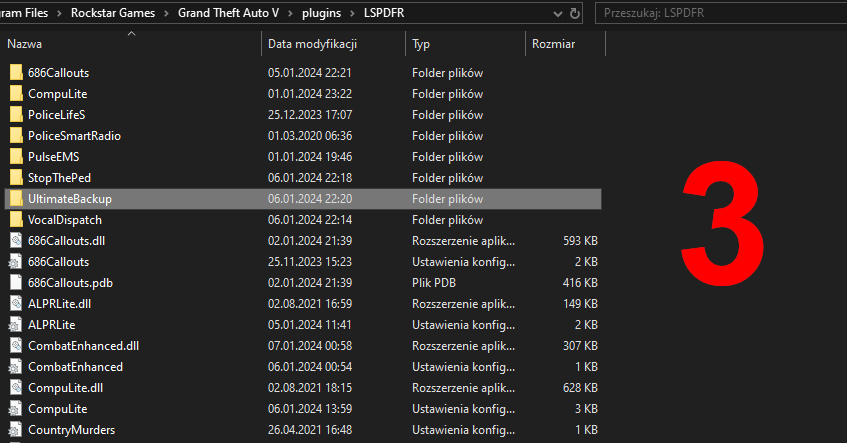
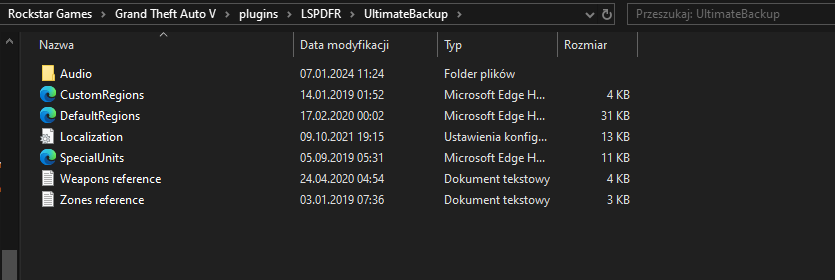
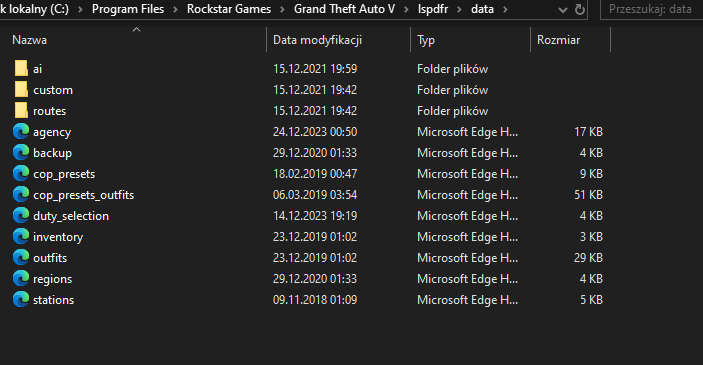
LSPDFR: Download LSPDFR manual version from here - Click Download File -> Agree for terms -> choose Manual_Install_2 option 2. Open downloaded .zip/.rar and also open lspdfr folder in your gta 5 folder and delete whole data folder (screen 1) 3. From downloaded .zip/.rar copy whole original data to gta5/lspdfr ================================================================================= Stop The Ped: From plugins folder (gta5/plugins/lspdfr) delete whole Stop The Ped folder. From downloaded STP .zip/.rar drag whole STP folder to this same place. (Screen 2) ================================================================================= Ultimate Backup: From plugins folder (gta5/plugins/lspdfr) delete whole Ultimate Backup folder. From downloaded UltimateBackup .zip/.rar drag whole UltimateBackup folder to this same place. (Screen 3)
-
Add back original .xml files. For lspdfr folder you need to donwload lspdfr but as manual - you will be able to just drag needed files withot need to reinstall whole mod For STP from downloaded .zip or .rar For UltimateBackup from downloaded .zip or .rar
-
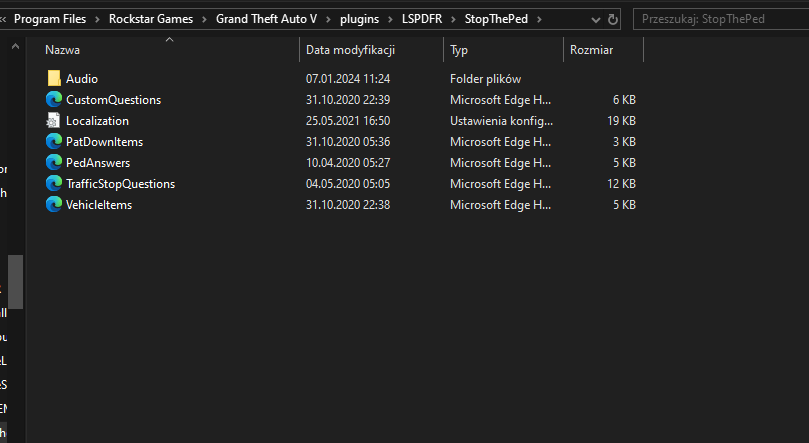
Okay.. earlier I missed line that game see and reads STP. Tell me - did you used modifed .xml files with pack for eup etc. I had issue with STP week ago and it was custom .xml files. Talking about this files:
-
You use a lot of similar plugins that can cause crash - for example computerplus and compulite or calloutinterface and calloutmanager. First I would recomment to remove: BetterEMS CalloutManager ComputerPlus Traffic Policer TrafficCallouts Let me now is smh changed after you remove this plugins. I need some time to verify rest of your plugins.
-
Yup.. I need a while to check your files but in this time you can try rename your mods folder to _mods. (It's gonna disable your mods but we need to check if smh there is not causing problem)
-
Go to your gta 5 folder and you can use prtscn button or combination windows+shist+s and select area then its gonna get saved in windows storage. You just open for example paint, paste it into paint and save it as .png or .jpg Saved file drag on window of your reply or use option choose files at bottom of your reply window
-
Any mods/scripts or scripthookdotnet? You can screenshot your root gta folder and paste it here
-
What about RageNativeUI? Did you updated it to newest version?
-
Looks like Computelite is not even proper installed cuz its not detected in logs when game launch. Check if you installed it properly. Files (ComputeLite folder, CompuLite.dll, CompuLite.ini) should be in plugins/lspdfr. RageNativeUI.dll should be in main gta 5 folder. Update your RageNativeUI.dll - here is most updated version (https://github.com/alexguirre/RAGENativeUI/releases).
-
Tbh I would try replace again this xml file with original one... I had problem with STP and UltimateBackup when I had custom files so maybe it can cause issue at this time too
-
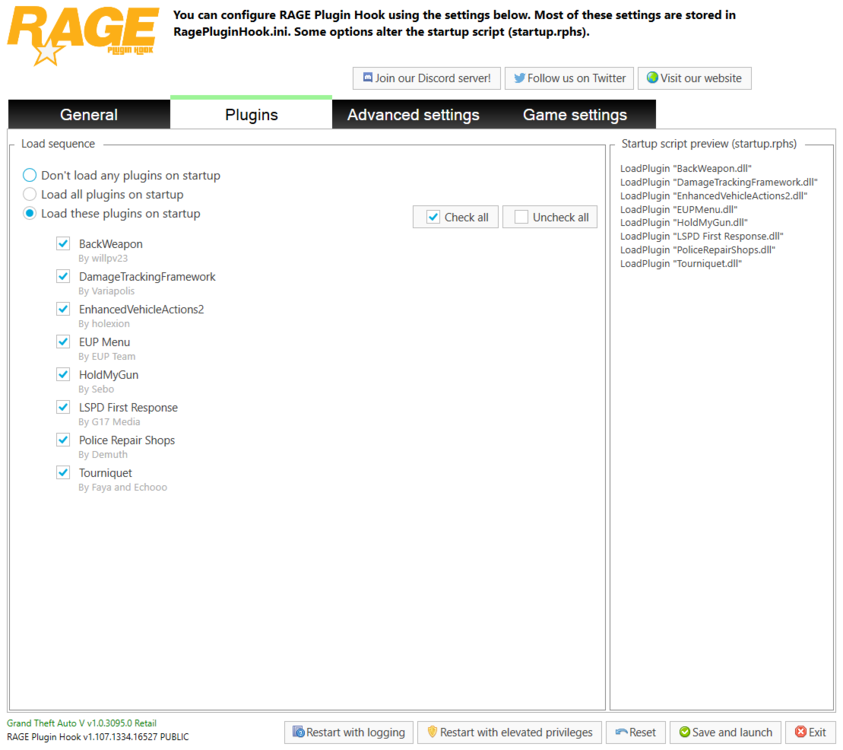
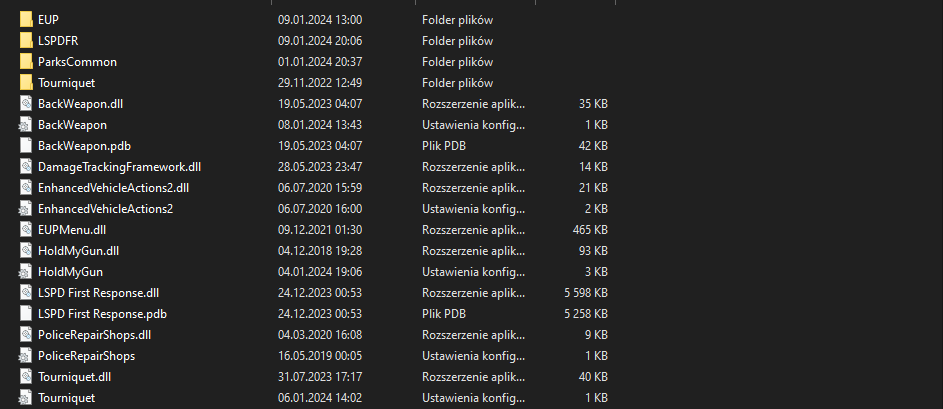
Plugins installed in plugins\lspdfr don't show up at ragepluginhook plugins cuz they are triggered by lspdfr after you go on duty. Only plugins instaled exactly in plugins folder are triggered by rph and can be set to load at start or load them later in game with console
-
For me there is no difference but ok xD For all my attempts (on and off duty) when I used this option I didn't had this scene... Game just spawn me next to marker/doors to start duty/change outfit or end duty
-
Crash happens if you won't use teleport to nearest police station?
-
Okay, from log it looked like game has shut down and couldn't even load LSPDFR but if you say basic mod works fine then ok. Try delete plugins and add them one by one with testing everyone - add 1 and test it if its crash game or not (no crash - leave tested one installed and add another and test etc...) About mods - if plugin test won't show you nothing new - rename mods folder to _mods
-
Oh and also I would like to ask if you can send here link to this vechicle pack.. I need to check smh
-
Okay, try do what I typed in my first post
-
It can be any car that was bad applied.. You were repleacing them or add as add-on?
-
If it won't be plugins fault then try rename mods to _mods



