


xDuvii
Members
-
Joined
-
Last visited
Everything posted by xDuvii
-
 Basically like a nexus mdt but way realistic and be able to see others games in your game, the best mdt ever!!
- 38 comments
- 3 reviews
-
-
 you can't the code isn't designed for that
 -
 excited for the next update.
 -
how about adding a code where it reads the coordination of the mlo using xml file, the user will have to use a coordinator mod that shows x y z of the mlo and add it themselves. i saw this mod this morning before work and ran all of way back home to try this, it look so good. Edit: Also forgot to add the hotkeys from 1 to 5 and adding a code to disable the weapon wheel for people using Tab instead of Oem3.
-
never though about that i wanted to make it simple just press and move around with the mouse, maybe I bring it up in the next update. Thanks for the support and opinion <3. using photoshop to make them and replace the .png's
-
make sure your addons have their vehicle class correctly. ( <vehicleClass>VC_EMERGENCY</vehicleClass> ) other than that it should work the corvette showing in the video is a vehicle addon.
-
right click to move it around, scroll wheel to make it bigger or smaller
-
-
-
-
-
 If he does it then nobody will download his mdt Btw This an absolutely CINEMA!!
- 46 comments
- 10 reviews
-
-

- 1
-
-
this is a complete different code from the original. the original has nothing to do with this plugin follow the instructions and you'll be able to make it work.
-
-
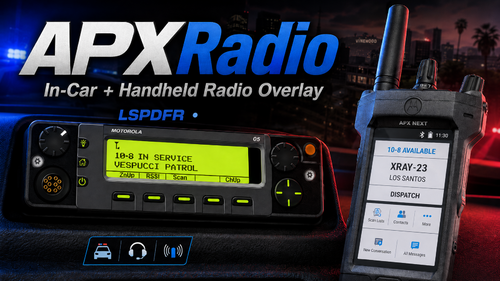 so this is what i meant to say. When you press the keybind to open and close the radio-car/handheld radio the edit mode activates at the same time.
 -
Never said I fixed it I think you didn’t understand what I said
-
so everytime you press c to toggle the radio it opens the edit mode? same as the radio in-car.
-
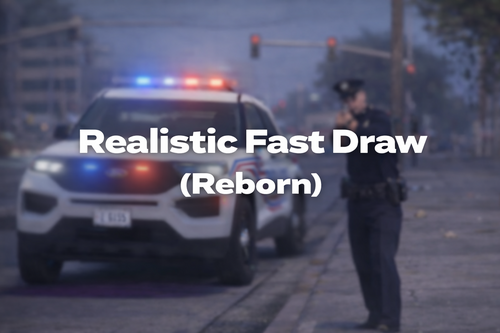 Instead of pressing F i have to press 1 like i'm holding F. It's not bad at all as long as i'm driving and the character doesn't jump out of the vehicle in 100 mph, but it's not doing what the description says that holding F will fast draw. EDIT: so apparently when you set the PrimaryKey it will act as a F + FastDraw so basically there's not holding F in the script only Is_Control_Just_Pressed(Normal press) and not Is_Control_Pressed(Held down) for keyboard. The method is in the code but is not being properly apply.
 -
.thumb.gif.cfe905cb641c197299efbf8404f20c71.gif) Awesome update it's feels way better now, how about adding the rockstar recording for people who make content be able to make clips with this?
Awesome update it's feels way better now, how about adding the rockstar recording for people who make content be able to make clips with this?- 17 comments
- 2 reviews
-
-
- 1
-
-
great script, sadly we're not able to move the bodycam recording overlay freely. I tried using AxonSignal because I have the overlay already set up there but the plugin overlaps between each other once you're going to turn off the camera, which is not a big deal but it's weird because you hear two beepoff sounds playing back and forward. I would recommend to add a compatibility into it or just make a edit mode for the overlay would be perfect. Edit: I just read that we can turn off the audio but the problem still stays by adding a delay between the axonsignal and the plugin. Edit again: NEVERMIND AWESOME PLUGIN!!!. (silly me by not checking the plugin properly) Still will be nice to add a edit mode for the overlay.
- 17 comments
- 2 reviews
-
ok i'm confused where did you see it goes in plugins folder only?
-
yes This is a rewriten code, original version won't work.
-
it's always been plugin/lspdfr
-






.thumb.gif.cfe905cb641c197299efbf8404f20c71.gif)
