


Mustu
Members
-
Joined
-
Last visited
Everything posted by Mustu
-
-
2.5/5. Could use some improvements. The blue stripe could use some curves around the wheel arch area where there are contours, and they slogan could be slightly more original :P
- 11 comments
- 1 review
-
I'm pretty sure none of the DPS cars have 911 markings on the back or "Texas Highway Patrol" markings on them. They don't have 911 markings on the side by that door arch thing either, but I guess the American flag is okay, it's just showing pride in our country.
- 4 comments
- 1 review
-
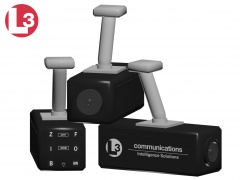 Danke. This is used in OCSD vehicles, too :D (I think)
 -
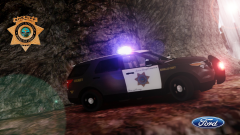
From the album: Random & Gameplays
The BCSO were called to a man screaming for help while allegedly abseiling from one of the most dangerous mountains in the region, the Peak Ridge. The Fire Department and air ambulances were immediately requested after the unit arrived on scene. -
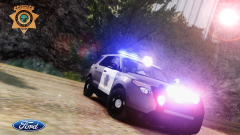
From the album: Random & Gameplays
The Bernalillo County (New Mex.) makes use of their all new 2014 Interceptor Utility equipped with AWD, and patrol the Countryside Mountains. -
Hmmm. I'm not to be biased here (you and I know things have been going on) but the lighting setup doesn't...... match up. The Legend looks awkward on a Tahoe...
- 6 comments
- 4 reviews
-
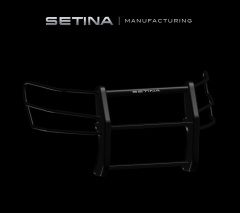 Niceeeeeeeeeeee Good job! 5/5 Also, is this the one I have?
 -
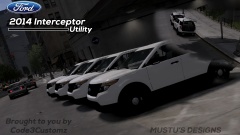 Thanks so much!
 -
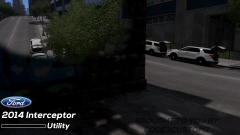
From the album: Mustu's WIP Vehicles
More cars have arrived! They are now ready to be outfitted after the 3 previous ones are out of the shop. Going through an inspection. The LCSD/LCPD engineering staff seem to be very interested in the complimentary cabinets... Brought to you by Code3Customz -
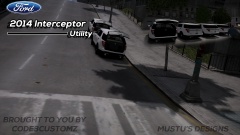
From the album: Mustu's WIP Vehicles
More cars have arrived! They are now ready to be outfitted after the 3 previous ones are out of the shop. Straight out of the dealership! They received their cabinets. Brought to you by Code3Customz -
From the album: Mustu's WIP Vehicles
More cars have arrived! They are now ready to be outfitted after the 3 previous ones are out of the shop. The four cars lined up in all their glory, ready to be inspected and be sent out to the shop. They are fresh from the dealership! Brought to you by Code3Customz -
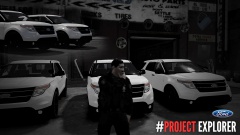 Pretty good. I know this is still WIP, but just as a suggestion, make the interior of the headlight housing black.
 -
You know what? I feel like PMing you with just pictures of ELS vehicles :P I'm the devil...
-
-
You and your hatrid for ELS :(
-
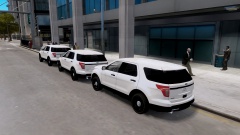 Wow, guys. I'm so pleased with the outcome of this. I'm so glad I've inspired some people too! You know, what? Just for that I'm working on an Explorer with the concept liveries, a 21TR, and plenty of other lights :D
 -
THERE IS!??!?!? Then I might! I'll figure out how to use it! YOU SHALL BE SAD NO LONGER, FOR THIS IS SPARTAAAAAAAA!!!!
-
Again, so sorry. :(
-
So sorry, man. I don't have a non ELS Vector, and I'm not too familiar with making Non-ELS vehicles, either. I'm so sorry to sadden you :(
-
What do you mean? Would you get an unlocked Explorer? I mean, if you give me a Non-ELS Vector, I'll gladly slap it on, I'll just have to make myself more familiar with the layout and stuff for Non-ELS.
-
Thank you <3
-
Oh, sorry for that. Didn't know what GADit meant! Good luck with it! Oh, and because you're Vertex, I know you'll make mine look shit, but please refrain.
-
I hope you're not addressing me as a GAD...
-
It took me a while. Hey, if you wish, I could hand it to you (strictly for private use*). *subject to change, terms and conditions may vary. If you had or have symptoms of douchebagitis, please visit a doctor immediately.


